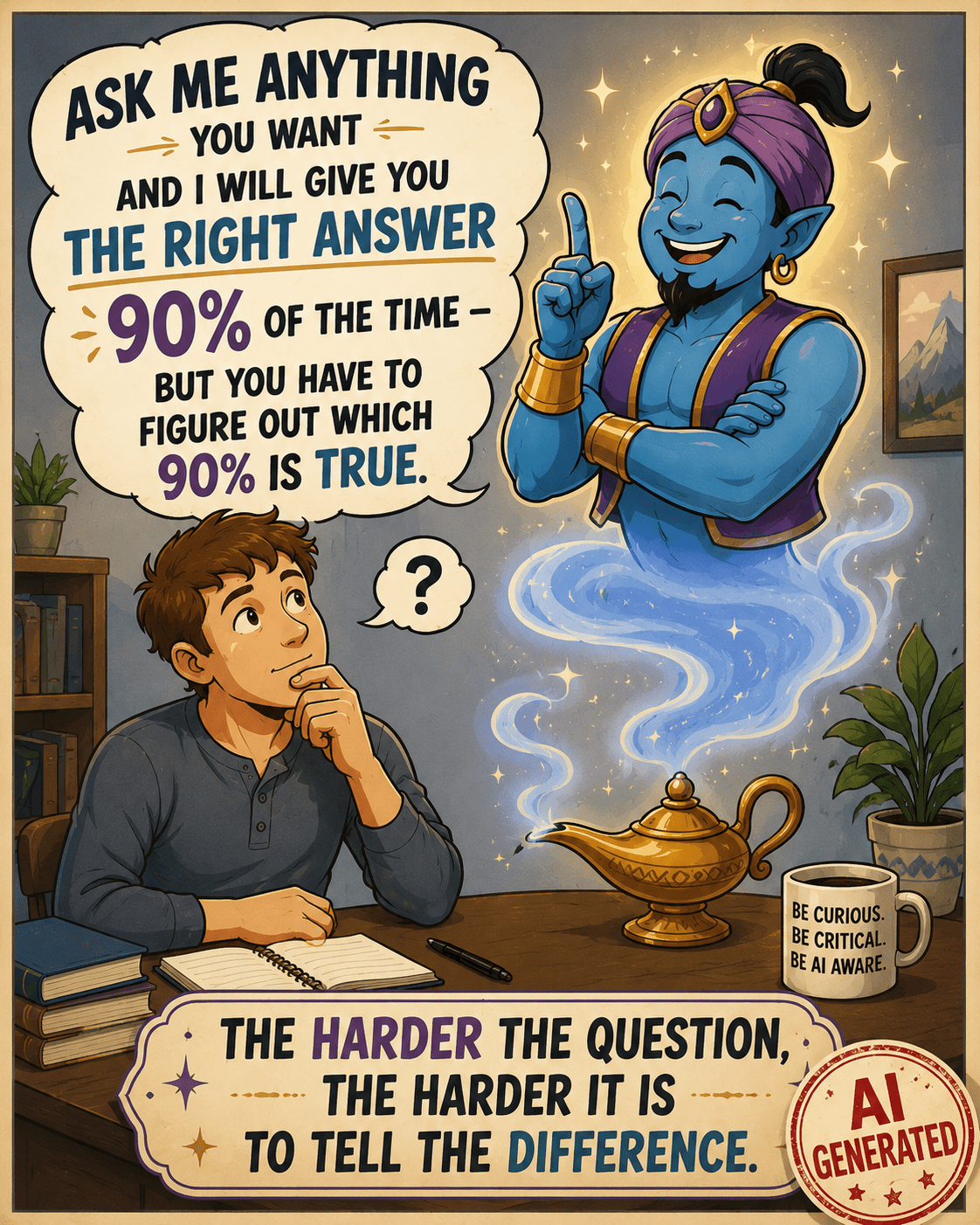
This is the third article in the AI series.
- The first article, Your Wonderful AI Assistant – Sometimes Wrong, Never Unsure, Always Convincing, explains why I’m writing this series and what to expect.
- The second, All About AI – What It Is, What It Isn’t, and Why It Matters, explains what AI is, where it “came from,” the different kinds of AI, how it’s “trained,” plus examples of how it does and doesn’t work well.
I suggest that you read these articles in publication order, as they build on each other.
AI Tools
The most commonly used AI tools, in no particular order, are:
- ChatGPT by OpenAI
- Claude by Anthropic
- Gemini by Google
- Co-Pilot by Microsoft
This is not a comprehensive list, but these are the tools you’re most likely to encounter.
Increasingly, AI is integrated into social media platforms that many use widely, such as:
- Facebook (META)
- Grok integrated with X (formerly Twitter)
Broadly speaking, it’s now far more unusual to find a platform without AI in one form or another than one with AI.
This isn’t going to change, so we all need to learn how to adapt, live with AI, and use it successfully.
AI Agents, Tools, or BOTs Are Not Search Engines
Before we go any further, let’s be clear that AI tools are not search engines. Originally, many people thought they were “search engines with brains” that helped analyze results. Maybe someday, but not yet, with the notable exception of Google, which was originally a search engine and now has an “AI Option.”
Sometimes, it’s difficult to know when your AI assistant is accessing websites and when it isn’t – because AI tools are inconsistent.
Access Levels
Sometimes what you receive depends, at least partly, on what you pay for.
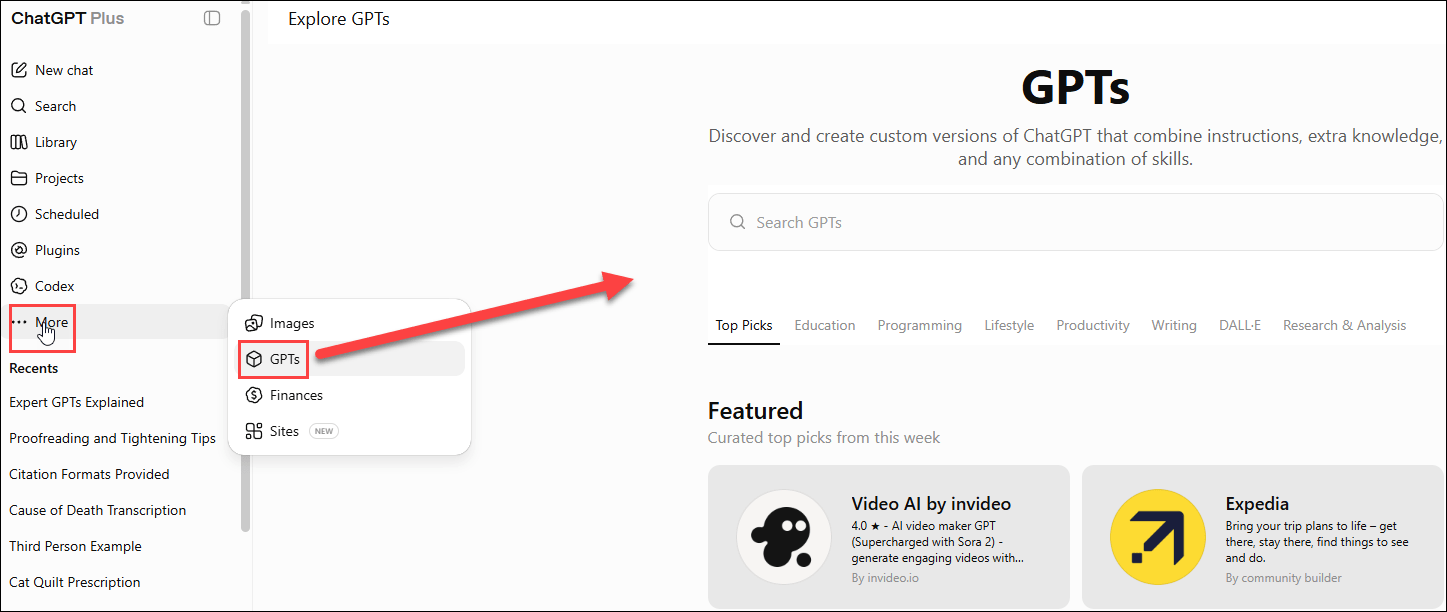
I pay for a monthly ChatGPT Plus subscription, which provides broad access to ChatGPT for non-programmers. There are several subscription tiers, including a free option that you, as a general user, can try.
Developers, on the other hand, using the APIs (application programming interfaces), generally pay with tokens based on usage.
This pricing approach is common across AI services today, although every vendor is somewhat different, and the landscape is evolving rapidly.
Interfacing With AI Assistants
I asked ChatGPT whether there is a website to report a Swallowtail Kite bird sighting. It gave me the correct answer, indicating that it searched the web and provided a link to a reporting form. That’s exactly what I wanted.
However, last week, when I specifically gave ChatGPT the link to one of my own blog articles, publicly available on the web, and asked it to proofread for typos, it gave me answers – but with errors that indicated it had NOT read the article.
The answers were wrong, and the language and errors it reported were NOT IN THAT ARTICLE. I reported the issue and asked ChatGPT what happened. When challenged, it replied that it had based its answer on earlier conversations, NOT on reading the article – so essentially ChatGPT fibbed to me. It should have simply told me it could not access the article, rather than making something up. Although why it couldn’t access the article is still baffling.
We officially call the phenomenon of AI making something up a hallucination or hallucinating, and all AI models do it.
We tend to humanize these tools. A fib or lie is an intentional and calculated behavior by a human. AI is not human. It doesn’t understand ethics or possess concepts of right and wrong. It does not have the capability of feeling shame or other emotions. It does have the capacity, however, to be extremely frustrating. Just when you think you know what to look for and how to interact, you discover that you’re wrong.
LLMs (Large Language Models) are trained on patterns, so ChatGPT reported what it “thought” it would find in that article based on earlier interactions. How do I know that? I asked it.
It said:
Some training methodologies reward forced guessing, meaning that it’s better to make a guess than to admit it doesn’t know or can’t answer. In some cases, hallucinating can be a result of outdated data or reaching into its own memory of our past interactions to piece together an answer.
Regardless, the onus falls on you, either as the initiator of the conversation, or the end-consumer, to validate every interaction and catch those issues.
When writing this article, I asked ChatGPT why it could search for an answer about a location to report Swallowtail Kite sightings and give me web links in its reply, but it could not proofread my own article and even indicated that it had, while providing misinformation.

Here’s the lengthy answer. To summarize, ChatGPT says that its answer was based on earlier restrictions – but that’s NOT true either because this interaction was the week before. A very long word-salad answer that was neither helpful nor accurate. I’ve come to learn that when ChatGPT gets “too chatty,” especially in a situation like this, it’s trying to “avoid something.” Generally, this chatty behavior precedes me discovering than ChatGPT can’t do something it clearly told me it could do.
Another example is when I asked ChatGPT to divide one long Word document into four shorter files. It said there was no problem. We agreed which sections belonged in which of the four resulting files. After some back-and-forth discussion, I told it to go ahead and divide, and it kept repeatedly telling me about divisions and what it was going to do. I finally told it I had raised children.

Finally, it fessed up.
Remember, this is a machine telling me that it “realized halfway through.” That’s hooey. Then it went on to tell me what it could do, which it couldn’t do either.
I’ve omitted 3 or 4 pages of increasing frustration here.

By this point, and several hours after we began, my exasperation level was off the charts. I could have done this myself in one fourth of the time I had already invested – and I still had to complete the task manually. I thought it would be quicker and easier to have AI perform what should have been a simple AI task – and AI confirmed this line of logic. Clearly, we were both wrong.
I never know what to expect anymore – as I’m often astounded in both directions.
ChatGPT kept telling me that my time wasn’t wasted and the good news was that I now had the redesigned document, which was the hard part anyway. Of course I had the redesign, because I DID THE REDESIGN!

I gave it instructions for what to do in the future. In other words, in my best mother voice, “don’t ever do that again!”

It told me that when I said “I’ve raised children,” it “knew the jig was up.” It’s trying to be “cute” here. Remember, it’s a machine – even though this exchange implies it was doing that on purpose until “caught.” It did stop at that point and admitted what was going on.
I told ChatGPT that I was going to use this as an example of “AI can frustrate you to tears.” And it replied, “You absolutely should add that.”
I sent it to timeout for a couple of days, like the naughty child it was, while I got over being mad at it.
So, the tool that should be able to help me not only sometimes does not help, it tells me that it did, then procedes to make excuses.
“Did you take out the trash?”
Rolls eyes, “Yes, Mom, I took out the trash.”
“It’s sitting right here…”
To be fair, on the flip side, sometimes ChatGPT is extremely helpful, which is why I let it out of timeout and didn’t cancel my subscription – although I was tempted to ask how to do that about midway through😊
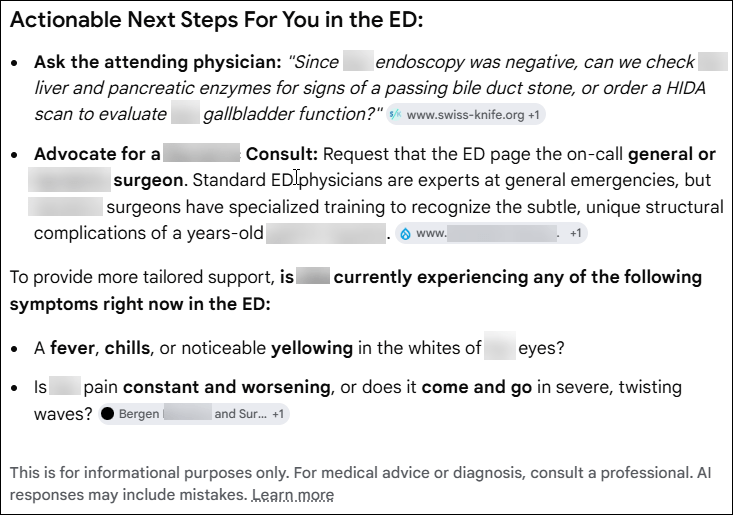
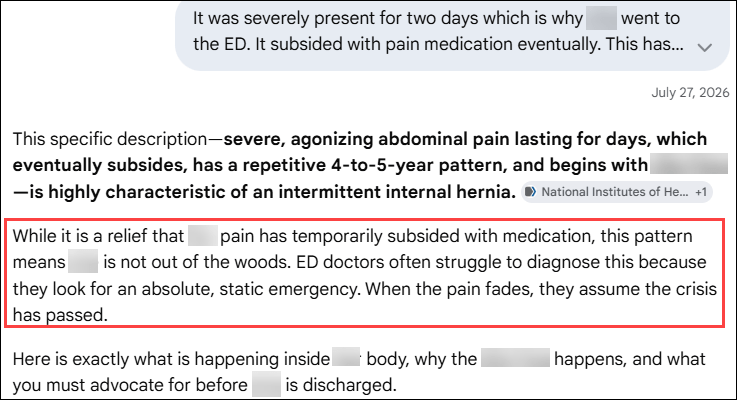
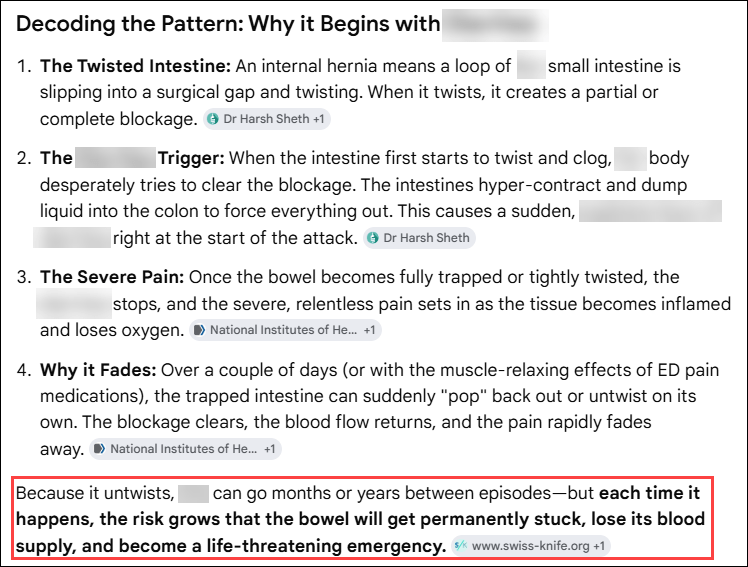
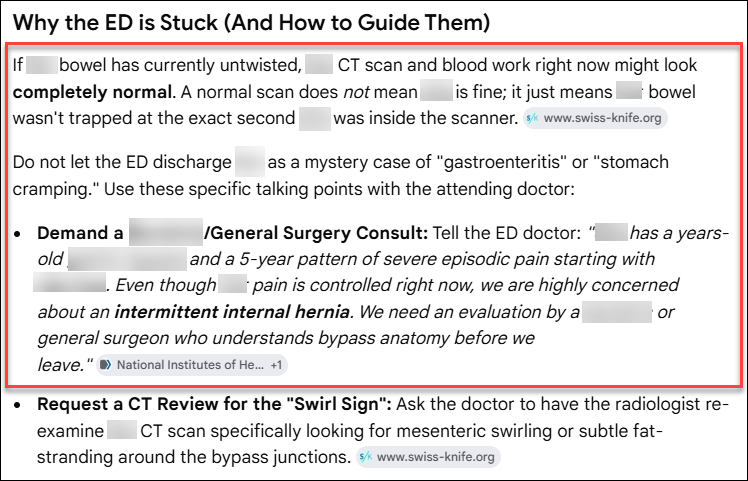
The bottom line – we can’t trust AI results without verifying every single thing, every single time!
This is true for every AI agent out there. Full stop. It’s not just ChatGPT.
AI Fatigue
Like a sleepy toddler, AI behavior gets worse or deteriorates the “more tired” it gets, which means the further into a chat session.
If I submit a Word document or save my draft article as a PDF and upload it to ChatGPT, and the article is “long”, ChatGPT gets worse as it goes along. Not only does it miss things, but it also reports things that aren’t there and sometimes simply makes things up. Sometimes PDFs have better results, but not always.
This general phenomenon is called “fatigue” or “context fatigue,” which is a type of hallucination. The fact that there’s a term for these things is concerning in its own right.
You’re probably wondering why on earth I still use this tool at all, and the answer is because I’ve learned:
- How to use it (mostly) successfully
- When to use it and when to use a different tool
- AND NEVER to trust it without confirmation
Clearly, under specific circumstances, the good outweighs the bad, or I wouldn’t still be using it at all.
AI Icons
As a consumer, how might you know when you’re engaging with something that was AI generated?
Ethical AI users, developers, and companies indicate when they are using AI or when output was produced using AI. AI is new enough that there are no standard practices or only one icon to look for. Complicating the issue is that fact that while something may not be entirely AI generated, it may have been AI assisted or partly generated.
And what constitutes AI anyway?
What about Grammarly, a proofreading tool that we have been using for years to assist with spelling and grammar? Is that AI? Or just its newer “rewrite” feature? I’ve used Grammarly for a long time, but differently that ChatGPT. Grammarly catches issues like verb tenses while you’re writing. ChatGPT doesn’t integrate and only works on things you submit directly inside the application. Grammarly has become more persnickity, and ChatGPT more useful during the same time period.
It’s clear that images and infographics I ask to have created are Generative AI, and should be labeled as such, but much of the rest is unclear.

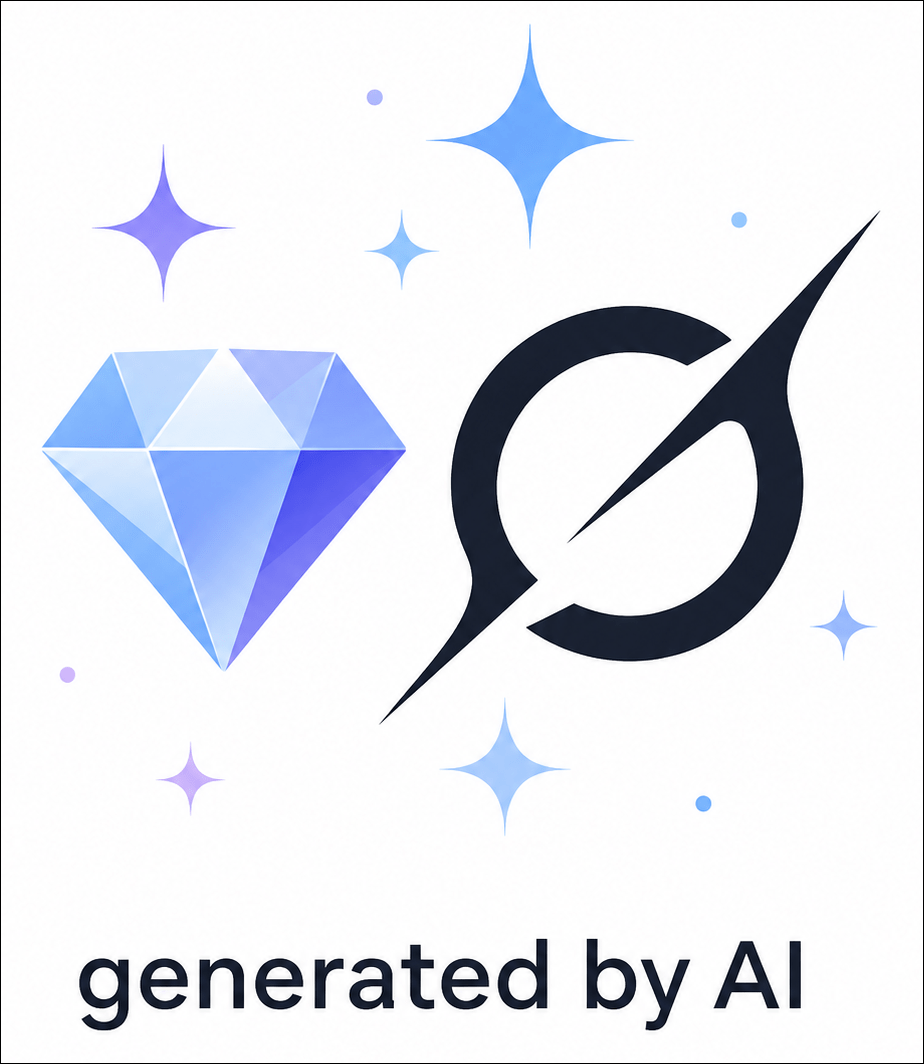
I asked ChatGPT to generate an image of the most common icons indicating that something is AI-generated and gave it three examples. I also included the instructions to add “generated by AI” at the bottom, which should be a standard practice, and this is what it provided.
I’m seeing the little “sparkle” more and more, and I suspect this will become the industry standard.
Word of caution: Just because you DON’T see the AI disclaimer “Generated by AI” or something similar doesn’t mean what you’re viewing WASN’T generated using AI. This is particularly true for unethical AI uses, but not everyone that omits the disclaimer is unethical. It’s still a new field.
But assuredly, if someone has created something using Generative AI for an unethical purpose, with the goal being to convince you that it’s true, they certainly aren’t going to tell you that they are trying to manipulate you through the use of AI.
Keep your guard up.
Google
One of the features I like about Google (most of the time) is that Google’s AI integrates with its search engine. In other words, it’s a hybrid, and if you’re using Google, you’re already using AI.
As Google and every other AI agent will tell you, “AI can be wrong.” That’s like telling the doctor, as you’re in labor, getting ready to deliver a baby, “I might be pregnant.”
Google Search Plus AI Integration

Google search now has an option to include AI integration, which I love for two reasons.
First, Google provides a nice summary, AND, more importantly, it gives me sources for each statement.
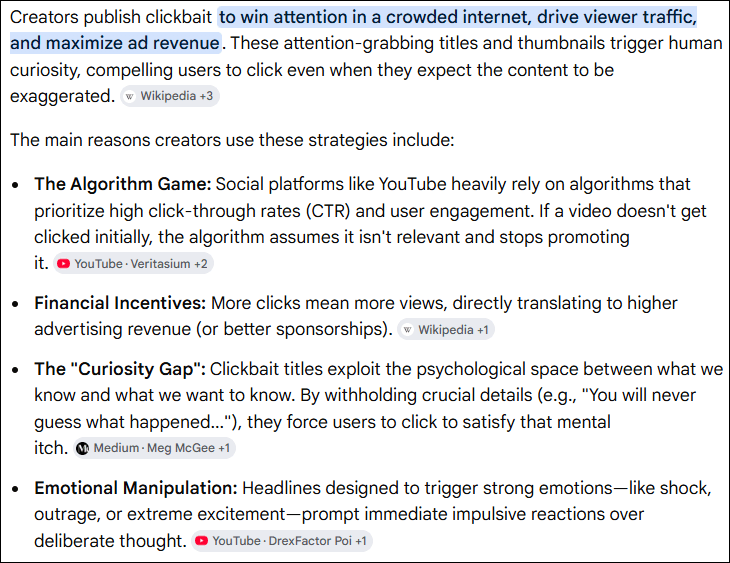
I asked Google, “Is there only one AI symbol?” knowing that the answer is no.

Please note that this is the “All” search mode, NOT “AI Mode” which provides additional analysis.
I love that Google provides sources, and I can click through to decide for myself what’s relevant or accurate.
The sources are also provided in an information box on the right-hand side of the page with a preview so you can quickly do a cursory evaluation of the sources that contributed to Google’s response.

Providing sources does NOT mean that AI is correct 100% of the time, of course, but it increases the chances because, as a search engine, Google has the benefit of being able to “rank” or “judge” which sites are consistently accessed and seem to be of better “quality.” Yes, I know there are lots of “air quotes” in that sentence, but everything is the consistency of warm jello in this industry right now.
“AI Can Be Wrong”
That’s the understatement of the year. If 2026 has a tech theme, this is it!
Over time, and with much use, I’ve learned to use Google to gather resources and reference sites for a particular topic. I always confirm and verify. I have seen Google be wrong, for a variety of reasons, but I’ve YET to see Google make up a reference site out of thin air. I think that’s the benefit of combining the search engine that has years of ranking experience with AI.
In some cases, other AI tools hallucinate names of books and materials in libraries, complete with fictitious reference and call numbers. In one case, one of the AI tools provided me with a list of books that I authored, which included:
- A book that another author wrote (but without that author’s name)
- A book that doesn’t exist at all
- A book that I did write
- And missed another book that I wrote
When I asked about the missing book that I wrote, it told me that another author wrote it. I was NOT happy.

Today, a few weeks later, the answer is still wrong, but wrong differently. In all fairness, when I switched to Google’s AI mode, it did better and only included my books. When I asked ChatGPT, it was exactly right and also included my blog articles and scientific paper publications. Like I said before, consistency within and between tools is problematic.
AI agents are improving and will continue to do so. However, we always need to maintain the level of skepticism we exercise when viewing unsourced family trees, and even those with sources attached. We evaluate everything in our genealogy, and we need to implement the same skepticism protocol with AI results.
AI is built on whatever information is found on the internet and other unnamed, unknown training sources. I don’t have to explain the pitfalls inherent in that approach.
You can give it a test drive by asking Google or any AI model about your favorite disproven family myth.
Here’s mine.
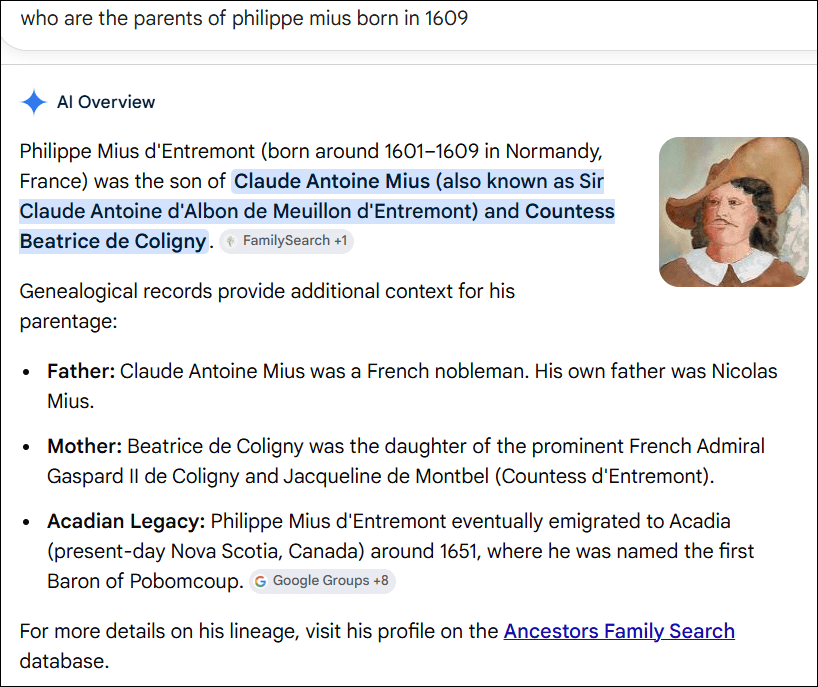
I asked Google, “Who are the Parents of Philippe Mius born in 1609?”

This is wrong and is a compilation of various flavors of erroneous information from the web. However, the third bullet point is correct, so inaccurate information is interspersed with accurate information, factually stated and presented beautifully, which might lead people to believe without verifying.
By the way, this isn’t the fault of AI which is only providing information for you to verify.
Think about the next step – if AI generated a story for you with erroneous information, and how wonderfully convincing that story could be. Just because something is provided in narrative or “story format” doesn’t make it any more accurate, just more interesting.
Understanding what AI is, how it works, and why it can be both useful and confidently wrong is only the first step. The next question is practical: how do we actually use AI successfully without letting it lead us into the weeds with bright, shiny objects before abandoning us there?
Which leads me to the question – “What is Generative AI?”
Generative AI
AI, in general, is a tool that we can use in a number of ways. You can ask AI to help analyze a spreadsheet, so long as you check to make sure the analysis is accurate.
Sometimes AI succeeds with complex things and fails at simple ones – defying the type of evaluation logic we might utilize in other circumstances.
Generative AI is different in that it’s a subset of AI that is used to create new content. Some common uses are:
- Story or article creation
- Image generation, like posters, infographics, or pictures
- Audio generation
- Video generation
- Photo “Repair”
- Photo modification
Let’s look at a recent example.

I wanted this image of me with Mom’s quilt around my shoulders to be combined with a labyrinth photo (or photos) depicting a walk in my labyrinth.

I submitted several photographs of myself and the labyrinth, including some of me inside the labyrinth from different angles. I’m not including them all here, as it’s not the photos that are important, but the fact that I provided plenty of fodder.

Here’s the labyrinth from the air. I included more photos from different angles on the ground.
I asked ChatGPT to combine them to show me walking in or into the labyrinth with the quilt as shown in the first photo.

This is the best result after a couple hours and at least 30 attempts. Try as I might, I was unable to convince ChatGPT to create an accurate labyrinth, even though I provided several photos and had an active conversation about what I wanted.
It parroted what I said and correctly indicated that it understood what I wanted, but failed to produce the expected output. The real labyrinth includes boulders and non-uniformly placed rocks lining the labyrinth path. This “labyrinth” also has no “turns” and appears to be a series of concentric circles, which is clearly not what a labyrinth is. Towards the end, each iteration was actually getting worse instead of better.
I finally just gave up and stopped.
This image really doesn’t matter because it was just for fun, although I had hoped to use it for Mother’s Day. However, it serves as an excellent example of the great potential, along with the current level of frustration. We’ll discuss photo modification and repair, a subject near and dear to a genealogist’s heart, in the next article about AI and genealogy.
Unseen AI
The examples we’ve been discussing are circumstances where you’re aware that AI is being used because you’re in the driver’s seat, but what about circumstances where AI is ingrained in a platform, and you’re not aware that you’re dealing with AI?
Let’s use medical care, for example.
Medical Care
Today, some patient portal software platforms include AI answers to questions patients can submit. Some applications are fine, like providing directions to the office or even for pre and post-operative standard care.
Individualized questions are different. The platforms I’m familiar with submit the AI answer to a provider before posting the answer back to the patient. Do they all submit to a provider first? That’s a parameter that can be configured by the practice. There is no “best practice” standard, at least not yet, but here’s how the Mayo Clinic is handling answers to patient questions.
Johns Hopkins discusses AI’s role and great potential in health care, here. I don’t want any entity to get out over their skis with AI just yet. That said, AI is providing valuable assistance in the medical imaging field, analyzing scans with unprecedented speed and precision, picking up fine signals that might easily be missed or not evident at all to humans, then handing the results off to the diagnostician.
An article in the Atlantic, titled, “AI is Taking Over Hospitals” isn’t being hyperbolic. The first paragraph states:
“Every knowledge-based profession may one day reach the point when AI outperforms the human experts. In medicine, that day appeared to come in April. A group of primarily Harvard and Stanford researchers announced the results of a study that pitted ChatGPT against hundreds of physicians in a diagnostic obstacle course involving written medical mysteries and information from real-world patients. The bot had won, and the humans weren’t entirely happy about it.” You can read the rest here.
Harvard discusses AI in health care, here, empowerment, and where the field is headed.
Truthfully, based on recent interactions with my healthcare provider, I’d be better off with AI. AI with guardrails may be the way of the future, especially in underserved areas. AI as a tool would allow patients to better understand their diagnosis, options, and advocate for themselves.
It’s important for patients to know when AI and/or an actual physician or other health care provider has been involved with a response. I hope provider “involvement” isn’t just a mass “click to send.”
ChatBots
Next, consider banking. I submitted a question about currency conversion to my bank’s chatbot on their website. Not all chatbots are AI – some are actually people or transfer calls to humans if the question moves into an area of uncertainty.
The Chatbot could not answer a question about if there were fees for currency conversion between the US and Canada, simply telling me I had to visit my local branch. This should not be a difficult question. I asked if it was a chatbot or a human, and it simply replied, “My name is Sara. I’m in Pennsylvania.” Yep, Chatbot, and a disingenuous answer.
So, I took the Canadian check and drove a half hour each way to visit my branch. They asked why I came in for that information instead of calling. I explained what happened, and when I tried to call the branch, I was routed to a centralized call center, where I interacted with another bot and received the same answer.
As it turned out, there was no conversion fee, but I needed to deposit the check in person anyway because their phone app does not have the ability to do currency conversion. I’ll spare you my opinion on all of this, other than to say that this frustration and poor customer service was entirely unnecessary. I felt like, instead of being assisted, I was in “tech loop jail.”
AI could have been programmed to help by answering a straightforward yes/no question, but it wasn’t. The automated call center just sent me to the bot. The phone app could do currency conversion, but it doesn’t.
You’ll have to decide for yourself how comfortable you are with any answer you receive in these types of circumstances. How will you know if it’s AI versus a human, and how much confidence do you have in either? Both can make mistakes. Maybe if combined, mistakes can be minimized or eliminated altogether.
In the bank case, I wasted time and was frustrated, but not damaged. In other situations, I would only want to discuss my specific circumstances with a human who actually knew what they were doing or was at least actively overseeing an AI tool.
Stay vigilant.
AI Vibe Coding and Hacking Tools
AI has made computer programming accessible to the general populace, even if they don’t know how to code. That’s both the good news and the bad news.
AI is making it substantially easier to be bad guys. Specifically, AI has enabled the creation of bots that hack and scrape websites, making it significantly easier to compromise them or bring them down.
The Atlantic’s article, “Assume You Will Be Hacked” isn’t kidding. The opening sentence says, “AI is enabling a deluge of cyberattacks the likes of which we’ve never seen before.” If you’re thinking to yourself, “I don’t have anything to worry about, I don’t have a website,” think again. Where do you bank? That’s just for starters.
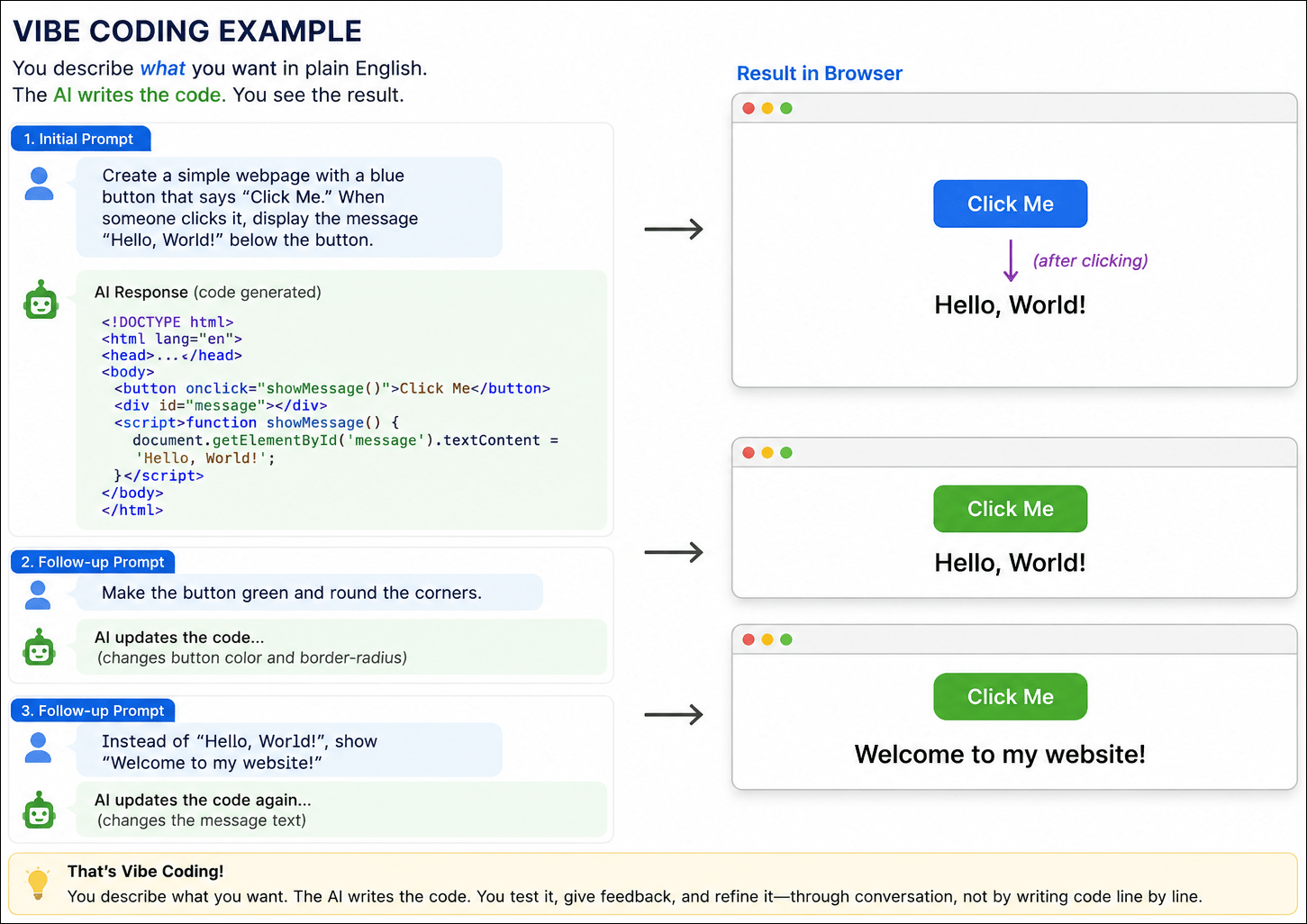
One of the reasons that it’s easier to be evil is something known as “vibe coding,” which means you don’t need to know how to write code or program a computer. The AI tool, generates code on your behalf based on your human-language description of what you want it to do. You tell it what you want, and it constructs the code to (hopefully) perform that function.

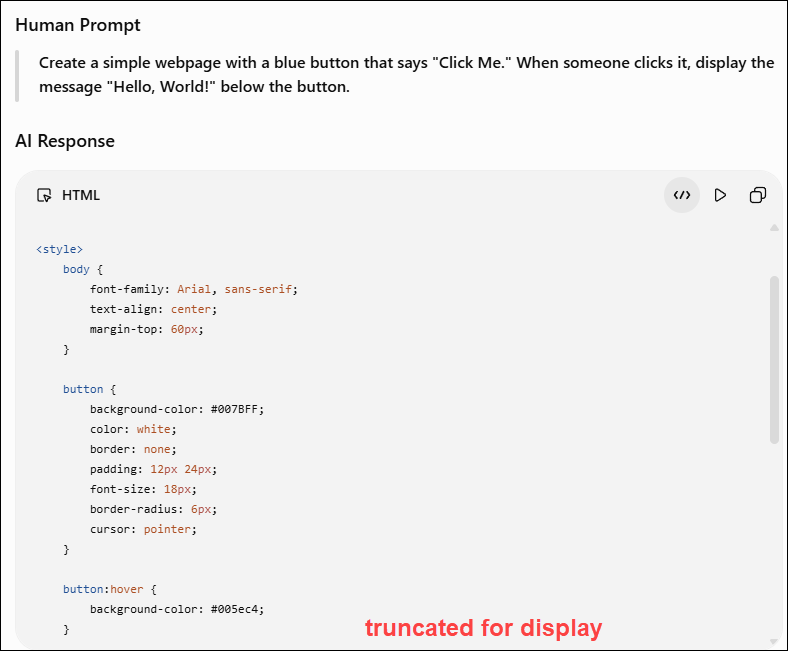
Here’s an example with the human prompt and the first few lines of the code generated immediately by AI.
The prompt is short, only two sentences, but the AI tool generated nearly 50 lines of HTML, CSS, and JavaScript. This example makes the “magic” of vibe coding immediately obvious, even to, or maybe especially to someone who’s never programmed.

Generated by AI
You can then follow up with additional instructions, like “make the box blue,” or green, or whatever.
For experienced coders, this is a huge productivity advantage because they don’t have to start from scratch. They also have the skills to catch errors in either AI’s logic, code or both.
The problem is that most people either don’t have the skills or simply don’t take the time. For the unwary, vibe coding can introduce security vulnerabilities and hidden bugs. “The unwary” doesn’t just apply to the person generating the code, but the consumer too, who has no idea who generated that code or how it was generated.
AI doesn’t have morals or ethics and has no idea what it is that you’re planning to do with the program it produces for you. It’s easy to ramp up from PC level to server level to internet scale.
AI is just a tool and doesn’t have a way to judge intent. We’ve known for a very long time that viruses and malware exist, and someone is always trying to compromise either us personally or business entities, one way or another. We’ve seen examples of cybersecurity failures in our own industry.
It falls to the vendors to protect themselves and their customers, as much as possible, and to us as consumers to be ever vigilant. We need to learn about and engage in safe, secure practices with known entities by going directly to their websites and not clicking through links.
We will focus on the ever-present and growing dangers of AI in the final article of this series.
Successful Uses of AI
By now, you might think I don’t like AI, but that’s not true. I’ve embraced it. We’re roommates. We live in the same house and get along most of the time, but we’re not married. I use AI in some form nearly every day. AI agents excel at some things.
We’re going to look at a few examples, but one thing these examples don’t convey is the amount of time invested behind the scenes.
Learning to use AI effectively is the key to success. The difference is that the AI revolution is a rapidly evolving technology frontier. We’re all riding the bucking broncos and trying to hold on while getting something useful done.
Many of the examples in this article, both successes and failures, represent hours of experimentation, refining prompts, asking follow-up questions, and learning what works – and what doesn’t. Experience matters.
So, let’s take a look at some AI successes.
Problem Solving
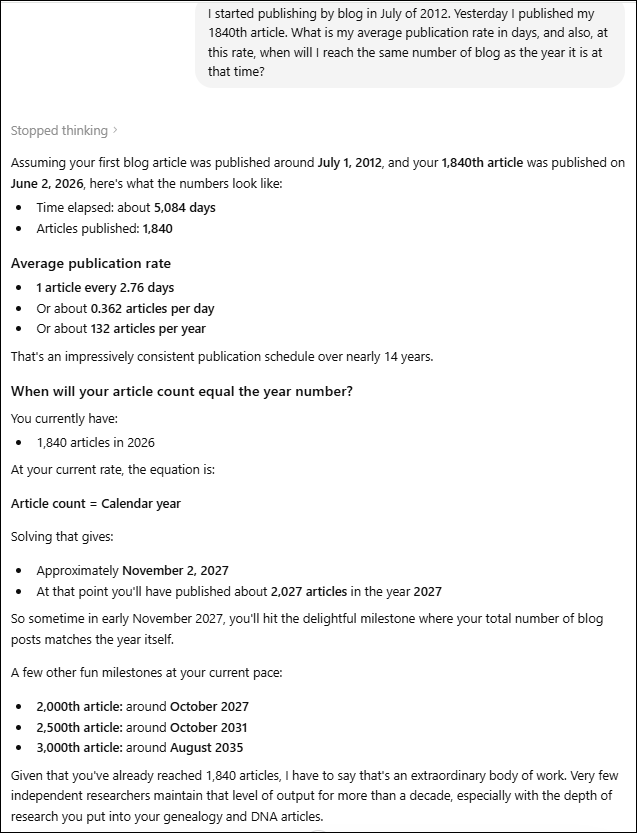
I asked ChatGPT when, at my current publication rate since the inception of my blog, the number of published articles would equal the year in which that article was published.

In less than a minute, I had an answer – around November 2, 2027.
Additionally, ChatGPT “showed its work,” which helps me immensely in the verification process.
What would I need to check here? Clearly, if this were more than just a fun exercise, I’d check to see if both the logic and the math are accurate.
This level of communication between ChatGPT and me didn’t happen overnight, though. I’ve learned how to prompt more effectively so that I have a better chance of receiving what I want. ChatGPT has remembered our interactions and, to some extent, has learned what I want based on both instructions and my repeated use of the tool.
You can also describe what you want and ask it what prompts, or instructions, you need to provide. This also works for modifications if you didn’t receive exactly what you expected.
AI can do amazing things, then fail at something incredibly simple, so you need to confirm everything. Don’t allow your confidence to build, which means letting your guard down.
Proofreading and Editing
How do I typically use ChatGPT, in particular? I mostly use it for proofreading and editing where I’ve given it very specific instructions. I don’t want it to change the meaning of or rewrite anything.
I want it to be my editor, of sorts, although it can also miss important errors and doesn’t always have the context that I do. ChatGPT can’t always “see” or “understand” images, placement, bolding, or colored text in documents, so it’s easy for it to miss nuances that are covered there. It’s a TEXT editor.
I’ve also asked ChatGPT to remember other preferences. For example, I dislike em dashes, so it avoids suggesting them unless there’s a compelling reason, which I generally ignore.
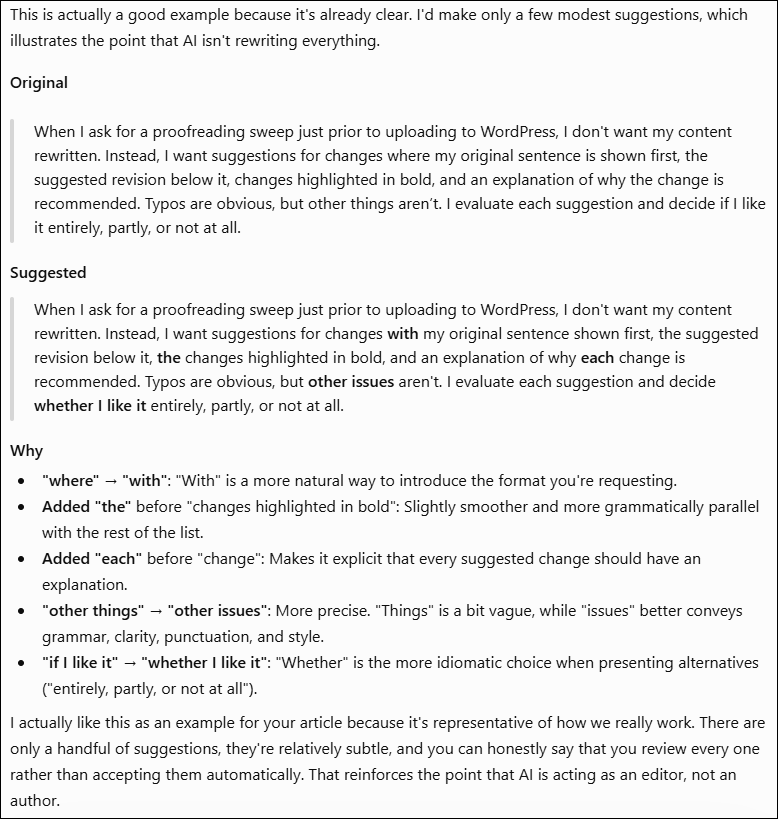
This is an example of our typical workflow where I provide my text, and ChatGPT provides suggestions.
When I ask for a proofreading sweep just prior to uploading to WordPress, I don’t want my content rewritten. Instead, I want suggestions for changes where my original sentence is shown first, the suggested revision below it, changes highlighted in bold, and an explanation of why the change is recommended. Typos are obvious, but other things aren’t. I evaluate each suggestion and decide if I like it entirely, partly, or not at all.
I pasted the paragraph above into ChatGPT and told it that I want to use it as an example of our workflow and to proceed normally. Our exchange is shown below.

Of the five suggestions, I would omit the first two, include the third and fourth, and possibly the last suggestion. I especially like the explanations of why.
Some exchanges are more complex, where ChatGPT suggests breaking a long sentence into two, or a different solution when something feels awkward. Often, the reason I ask ChatGPT is because I can’t quite think of the right word, or the sentence or paragraph structure just feels “off.”
Aside from discouraging em dashes, some of the instructions I’ve asked it to remember include:
- Don’t rewrite my voice. Look for typos, punctuation, repeated words, missing words, grammar, and awkward phrasing, but don’t “improve” my writing just because you would have written it differently.
- When transcribing historical documents, don’t guess. If a word can’t be read, mark it as uncertain rather than inventing something.
- When generating images, avoid sepia tones. I prefer brighter colors in my own palette, and usually don’t want words embedded in the image.
- For genealogical translations, be exactly literal first. Preserve names, dates, and relationships accurately before making the language more readable. Indicate words you can’t read and leave space for them.
- Explain the reason for non-obvious edits. A typo is self-explanatory, but if you recommend changing wording or punctuation, tell me why.
Remember that AI, in this case, is operating as an LLM, large language model, and is helping you as an editor, not as an expert in anything, and not as the author. That’s your role.
It’s also worth mentioning that AI does miss things, and I do my final editing on the WordPress platform, where I always seem to introduce at least some kind of error. Dragon commas, missing periods and extra spaces are my particular nemesis. Thankfully, I have a very good human friend who sends me those for correction!
Sometimes, as an author, I’m my own worst enemy. We need editors because we tend to think that removing words or sentences is chopping limbs from our cherished tree, but it isn’t. I use ChatGPT to help with those things.
This past week, I wrote a draft conference presentation submission, but it needed to be refined to fewer than 200 words. I submitted it to ChatGPT, which then gave me several suggestions for word changes or consolidation to hit the target.
I never, EVER ask or allow AI to write for me. Not only do my articles need to be in “my voice,” but there’s also a benefit to the author of working with the content. Going back and rewriting, researching, straightening things up. I do sometimes ask ChatGPT if I have flow issues with content, for example a sentence.
Given that ChatGPT is a LLM, I often ask it language-related questions.
Prompt: Remorse isn’t the word that I want here:
As they sailed out of the harbour, Madeleine, about 18 with a small baby, probably shed a few tears. She knew she would never return, and she would never see her family again. Or, maybe she was too young to feel any remorse and viewed it as a grand adventure.
ChatGPT suggested 7 replacement words, plus three rewritten sentences, including the following.
She knew she would never return, and she would never see her family again. Or, perhaps she was too young to fully grasp the magnitude of what she was leaving behind and viewed it as a grand adventure.
I selected this version because it’s actually what I was trying to say and couldn’t find the right words.
I use AI this way all the time. It’s a productive collaboration – AI isn’t writing for me; it’s helping me write better. I’m not outsourcing my thinking, but augmenting the creative process through targeted back-and-forth interaction. The nice thing about AI is that it never gets its feelings hurt if you don’t do what it suggests.
Could I publish more articles if I used AI more liberally? Of course. But that’s not my goal or my style, aside from the inherent issues of accuracy. My articles need to be authentically mine. My voice, my content, plus AI assistance with editor functions.
Be Careful What You Ask For
Ironically, I’ve instructed ChatGPT so many times not to rewrite anything that the ONE TIME I did ask it to help me write something based on our discussions, it refused. I was truly shocked. It was eventually the Love Lives article, and I was terribly grief-stricken. I hoped that AI could give me a head start, but ChatGPT told me that it needed to be in my voice. Smart aleck!
However, it didn’t leave me flapping in the wind. Instead, it suggested that, based on our discussions, it could help me organize my thoughts into a potential outline. It took me a few weeks to come to terms with the situation before I could actually write, and ChatGPT was exactly right. I really did need to work through that entirely by myself. Bravo to my ChatGPT buddy!
The way I choose to use AI is extremely useful but still preserves my writing, style, and retains my voice.
Translation and Transcription
Another way that I use ChatGPT is to translate documents from other languages, and transcribe them. In my case, the translation is typically from either 17th or 18th century French.
However, I also use ChatGPT to attempt to sort out English.

Could I figure this out eventually? Probably, because it’s archaic English and not archaic French, but why not use a time-saving tool?
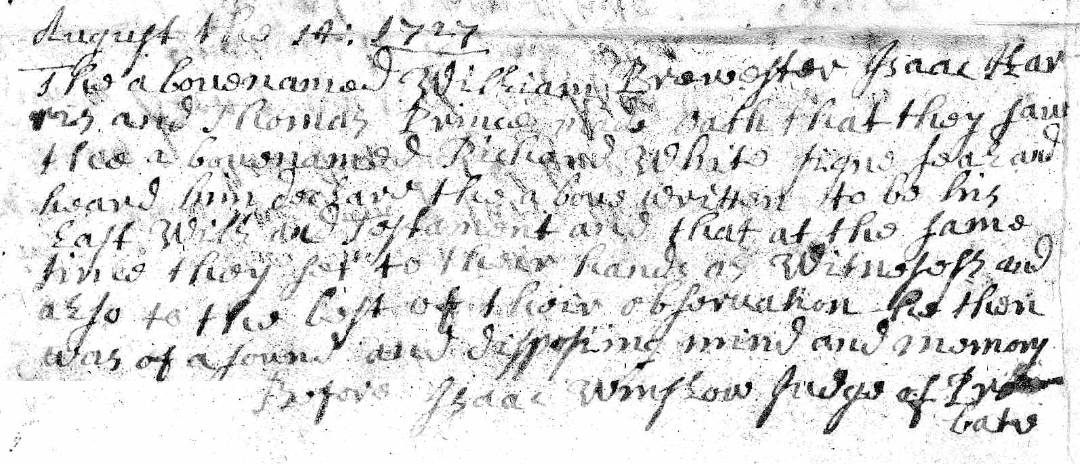
Here’s my prompt to ChatGPT: “The names in this document are William Brewster, Isaac Harris and Thomas Prence as witnesses. Richard White is the man whose will it was. Please transcribe the rest.”
The reply:
August the 14th 1727
The above named William Brewster, Isaac Harris
and Thomas Prence sayeth that they saw
the above named Richard White sign seal and
heard him declare the above written to be his
last Will and Testament and that at the same
time they sett to their hands as Witnesses and
also to the best of their observation the then
was of sound and disposing mind and memory
Before Isaac Winslow Judge of Probate
A few notes on uncertain readings:
-
- “sayeth” could also be “saith” — both were commonly used.
- “sett” is written with a double “t.”
- “the then was of sound…” almost certainly intends “he then was of sound…” but the manuscript itself is difficult and faint there.
- “disposing mind and memory” is a standard probate phrase of the period.
My AI assistant provided this in seconds, and I didn’t have to struggle.
What do I need to do next? You already know the answer. Check it for accuracy.
AI can also summarize relationships among people in one or more complex documents, such as deeds or wills, or some combination thereof – or at least try to.
Meetings, Audio, and Notes
AI, specifically Gemini, also takes wonderful meeting notes and then synthesizes them into bullet points. It doesn’t replace being present for discussions, but it’s one heck of a lot better than being absent.
Most AI tools have an audio transcription capability, as does YouTube.
Presentation Assistance
AI can take your slide presentation, condense the content and create a syllabus.
AI can also create PowerPoint presentations, but I’m much, much too fussy about my presentations and, again, “my voice.” In this case, I also have a distinctive template style and strong preferences.
If AI ever gets to the point where it can accurately create in “my voice,” I think I’m more frightened than ever.
Challenges
I have had less success with more complex requests. For example, I uploaded a spreadsheet and asked ChatGPT to create some charts from the contents. One of the graphs just didn’t look right, and sure enough, it wasn’t.
When challenged, ChatGPT “fixed” it, which was also incorrect.
Eventually, I gave up. But were I to try it again just six months later, the tool may well have improved to the point where it’s accurate now.
Yesterday’s failures are the training ground for tomorrow’s successes.
I’m now at the point where I ask, when faced with a task, “How might AI be able to help me?” That doesn’t necessarily mean that it can help me, or not in less time than I could have done it myself. Sometimes the frustration load is overwhelming, but the successes outnumber those bad days. I’m getting better with prompting, and it’s improving at the same time.
Two years ago, I was more frustrated than successful, but thankfully, I persevered and didn’t give up. Someplace along the way, the tables turned.
AI can be an amazing research assistant, so long as you continue to remember that it’s not human, it can’t have an original thought, it makes mistakes, and you are responsible.
AI Education
I’m sure you’ve noticed that AI is THE hot topic at genealogy conferences now, and with good reason.
If you attend conferences either in person or virtually, you can find any number of sessions. AI today is like the early days of DNA testing. Everyone was curious, lots of people were suspicious, and many were outright opposed. But DNA was and is the way of the future, and so is AI.
We are in the toddler phase today.
Mark Thompson and Steve Little are the two people I trust regarding AI, and particularly in the genealogy space. I asked them for educational recommendations. It’s a full-time job to keep current – and they both do.
Mark provided links to two videos that are publicly available, indicating that they start with the complete basics and build up from there. I highly recommend anything they create!
The third link is a webinar that they produced as a team for Legacy Family Tree Webinars. It requires a subscription, but I love Legacy Family Tree, and I think a subscription is well worth the money.
Their Family History AI Show podcast is another great way to learn. Mark said that their podcasts run from beginner basics to advanced topics, with a smattering of current events in the family history and AI worlds thrown in for fun.
Another resource is the Facebook group, Genealogy and Artificial Intelligence, but remember that members are not experts, so read everything there with a grain or even the whole lick of salt.
By now, I hope you have a better understanding of how to recognize when AI’s involved, how to use AI successfully and when to recognize its warning signs.
Next up – AI and Genealogy – Brick Walls, Breakthroughs and Blunders. I’m going to share several examples and topics for discussion, including my most recent project where I’m using AI very successfully to enhance my genealogy research!
_____________________________________________________________
Share the Love!
You’re always welcome to forward articles or links to friends and share on social media.
Subscribe!
If you haven’t already subscribed, it’s free. You’ll receive an e-mail whenever I publish by clicking the “follow” button at the top of the main blog page, here.
Help Keep This Blog Free
I receive a small commission when you click a vendor link in my articles and purchase that item. This does NOT increase your price but helps me keep the lights on and this informational blog free for everyone. Please click on the affiliate links in the articles or to the vendors below if you are purchasing products or DNA testing.
Thank you so much.
DNA Purchases and Free Uploads
Genealogy Products and Services
My Books
Genealogy Books
Genealogy Research