Genetic Affairs Instructions and Resources

I’ve created this summary article that includes links to the various step-by-step instructional articles I’ve published about Genetic Affairs, a wonderful DNA analysis tool. I’ll add more articles as they are published.

Genetic Affairs is a third-party tool created by Evert-Jan Blom that works through the Genetic Affairs website for FamilyTreeDNA and 23andMe and is integrated into products for other vendors such as MyHeritage and GEDmatch. Unfortunately, one vendor, Ancestry, has issued a cease-and-desist order, preventing the usage of Genetic Affairs and other third-party tools altogether for customers who have tested there.

Different features are available at different vendors based on their product offerings, as noted below.

AutoCluster

Article: AutoClustering by Genetic Affairs

This article explains the basics of AutoClustering of matches and how AutoClusters benefit genealogy.

AutoTree and AutoPedigree

click to enlarge

Article: Genetic Affairs Reconstructs Trees from Genetic Clusters – Even Without Your Tree or Common Ancestors

click to enlarge

This wonderful tool scans your matches and their trees, and constructs trees of you and your matches that share common ancestors. The best thing about this tool is that it reconstructs trees of your matches to each other in a cluster, even if you DON’T share a common ancestor in a tree with your matches (that also match each other.) This tool is HUGELY helpful in identifying ancestors that are unknown to you and includes the option for Y and mtDNA to be incorporated into the trees if you’ve taken those tests at Family Tree DNA.

AutoPedigree + WATO

click to enlarge

Article: Genetic Affairs: AutoPedigree Combined AutoTree with WATO to Identify Your Potential Tree Locations

WATO, short for “what are the odds,” is a calculation method that provides ranked hypotheses that show you where you “might” fit in the composite tree of your matches. This is the “AutoPedigree generate hypothesis automatically” option under AutoCluster analysis and is particularly useful for people with unknown parentage, unknown close relatives, or clusters that they can’t identify.

  • AutoPedigree+WATO can only be used with results at FamilyTreeDNA, and not at any of the other vendors for the same reasons as AutoTree/AutoPedigree. I encourage my matches to upload their DNA files from other vendors for free to FamilyTreeDNA so that everyone has more information points to work with.

AutoClusters at MyHeritage

Article: Utilizing MyHeritage AutoClusters to Analyze your DNA Matches

  • MyHeritage incorporates AutoClusters into their advanced DNA toolset for customers. Utilizing AutoClusters with DNA tools like Theories of Family Relativity and Triangulation provide a powerful 1-2-3 punch to identify family groupings.
  • Additionally, MyHeritage provides trees, Smart Matches, Shared Ancestral Surnames, Shared Ancestral Places, Shared DNA Matches and the ability to download both your shared match information along with shared segment data.
  • This article provides step-by-step information about how to use each tool and is paired with a free webinar.

AutoKinship 

Article: Genetic Affairs – New AutoKinship Tool Predicts Relationships and Builds Genetic Trees

  • The AutoKinship tool constructs multiple genetic trees for each cluster based on your clustered matches at 23andMe, and their relationships to you and each other.
  • An AutoCluster is included with AutoKinship along with membership and segment information for each cluster, including triangulation for cluster members.
  • A relationship matrix shows how closely your matches are related to each other.
  • AutoKinship paints your matches on your chromosomes and provides overlapping segment information
  • The Surname Enrichment option provides common surnames in each cluster and shows you which members list each surname at 23andMe. 
  • A stand-alone manual version of AutoKinship is available at Genetic Affairs for MyHeritage profiles, with a tutorial, here.

AutoSegment at GEDmatch

AutoSegment is available at GEDmatch under the Tier 1 tools.

AutoSegment at GEDmatch clusters your TRIANGULATED matches together in cluster groups and paints those segments on your chromosomes by cluster.

Article: AutoSegment Triangulation Cluster Tool at GEDmatch

  • AutoSegment can perform this function at GEDmatch because Genetic Affairs can determine not only that your matches match you, but that they also match each other, and on which segment(s).
  • AutoSegment colored cluster cells indicate triangulation, not just matching.
  • AutoSegment offers several options, including the option to remove segments in known pileup areas.
  • AutoSegment provides a Pileup Report, whether you choose to remove segments in pileup regions or not.
  • In addition to the normal HTML cluster file, AutoSegment also offers an Excel option.
  • The Excel file also groups your clustered matches by chromosome.
  • AutoSegment provides the option of viewing where each person matches you, including segments that triangulate and those that do not triangulate with others.
  • AutoSegment provides an option to upload the results to DNAPainter.
  • AutoSegment provides information on linked clusters where individuals are members of more than one cluster.
  • AutoCluster provides cluster analysis in various formats, complete with links to trees.

New AutoKinship Tool at GEDmatch

Genetic Affairs partnered with GEDmatch to produce the super-sundae of reports, a new version of AutoKinship at GEDmatch. The new AutoKinship report adds new features, allows for more kits to be included in the analysis, and integrates multiple reports together:

  • AutoCluster – the AutoClusters we all know and love
  • AutoSegment – clusters based on segments
  • AutoTree – reconstructed tree based on GEDCOM files of you and your matches, even if you don’t have a tree
  • AutoKinship – the original AutoKinship report provided genetic trees. The new AutoKinship report includes AutoTree, combines both, and adds features called AutoKinship Tree. (Trust me on this one – you’ll see in a minute!)
  • Matches
    • Common Ancestors with your ancestors
    • Common Ancestors between matches, even if they don’t match your tree
    • Common Locations

Maybe the best news is that some reports provide automatic triangulation because, at GEDmatch, it’s possible to not only see how you match multiple people, but also if those people match each other on that same segment. Of course, triangulation requires three-way matching in addition to the identification of common ancestors which is part of what AutoKinship provides, in multiple ways.

Article: AutoKinship at GEDmatch by Genetic Affairs

______________________________________________________________

Disclosure

I receive a small contribution when you click on some of the links to vendors in my articles. This does NOT increase the price you pay but helps me to keep the lights on and this informational blog free for everyone. Please click on the links in the articles or to the vendors below if you are purchasing products or DNA testing.

Thank you so much.

DNA Purchases and Free Transfers

Genealogy Products and Services

Genealogy Research

August Hot News: Ancestry Match Tagging Script, DNA Sales, DNAPainter Newsletter & More

August news.png

This wasn’t exactly how I had in mind to convey these news items, but you know that saying, “Life is what happens when you’re making other plans,”? Well, let’s just say it’s one of those weeks/months and years.

So, this article is going to be short and sweet, and I promise a more detailed article in a few days.

However, you need at least some of this info ASAP, so here it is in its rather unrefined raw state.

  • Ancestry Tagging Script
  • Ancestry Acquisition Update
  • Summer Sales
  • MyHeritage Sale
  • FamilyTreeDNA Sale
  • DNAPainter Free Newsletter
  • New Ancient Ancestor

Ancestry Tagging Script (to Save Your Sanity)

A very nice person, Roger Frøysaa, has written a free javascript to group your Ancestry matches. Of course, I’m referring to your 6-8 cM matches that are subject to the upcoming purge later in August.  I’m using Roger’s gracious gift, but struggling because the script keeps timing out, or Ancestry’s backend keeps timing out, etc.

You might need to be at least somewhat comfortable with computers for this to work and it doesn’t work on a tablet or iPad, but does work on a Mac.

I have the latest version of both Chrome and Edge browsers installed on a relatively new computer with lots of memory. For me, the script works best on Edge and in the middle of the night when Ancestry’s servers are less busy. Still, I can’t seem to get below my 6.2 cM matches without the script or Ancestry bombing. It doesn’t help any that my internet service has been flaky this week too.

The author recommends Firefox. (Update. I’ve installed Firefox and it’s running like a champ.)

Here are the instructions: https://docs.google.com/document/d/100BqYdjeVdwmHaT9gTL3miknxm7bKik4KwcHaoUX72I/edit?fbclid=IwAR04u0VQaaVeG-6pkif-ILYmLPQgHTtCf13A0lW4EMPTm0QwOb1hDb9o7L4

Print these out, read them thoroughly, and follow them step by step.

Here’s a link to the script on GitHub: https://github.com/lrf1/ancestry_scripts/blob/master/ancestry_dnsmatches_grouptagger_v2.js

Here’s a YouTube video about how to use the script: https://www.youtube.com/watch?v=pnqGChJL0kw&fbclid=IwAR04iTVzcaKF8YJx2ewX_2rMEXQFaFaNIW5YfPQMlJYG6yfd1U6NvCN47Vc

Individual tweaking is required.

In my case, I have named the group where I want my 6-8 cM matches saved “1saved.” I selected that name because the 1 locates it near the top and I’ll know what’s there.

August ancestry 1saved

Following Roger’s instructions, 1saved should be row 3, but I had to enter row “2” in the script to get the matches to save to the group 1saved.

// MODIFY THE FOLLOWING LINES AS NEEDED

var groupTitle = “1saved“;

var groupRow = 2;

Regardless, the script works, and truthfully, all I really care about is that these matches are preserved.

My biggest problem occurs after the script bombs the first few times, and it will – you’ll need to restart it. Until the script manages to work its way to the location in the file, which is increasing further down in the scrolling, where it discovers matches to be tagged, I must re-enter and re-enter the script to reinitiate the searching.

This is by NO MEANS a complaint because I’m very grateful for this free tool. It’s just an observation that I hope will help you too. Having said that, I can’t tell you how many surnames like Bolton, my grandmother’s birth surname, Estes and Vannoy by various spellings, my great-grandmother’s surname I’ve seen scroll past as they are being tagged. There’s gold in those matches.

Furthermore, many people are reporting successes now that they’re actually looking at these smaller matches. If half of these are identical by chance, or false positives, that means half are NOT false and you need to use your analytical skills to figure out which is which.

Someone asked me earlier if I know anyone who will run the script or tag on behalf of someone else. I don’t, but you could ask on any number of Facebook groups, specifically the AncestryDNA Matching group or the ISOGG group.

If you’re NOT going to use the script, I recommend the following methodology to save at least some of your highest quality matches that are most likely to be relevant.

Select both “Common Ancestors” and “Shared DNA.” Enter the levels of shared DNA you want to view, meaning 6-6 or 6-7 or 7-7, which will display all of your matches where a potentially shared ancestor has been identified (ThruLine.)

August ancestry common plus 6.png

This won’t save anyplace near all of your 6-8 cM matches, but it will save the potentially most beneficial.

I wrote the article, Ancestry to Remove DNA Matches Soon – Preservation Strategies with Detailed Instructions, here, and Ancestry Match Purge Update here.

Note that Ancestry has stated they are delaying the purge until “late August,” but I’m seeing multiple people report that their 6-8 cM matches are already gone, so if you want to save them, one way or another, don’t delay.

Ancestry Acquisition Update

Ancestry’s announced acquisition by Blackstone Group, which I wrote about here, has raised questions about privacy. An article this week in Vice quotes both an Ancestry and Blackstone spokesperson on the topic who say that Blackstone will not have access to user data nor will it be shared with Blackstone’s portfolio companies.

Summer Sales Have Arrived

Late summer always ushers in summer DNA sales.

Right now, FamilyTreeDNA, MyHeritage, and Ancestry are having sales.

AncestryDNA is on sale for $59, here.

MyHeritage is on sale for $49, here and has a significant customer base in Europe where most of my ancestors originated.

Of course, FamilyTreeDNA has Y DNA and mitochondrial DNA in addition to autosomal plus 20 years’ worth of testers in their database.

Regardless of where you’ve tested, having family members in the same database makes your own test so much more valuable because many of your matches will match family members too. I’m in all of the databases, and several of my family members are as well.

Remember, you can transfer tests for free to both MyHeritage and Family Tree DNA from other vendors. Instructions for each company can be found here.

MyHeritage Sale

The MyHeritage DNA kit is on sale right now for $49 and free shipping with 2 or more.

August myheritage

Don’t forget that if you’ve tested elsewhere, you can transfer to MyHeritage for free and pay just $29 to unlock the advanced tools, such as Theories of Family Relativity, or subscribe to the full records package and the unlock is free.

Family Tree DNA Sale

Family Tree DNA offers their Family Finder autosomal test, but additionally, they offer Y and mitochondrial DNA testing and matching which provide insights you can’t obtain with autosomal DNA testing alone.

  • Y DNA is for males only and tests the direct paternal (surname) line.
  • Mitochondrial DNA is for both men and women and tests your direct matrilineal line – your mother, her mother, her mother, etc.

If you’ve already tested at a lower level, you can upgrade.

august ftdna 2

If you know what you want, go right ahead and order.

This is a wonderful time to order tests for family members who represent Y DNA and mitochondrial lines that you can’t test for yourself.

Early in the week, I’ll publish an article that shows how to locate people at each testing company who are appropriately descended from your ancestor whose Y DNA or mitochondrial DNA results you’d like to have.

This sale runs through the end of August, so you have time to search out and find people to ask if they’d be willing to test. Of course, if you already know people appropriately descended, by all means, ask them and get a kit on order. I generally offer a DNA testing scholarship so that the $$ factor is removed from my request. It makes it easier for them to say yes. If they agree, I add a Family Finder test too. I believe in striking while the iron is hot.

If you’d like to read about the different kinds of DNA testing, the article 4 Kinds of DNA for Genetic Genealogy is great to share with others as well.

Free DNAPainter Newsletter

I received an email this week from Jonny Perl at DNAPainter, one of my favorite tools, and he’s now offering a free monthly newsletter with tips on how to use DNAPainter. You can sign up here. I certainly did.

I’ve written extensively about DNAPainter, here.

New Ancient Mystery Ancestor

Guess what, you may have a new mystery ancestor. How cool is this??!!

LiveScience reported this week that scientists have detected traces of an earlier human ancestor in Neanderthal and Denisovan DNA. That ancient ancestor existed 200,000-300,000 years ago, in Africa, leaving and intermixing with the Neanderthals then living in the Middle East or elsewhere outside of Africa, but before the move to Europe.

You can read the PLOS article, here.

I don’t know about you, but I find this absolutely fascinating.

TTFN

Enough news for now, although I’ve probably forgotten something.

Order a DNA test, find an ancestor, subscribe to the DNAPainter newsletter, and enjoy summer, safely.

I’ll see you later this week with an article about how to search for family members, in particular Y and mitochondrial DNA carriers that represent your ancestral lines. You never know what critical information is waiting just to be discovered.

_____________________________________________________________

Disclosure

I receive a small contribution when you click on some of the links to vendors in my articles. This does NOT increase the price you pay but helps me to keep the lights on and this informational blog free for everyone. Please click on the links in the articles or to the vendors below if you are purchasing products or DNA testing.

Thank you so much.

DNA Purchases and Free Transfers

Genealogy Products and Services

Genealogy Research

Download Your Ancestry Tree and Upload It Elsewhere for Added Benefit

Once you’ve created a tree at Ancestry, you can download or export that tree to upload it elsewhere, or for safekeeping at home.

Be aware that while the tree itself is downloaded, any documents you have attached through Ancestry are NOT downloaded along with the tree. To do that, you’ll need to sync your tree through RootsMagic or Family Tree Maker software on your home computer. That’s not the focus of this article.

This article provides step-by-step instructions on how to make a downloaded copy of your actual tree called a GEDCOM file. All vendors understand the GEDCOM file exchange format for family trees.

Uploading your tree elsewhere allows you to save time and enhances your experience at other vendors, such as Family Tree DNA, MyHeritage, and GEDmatch – all three of whom utilize your DNA test in addition to your tree in order to provide you with advanced tools and enhanced results.

These three vendors all use and provide segment information, in addition to trees, and matching is free if you transfer a DNA file. Transferring a DNA file and downloading a tree are two separate things.

To use DNA plus trees, there are two steps and I’ll cover both. First, let’s look at the benefits and the differences between those three vendors so you know what to expect.

Features Summary

Here’s a quick and very basic summary of the features and functions of each of the three companies that accept both GEDCOM and DNA file uploads and provide tree+DNA combination features.

  FamilyTreeDNA MyHeritage GEDmatch
Upload DNA File Yes Yes Yes
Free Matching Yes Yes Yes
Advanced Features $19 one-time unlock $29 one-time unlock $10 monthly subscription for Tier 1
Upload GEDCOM file* Yes Yes** Yes
Features Using GEDCOM File Phased Family Matching Theories of Family Relativity, Smart Matches, searches Comparison with matches’ trees
Genealogy Records Subscription Available No Yes No
DNA Testing in House Yes Yes No, upload only
Unique Features Assigning matches maternally and paternally, Y and mtDNA tests, archives your DNA Theories of Family Relativity, genealogical records, photo enhancement Ability to view your matches’ matches, advanced DNA tools

*There may be GEDCOM file size restrictions at some vendors.

**MyHeritage restricts free trees to 250 individuals, but you can add a records subscription to be able to work with a larger tree. You can read more, here. You can try a free subscription, here. I believe you can upload any size GEDCOM file without a subscription, but advanced functions such as record matches are restricted.

Unlike at the other vendors who focus exclusively on DNA, MyHeritage provides the resources to build and add branches to your tree, hence the restriction on how much is provided for free.

Both MyHeritage and FamilyTreeDNA also do their own DNA testing, so you don’t need to test at Ancestry. I wrote about testing and transfer strategies, here.

Regardless of where you test, you can download your tree from Ancestry and upload it to other sites.

I initially started out with only my direct ancestors in my tree, but you’ll want to include their children, minimally, in order to assist the vendors with tree comparisons, assuring that a person in two different trees is actually the same person, not just someone with the same or a similar name.

Downloading Your Ancestry Tree

After signing on to Ancestry, you’ll see the following at the upper left:

Download ancestry tree.png

Click on “Trees.”

Download Ancestry tree 2

You’ll see a list of all the trees you’ve created or that have been shared with you.

Click on the tree you want to download.

Download Ancestry tree settings.png

Next, you’ll see your tree displayed. Click on the down arrow to display options and click on “Tree Settings.”

Download Ancestry tree manage

You’ll see your tree settings, above. We’re focused ONLY on the area in the red box.

Downloading does NOT delete your tree. That is a different option.

Let’s look at a closeup of this section.

Do NOT Delete Your Tree

Delete means “throw away” permanently – you cannot retrieve the tree. Export means to make a copy, leaving the original intact on Ancestry.

Let’s look closer.

Download Ancestry export.png

People see the warning at the bottom, in the Delete tree section and they don’t realize that’s NOT referring to Export Tree.

See those little red arrows, above? They’re all pointing to minuscule tiny grey dividing lines between the Hint Preferences Section, the Manage Your Tree export function and the Delete your tree function.

The warning pertains to deleting your tree, not “Export tree.”

DO NOT DELETE YOUR TREE!!!

If you accidentally click on “Delete your tree,” you do get a confirmation step, shown below.

Download Ancestry delete

If you want to export or copy your tree for use elsewhere, do NOT press delete.

Download/Export Your Tree

To download your tree, click on the green Export tree button.

Download ancestry export 2.png

Export means to download a COPY of your tree, leaving the original on Ancestry.

Next, you’ll receive an “in process” message while your GEDCOM file is being created.

Download Ancestry generating

After you click on “Export tree,” you’ll receive this message.

Download Ancestry download.png

When finished, you’ll be able to click on “download tips” if you wish, then click on the green “Download your GEDCOM file.”

Save this file on your computer.

Uploading Your GEDCOM Elsewhere

Next, it’s time to upload your GEDCOM file to our three vendors. Please note that if you have previously uploaded a GEDCOM file to these vendors, you can replace that GEDCOM file, but that’s not always in your best interest.

We’ll look at GEDCOM replacement strategies and ramifications in each vendor’s section.

You’ll need to have an account set up with each vendor first.

Uploading to Family Tree DNA

At FamilyTreeDNA, the way to set up an account is to either order a DNA test, here, or transfer your autosomal DNA file from either 23andMe, Ancestry, or MyHeritage.

Transferring your DNA to FamilyTreeDNA

Transfer instructions for DNA from or to Family Tree DNA are found in the article, Family Tree DNA Step by Step Guide: How to Upload-Download DNA Files.

After you set up an account at Family Tree DNA, you can then upload your GEDCOM file.

Uploading Your GEDCOM File to FamilyTreeDNA

You can upload any GEDCOM file to FamilyTreeDNA.

Sign on to your account, then click on “myTREE” on the upper toolbar.

download ancestry ftdna

Click on “Tree Mgmt” at upper right.

Download ancestry ftdna gedcom.png

Next, you’ll see the “GEDCOM UPLOAD” beneath.

You can only upload one tree to Family Tree DNA. When you upload a new GEDCOM file, your current tree is deleted at the beginning of the process.

FamilyTreeDNA GEDCOM Replacement Strategy

You can replace a GEDCOM file with a newer, better one at FamilyTreeDNA, however, doing so means that any people you match who you’ve linked to their profiles in your original tree will need to be relinked.

Phased Family Matching where your matches are bucketed to maternal, paternal or both sides are created based on matches to people you’ve attached to their proper places in your tree.

If you have few or no matches attached to their profiles in your tree, then relinking won’t be a problem. If, like me, you’re taking full advantage of the ability to connect matches on your tree in order for your matches to be assigned maternally or paternally, then replacing your GEDCOM file would constitute a significant investment of time relinking.

The best plan for FamilyTreeDNA is to upload a robust tree initially with lines extended to current so that you can attach testers easily to their proper place in the tree.

If you didn’t do this initially, you’ll need to add the line to the tester from your common ancestor as you identify matches with common ancestors.

Uploading to MyHeritage

At MyHeritage, you can begin by ordering a DNA test, here, or transferring a DNA file from another vendor, here. You can also sign up to try a free genealogy subscription, here. From any of these three links, you’ll be prompted to set up an account.

Transferring Your DNA to MyHeritage

Instructions for transferring your DNA to MyHeritage can be found in the article, MyHeritage Step by Step Guide: How to Upload-Download DNA Files.

Uploading your GEDCOM File to MyHeritage

You can upload a GEDCOM file from any source to MyHeritage. After signing in to your account, you’ll see “Family tree” in the top task bar.

download ancestry myheritage

Click on Family tree and you’ll see “Import GEDCOM.”

Download Ancestry MyHeritage import.png

At MyHeritage you can have multiple GEDCOMs uploaded, but you’ll only be able to link your DNA test to your primary tree from which Theories of Family Relativity for you are generated.

MyHeritage GEDCOM Replacement Strategy

I have a full subscription to MyHeritage which allows an unlimited number in people of an unlimited number of trees. Smart Matches and other hints are generated for every person in every tree unless I disable that feature.

If I were to replace my primary GEDCOM file that is linked to my own DNA test, I would lose all of my Theories of Family Relativity which are only generated every few months. The next time Theories are run, I would receive new ones, but not before then.

Replacing an existing GEDCOM file at MyHeritage also means that you’ll lose links to any attached documents or photos that you’ve associated with that tree, additions of changed you’ve made, as well as Smart Matches to other people’s trees. You can, however, sync with MyHeritage’s own free desktop tree builder software.

Initially, a few years ago, I uploaded an ancestors-only tree to MyHeritage reaching back a few generations. Now I wish I had uploaded my entire GEDCOM file. I didn’t because I have unproven people and relationships in my computer file and I didn’t want to mislead anyone. However, Theories of Family Relativity uses descendants of your ancestors to connect across lines to other people. Having descendants of my ancestors in that tree wasn’t important at MyHeritage then, before that feature was introduced, but it is now.

Today, I’ve minimally added children and grandchildren of my ancestors, by hand. I use MyHeritage records and searches extensively, and I’d lose thousands of links if I replaced my primary GEDCOM file. Besides, when I review each person I add in the tree, it provides the opportunity of reviewing their information for accuracy and searching for new documents. I’ve discovered amazing things by using this one-at-a-time method for adding my ancestors’ children and descendants – including new information that led to a new ancestor just last week.

Uploading to GEDMatch

You’ll begin by setting up a free account at GEDmatch.

Download Ancestry gedmatch

GEDmatch isn’t a DNA testing site or a genealogy records site. It’s a DNA tools site that provides tools not found elsewhere. Sometimes matches found at Ancestry will download to GEDmatch but not elsewhere. Ancestry does not provide genealogically valuable segment information.

GEDmatch not only provides segment information and triangulation, as do FamilyTreeDNA and MyHeritage, but they also provide the ability for you to view the matches of your matches. This open-source approach is one of GEDmatch’s founding principles.

Uploading Your DNA to GEDmatch

After you sign in to GEDmatch, you’ll need to upload your DNA file from one of the vendors to GEDmatch. I strongly recommend using DNA files from the standard vendors, such as Ancestry, FamilyTreeDNA, MyHeritage or even LivingDNA. Other vendors use different chips or test different DNA locations and matching is sometimes less reliable.

download ancestry gedmatch upload DNA.png

After signing on to Gedmatch, you’ll see “Upload your DNA files.” Click on the link there for further prompts.

After uploading your DNA file, you’ll want to upload your GEDCOM file so that your matches can see if you have a common ancestor in your trees.

Upload Your GEDCOM file to GEDmatch

Scrolling down the sidebar below the “Upload Your DNA” section, past the various applications, you’ll see the Family Trees section.

download ancestry gedmatch gedcom

You’ll see the GEDCOM upload section, as well as various comparison tools. Click on “Upload GEDCOM (Fast)” to begin.

GEDmatch GEDCOM Replacement Strategy

You can replace your GEDCOM file at GEDmatch at will. Since all information at GEDmatch is generated real-time, meaning when the request is submitted, nothing is “saved” nor pre-generated, so you won’t lose anything by replacing a GEDCOM file, at least not as of this writing.

However, you’ll need to delete your current GEDCOM file first. You can do that by scrolling to the bottom of your User Profile area where your kit number is listed. (Mine is obscured, below.) You’ll see your GEDCOM file information.

download ancestry gedmatch resources.png

Click to manage resources, including deleting a GEDCOM file.

Currently, at GEDmatch, my direct line ancestral tree is sufficient.

Summary

Regardless of where you maintain your primary family tree, download or export it as a GEDCOM file and upload it elsewhere. You’re only cheating yourself (and your matches) if you don’t take advantage of all available tools.

_____________________________________________________________

Disclosure

I receive a small contribution when you click on some of the links to vendors in my articles. This does NOT increase the price you pay but helps me to keep the lights on and this informational blog free for everyone. Please click on the links in the articles or to the vendors below if you are purchasing products or DNA testing.

Thank you so much.

DNA Purchases and Free Transfers

Genealogy Products and Services

Genealogy Research

MyHeritage New Photo Enhancer – Seeing Family Faces for the First Time

MyHeritage has introduced a wonderful new photo enhancement tool.

A few months ago, MyHeritage introduced their photo colorization tool. I uploaded many photos and colorized old black and white family photos. I wrote about that here and colorized several photos of Mom and her amazing dance partner, here.

I knew that improvements were underway, but the newly released MyHeritage Photo Enhancer, which works in conjunction with, or separately from the colorizer, is absolutely wonderful.

The new Photo Enhancer brings blurry, grainy or fuzzy photos into focus. It works amazingly well on old photos, especially groups, that were taken in black and white although it works on color pictures too. For black and white, colorizing the result makes them literally come to life in an unimaginable, breathtaking way.

And of course, there’s a story…my grandfather was a photographer, that is, when he wasn’t bootlegging. Yea, a moonshining photographer – and not one picture of his mother-in-law. There’s a joke in there someplace.

My Grandfather

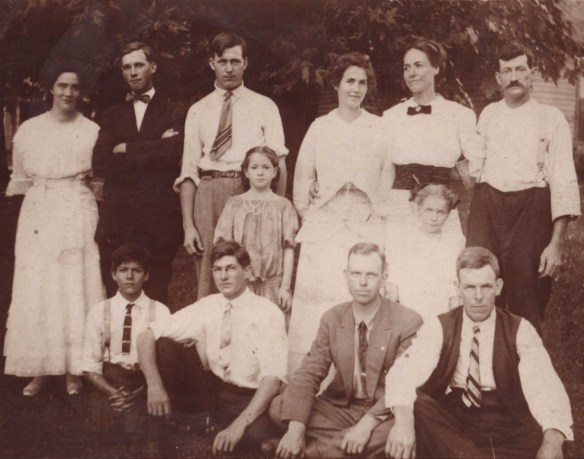
I never knew my father’s side of the family. My parents were divorced and my father died when I was a child. His father, my grandfather, William George Estes, known as Will, lived to be almost 99 and died when I was in high school.

My grandfather lived in another state, 800+ miles away, and wasn’t the most upstanding of citizens. He, apparently, was not interested one iota in me. I never met him and didn’t even realize he had been alive during my lifetime until some years after his death.

Retrospectively, that’s probably for the best, considering I would likely, as a rebellious teen, have been easily influenced by a bootlegging grandpa. Maybe influenced isn’t the correct word. I would have welcomed Grandpa with open arms, wanting to sample each of his wares that he had spent decades perfecting. I would have volunteered to be the taste tester. That combined with the “less than stellar” aspect of his character is probably exactly why my mother never mentioned him.

Some of the stories I’ve heard about him since since would curl your toenails.

All that said, after I began researching my genealogy, I was intensely curious about the side of my family that I never knew. I found and made contact with my father’s sisters – the elderly, eccentric crazy aunts.

Photographer 

Will married my grandmother in 1892 at the ripe old age of 19 and drifted from job to job for years. Not long after the wedding, rumored to have taken place on horseback in the road at the county line, since he was from Claiborne County and she was from neighboring Hancock County, the young couple left Tennessee for Springdale, Arkansas.

Had he stayed in Claiborne County, Will would have farmed. There was little else to be done. He would have built a cabin in Estes Holler and tried to eek a living out of some rocky area not already being cultivated. Opportunity beckoned elsewhere.

In Arkansas, my grandmother, Ollie, ran a boarding house and according to her, Will fished all day and drank, generally at the same time, and was pretty much good for nothing.

A few years and four babies later, Ollie grew tired of his shiftlessness and aversion to work, and the couple, now with two living children headed back for Tennessee. He promised to do better back home, and at least she would have her family nearby.

I don’t know exactly when Will bought his first camera, but I can get some idea by when he began to take photographs of his parents, Lazarus Estes and Elizabeth Vannoy.

color Lazarus black and white

In the photo where they look the youngest, I’d say they are about 50, which would date the photo to about 1898 or so. You can see that Will used a backdrop, because you can see the field stones in the building to the right.

I had colorized this photo before.

color lazarus

Now, I’ve enhanced it too.

Estes, Lazarus Enhanced.png

This resolution is remarkable. Just look at this.

Now, for the closeup.

Estes, Lazarus close

Aren’t these just amazing? I have no idea what the caterpillar-looking “growth” is beneath Lazarus’s nose – perhaps a flaw in the more than century old photo. I don’t have the original.

Estes, Elizabeth Vannoy close.png

The census tells us that Will and Ollie had returned to Claiborne County, Tennessee by 1900. Will reported when the census-taker came around that he was a farmer and that he had been out of work for 6 months. Given that the census was taken in June, that meant he had been out of work for the entire year. The couple lived next to Lazarus, who was also a farmer, but hadn’t been out of work at all. Hmmm….maybe Will was fishing again.

It was about this time that Will bought a camera. Maybe Lazarus bought it for him, purchasing the “high-falutin’” camera on one of his trips to Knoxville as a way to encourage his son to do something – anything.

Will would travel around the countryside attending various family reunions and taking pictures with his black camera, perched on a tripod, with a black cloth that covered Will’s his head and the top of the camera. People still remembered him riding a horse with that camera in the saddle bags when I first began interviewing the older people in the 1970s and 1980s.

Will would join people’s family reunions and take pictures all weekend. Most reunions weren’t just a day, but lasted for several, complete with great food and plenty of liquor.

Will would then develop the photos and go back to visit for another weekend where the family would gather to purchase or order photos. More food and liquor.

He loved this setup. Seeing another opportunity, soon, he was taking along some of his home-brewed liquor to sell too.

Ollie, as you might imagine, was left home tending to the children – and none too happy with Will.

Then, one Saturday night, tragedy struck.

Their cabin burned, claiming the life of their son, Robert. Neither parent was at home. The oldest child, Estel, age 12 or 13, had been left in charge and tried to get Robbie out of the cabin, but he hid under the bed, where he died. Estel was able to get the rest of the children out of the house.

Estes Ollie and kids 1907 colorized and enhanced

Photo both enhanced and colorized using the MyHeritage photo tools.

We don’t know exactly when Robbie died, but we know, based on Estel’s age at the time, what Aunt Margaret said about the event, her age in this photo, and Robbie’s absence, that the fire occurred before April, 1907.

This is not the picture of a happy family. This is a picture of grief.

Uncle George eventually planted a willow, also now gone, on the bank of the creek where their cabin stood – a silent marker to Robbie. His grave in the family cemetery, long since lost, is probably marked with a field stone.

Willow in Claiborne cabin location.jpg

Ollie and Will were never the same after Robbie’s death, although they did remain married for a few more years.

The Man Behind the Camera 

Because Will was the person behind the camera, we have very few photos of him. Not only just during this time, but for the duration of his life.

None of the photos of Will are either large or clear. I was lucky to obtain any at all.

After their divorce, his children by Ollie didn’t see much of their father, so photos were altogether quite scarce. The few I have of him in later years were contributed by other family members.

MyHeritage

The earliest photo that includes my grandfather is from about 1910 when Will would have been about 37 years old. My aunt told me the camera had been fitted with a timer or remote release so he could be in photos too.

Estes 1910 family

I uploaded this photo to MyHeritage, without much hope. It’s small, at least somewhat blurry and has lots of people.

Estes 1910 family enhanced.png

Here, the photo has been both colorized and enhanced. Better than I expected.

But what I saw next took my breath away.

Estes William George 1910 close

That’s my grandfather.

I have never seen this man.

And he’s staring right at me with soul-piercing eyes – across a divide of 110 years.

I presumed Will looked similar to my father, and while he does, he also looks different. (Yes, the DNA has been verified – no NPEs in this line.)

Will’s draft registration tells us that he was medium height and build and had brown eyes and black hair.

That looks accurate.

He’s not clean shaven. I didn’t realize that in the other photo. He’s also not balding – perhaps a nod to our Native American ancestors who generally don’t bald.

About this time, Will and Ollie moved to Fowler, Indiana as tenant farmers. A year or two later, family was visiting, so another picture.

Estes 1913 Fowler cropped

Next, colorized and enhanced.

Estes 1913 enhanced.png

And now for my grandfather again.

Estes 1913 Will close

Was Will trying to grow a beard, and couldn’t? This one looks a bit scruffy. Is that his beard below his ear on the left-hand side of this picture?

Shortly after this photo was taken, Will and Ollie divorced. Ollie moved to Chicago, and Will went back south, settling in Harlan County, KY – bloody Harlan – moonshine capital of Appalachia.

There are no more photos of Will until more than 20 years later, in the 1930s or 1940s.

Estes, Will and Cornie.jpg

Will and his sister, Cornie Estes Epperson.

Estes, Will and Cornie enhanced

And again, his closeup.

Estes Will 1940 close.png

Hmm, his beard – you can see it’s thin and scruffy here too. I wonder if he couldn’t grow a beard – another hallmark of Native American heritage.

It’s one thing to see photos of my grandfather where he’s a small grey entity in a black and white photo, and another to see him literally in living color, just as if I were looking at him in person today.

And do I ever, ever have questions for this man. So many questions.

Next, I’d like MyHeritage to implement Photo Speaker where the ancestors answer questions😊

It’s Your Turn

Surely you must already be thinking about your photos that can potentially be enhanced. There’s nothing to lose by trying. It’s free.

If you already uploaded photos to be colorized, you can simply sign in to your account, click on “My photos” under the “Family tree” tab, select a photo and click on the Enhance “magic wand” icon. There’s more, too.

Let’s walk through this step by step.

Enhancing Photos – Step-by-Step

First, scan your photos at the highest resolution possible.

Click here and you’ll see the following image:

Estes MyHeritage enhance

You can either drag and drop a photo onto that page, or upload your photos by clicking on the little orange “Upload photo” link. If you don’t have an account already, you’ll be asked to create a free one.

There are additional benefits to having an account and working with your photos at MyHeritage. I’ll show you momentarily.

I have only one photo of me with my Dad. My fingers are crossed that this will work. We’re going to find out together.

Me and Dad

I dragged this photo of me and my Dad, plus an unknown child at bottom left and dropped it into the frame. The Enhancer got busy and in a few seconds – which seemed like the longest minute ever – the photo was ready.

Here’s the enhanced “after” photo.

Drum roll….

Estes me dad enhanced.png

You’re being shown the composite view, but you can click on the various people to see their faces.

Estes Dad 1956 enhanced

I think my Dad has my grandpa’s hairline – what do you think?

Estes 1956 me enhanced.jpg

And here’s me as a baby.

Next, I’m going to click on colorize.

Estes 1956 dad me colorized

What does Dad look like now?

Estes 1956 dad colorized.jpg

Dad’s hair was salt and pepper grey by this point, and I suspect the last photo of my grandfather where his hair looks lighter means that his was grey too.

Estes 1956 me colorized

I look for this baby’s face in my face today, and I look for me in my father’s face too.

Estes go to photos.png

You can download your enhanced photos, but they are automatically saved for you at MyHeritage.

There’s MORE!

Next, click on “Go to my photos,” or you can simply click on My photos” under the Family Tree tab, below.

Estes my photos

You can do everything you need to do with photos from this tab.

If you’ve just set up your account, import your GEDCOM file of your tree to give yourself a head start.

You’ll want your family members to be in your tree, because now you’re going to tag and link the photos to the correct people.

On your My photos page, you’ll see all of the photos you’ve uploaded whether you’ve colorized or enhanced them or not. Both versions are here, before and after.

If you have photos you uploaded prior to these features being available, you can easily colorize them and enhance them by simply clicking on the photo. You can tell which have been colorized or enhanced by the icons displayed over the photos

Estes photo gallery.png

The first two photos have the magic enhancement wand button and the colorize button displayed, so those photos have had both treatments. The third photo, at right, has only been enhanced. You always see the original photo displayed on your page initially.

To tag people in photos, click on the photo, which will expand to a screen, shown below.

Estes tag

You’ll notice that you can type a comment and also that you can tag photos. If you fly your mouse over the faces of the people, you’ll be able to tag them with their name, if they are in your tree.

Estes dad tag
I clicked in the frame to start tagging, began typing the person’s name, and the system showed me candidates. William Sterling Estes is the only person in the database with that name, so I’m selecting him.

I tagged myself too. At right, the photo information is updated.

Estes two tags

Now, when I see this photo and fly over the people, the tag box shows me the identity of that person.

Estes tag box.png

By clicking on the little dots to the right of the name of the person you’ve tagged, you can visit their profile page, among other things.

Estes profile page.png

The photo you tagged is automatically saved to their profile page.

Estes dad profile page

When you look at your tree, you’ll see that it’s now “decorated” with the ancestors you’ve tagged, and you likely have different kinds of hints waiting for you.

Estes tree with photos.png

You’ll notice informational icons for each person in your tree.

Estes smart matches

  • The green icon indicates Smart Matches to other people’s trees which may include additional photos, if they’ve uploaded photos to their trees too.
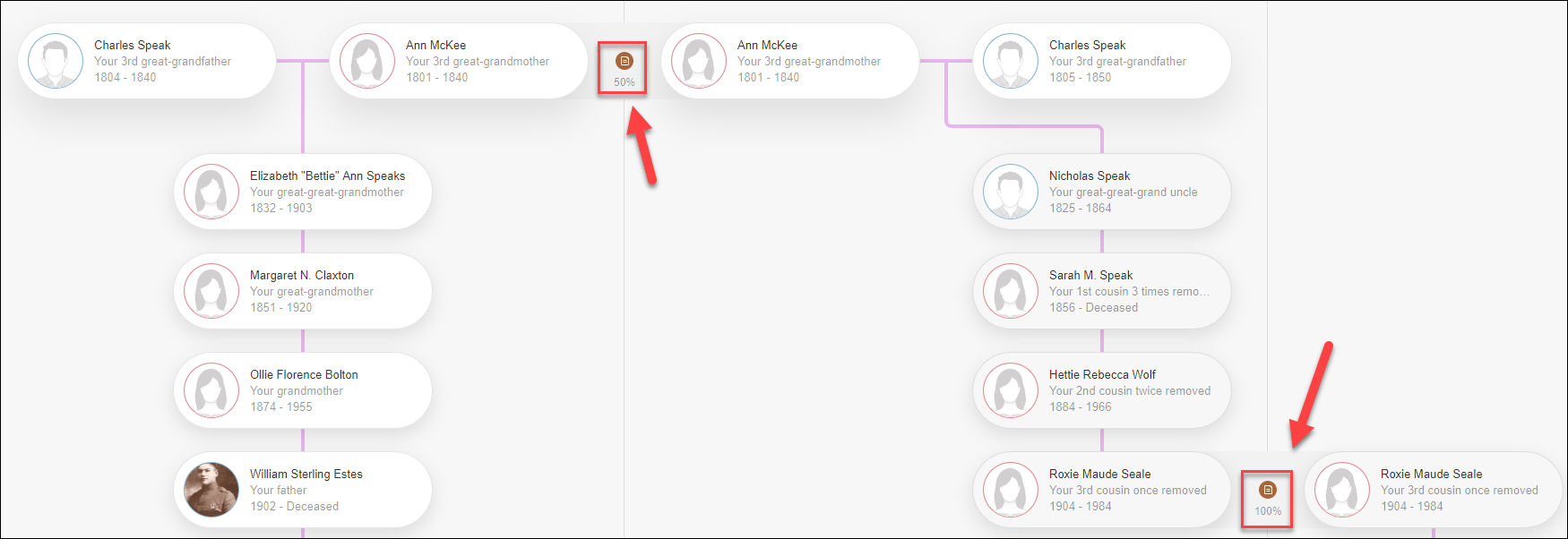
  • The brown sheet-of-paper icon indicates historical record matches, such as census, books and other records.

MyHeritage allows a complimentary 250 person tree for free, but you’ll want to add more people or better yet, upload your GEDCOM file. You’ll also want to take advantage of Smart Matches, super searches, hints, DNA tools and record matches that are benefits of a subscription.

I’m so grateful for the integration between the various MyHeritage tools – and I especially love seeing the faces of my ancestors.

Thank you, thank you, thank you MyHeritage!

_____________________________________________________________

Disclosure

I receive a small contribution when you click on some of the links to vendors in my articles. This does NOT increase the price you pay but helps me to keep the lights on and this informational blog free for everyone. Please click on the links in the articles or to the vendors below if you are purchasing products or DNA testing.

Thank you so much.

DNA Purchases and Free Transfers

Genealogy Products and Services

Genealogy Research

DNA Q&A With Roberta Estes on MyHeritage Facebook LIVE – June 24 at 2 PM EDT

MyHeritage June Q&A

I’m so pleased to send this invitation to the free MyHeritage Facebook LIVE series where I’ll be answering DNA questions beginning at 2 PM EDT on Wednesday, June 24th.

The Facebook LIVE session that I did in April, Top Tips for Triangulation, is MyHeritage’s most-viewed Facebook LIVE session with over 13,000 people to date. We realized then that a DNA Q&A session would be very well-received – so here we are!

For my friends with time conflicts, or for whom it’s the middle of the night – the session will be recorded and available afterward.

Please note that I can’t answer support type questions nor product release questions. For example, I don’t know when MyHeritage is going to roll out enhancements or updates.

All DNA questions are welcome, and you can ask them in advance at this link. You will also be able to ask questions during the session.

Tomorrow, about 10 minutes before we go live, MyHeritage will post a link to the live session on their Facebook page, here.

I will also post the live link on my DNAexplain Facebook page, here.

I’m so excited. This is going to be SOOO much fun!

Hope to see you there!

_____________________________________________________________

Disclosure

I receive a small contribution when you click on some of the links to vendors in my articles. This does NOT increase the price you pay but helps me to keep the lights on and this informational blog free for everyone. Please click on the links in the articles or to the vendors below if you are purchasing products or DNA testing.

Thank you so much.

DNA Purchases and Free Transfers

Genealogy Products and Services

Genealogy Research

Concepts: Inheritance

Inheritance.

What is it?

How does it work?

I’m not talking about possessions – but about the DNA that you receive from your parents, and their parents.

The reason that genetic genealogy works is because of inheritance. You inherit DNA from your parents in a known and predictable fashion.

Fortunately, we have more than one kind of DNA to use for genealogy.

Types of DNA

Females have 3 types of DNA and males have 4. These different types of DNA are inherited in various ways and serve different genealogical purposes.

Males Females
Y DNA Yes No
Mitochondrial DNA Yes Yes
Autosomal DNA Yes Yes
X Chromosome Yes, their mother’s only Yes, from both parents

Different Inheritance Paths

Different types of DNA are inherited from different ancestors, down different ancestral paths.

Inheritance Paths

The inheritance path for Y DNA is father to son and is inherited by the brother, in this example, from his direct male ancestors shown by the blue arrow. The sister does not have a Y chromosome.

The inheritance path for the red mitochondrial DNA for both the brother and sister is from the direct matrilineal ancestors, only, shown by the red arrow.

Autosomal DNA is inherited from all ancestral lines on both the father’s and mother’s side of your tree, as illustrated by the broken green arrow.

The X chromosome has a slightly different inheritance path, depending on whether you are a male or female.

Let’s take a look at each type of inheritance, how it works, along with when and where it’s useful for genealogy.

Autosomal DNA

Autosomal DNA testing is the most common. It’s the DNA that you inherit from both of your parents through all ancestral lines back in time several generations. Autosomal DNA results in matches at the major testing companies such as FamilyTreeDNA, MyHeritage, Ancestry, and 23andMe where testers view trees or other hints, hoping to determine a common ancestor.

How does autosomal DNA work?

22 autosomes

Every person has two each of 22 chromosomes, shown above, meaning one copy is contributed by your mother and one copy by your father. Paired together, they form the two-sided shape we are familiar with.

For each pair of chromosomes, you receive one from your father, shown with a blue arrow under chromosome 1, and one from your mother, shown in red. In you, these are randomly combined, so you can’t readily tell which piece comes from which parent. Therein lies the challenge for genealogy.

This inheritance pattern is the same for all chromosomes, except for the 23rd pair of chromosomes, at bottom right, which determined the sex of the child.

The 23rd chromosome pair is inherited differently for males and females. One copy is the Y chromosome, shown in blue, and one copy is the X, shown in red. If you receive a Y chromosome from your father, you’re a male. If you receive an X from your father, you’re a female.

Autosomal Inheritance

First, let’s talk about how chromosomes 1-22 are inherited, omitting chromosome 23, beginning with grandparents.

Inheritance son daughter

Every person inherits precisely half of each of their parents’ autosomal DNA. For example, you will receive one copy of your mother’s chromosome 1. Your mother’s chromosome 1 is a combination of her mother’s and father’s chromosome 1. Therefore, you’ll receive ABOUT 25% of each of your grandparents’ chromosome 1.

Inheritance son daughter difference

In reality, you will probably receive a different amount of your grandparent’s DNA, not exactly 25%, because your mother or father will probably contribute slightly more (or less) of the DNA of one of their parents than the other to their offspring.

Which pieces of DNA you inherit from your parents is random, and we don’t know how the human body selects which portions are and are not inherited, other than we know that large pieces are inherited together.

Therefore, the son and daughter won’t inherit the exact same segments of the grandparents’ DNA. They will likely share some of the same segments, but not all the same segments.

Inheritance maternal autosomalYou’ll notice that each parent carries more of each color DNA than they pass on to their own children, so different children receive different pieces of their parents’ DNA, and varying percentages of their grandparents’ DNA.

I wrote about a 4 Generation Inheritance Study, here.

Perspective

Keep in mind that you will only inherit half of the DNA that each of your parents carries.

Looking at a chromosome browser, you match your parents on all of YOUR chromosomes.

Inheritance parental autosomal

For example, this is me compared to my father. I match my father on either his mother’s side, or his father’s side, on every single location on MY chromosomes. But I don’t match ALL of my father’s DNA, because I only received half of what he has.

From your parents’ perspective, you only have half of their DNA.

Let’s look at an illustration.

Inheritance mom dad

Here is an example of one of your father’s pairs of chromosomes 1-22. It doesn’t matter which chromosome, the concepts are the same.

He inherited the blue chromosome from his father and the pink chromosome from his mother.

Your father contributed half of his DNA to you, but that half is comprised of part of his father’s chromosome, and part of his mother’s chromosome, randomly selected in chunks referred to as segments.

Inheritance mom dad segments

Your father’s chromosomes are shown in the upper portion of the graphic, and your chromosome that you inherited from you father is shown below.

On your copy of your father’s chromosome, I’ve darkened the dark blue and dark pink segments that you inherited from him. You did not receive the light blue and light pink segments. Those segments of DNA are lost to your line, but one of your siblings might have inherited some of those pieces.

Inheritance mom dad both segments

Now, I’ve added the DNA that you inherited from your Mom into the mixture. You can see that you inherited the dark green from your Mom’s father and the dark peach from your Mom’s mother.

Inheritance grandparents dna

These colored segments reflect the DNA that you inherited from your 4 grandparents on this chromosome.

I often see questions from people wondering how they match someone from their mother’s side and someone else from their father’s side – on the same segment.

Understanding that you have a copy of the same chromosome from your mother and one from your father clearly shows how this happens.

Inheritance match 1 2

You carry a chromosome from each parent, so you will match different people on the same segment. One match is to the chromosome copy from Mom, and one match is to Dad’s DNA.

Inheritance 4 gen

Here is the full 4 generation inheritance showing Match 1 matching a segment from your Dad’s father and Match 2 matching a segment from your Mom’s father.

Your Parents Will Have More Matches Than You Do

From your parents’ perspective, you will only match (roughly) half of the DNA with other people that they will match. On your Dad’s side, on segment 1, you won’t match anyone pink because you didn’t inherit your paternal grandmother’s copy of segment 1, nor did you inherit your maternal grandmother’s segment 1 either. However, your parents will each have matches on those segments of DNA that you didn’t inherit from them.

From your perspective, one or the other of your parents will match ALL of the people you match – just like we see in Match 1 and Match 2.

Matching you plus either of your parents, on the same segment, is exactly how we determine whether a match is valid, meaning identical by descent, or invalid, meaning identical by chance. I wrote about that in the article, Concepts: Identical by…Descent, State, Population and Chance.

Inheritance on chromosomes 1-22 works in this fashion. So does the X chromosome, fundamentally, but the X chromosome has a unique inheritance pattern.

X Chromosome

The X chromosome is inherited differently for males as compared to females. This is because the 23rd pair of chromosomes determines a child’s sex.

If the child is a female, the child inherits an X from both parents. Inheritance works the same way as chromosomes 1-22, conceptually, but the inheritance path on her father’s side is different.

If the child is a male, the father contributes a Y chromosome, but no X, so the only X chromosome a male has is his mother’s X chromosome.

Males inherit X chromosomes differently than females, so a valid X match can only descend from certain ancestors on your tree.

inheritance x fan

This is my fan chart showing the X chromosome inheritance path, generated by using Charting Companion. My father’s paternal side of his chart is entirely blank – because he only received his X chromosome from his mother.

You’ll notice that the X chromosome can only descend from any male though his mother – the effect being a sort of checkerboard inheritance pattern. Only the pink and blue people potentially contributed all or portions of X chromosomes to me.

This can actually be very useful for genealogy, because several potential ancestors are immediately eliminated. I cannot have any X chromosome segment from the white boxes with no color.

The X Chromsome in Action

Here’s an X example of how inheritance works.

Inheritance X

The son inherits his entire X chromosome from his mother. She may give him all of her father’s or mother’s X, or parts of both. It’s not uncommon to find an entire X chromosome inherited. The son inherits no X from his father, because he inherits the Y chromosome instead.

Inheritance X daughter

The daughter inherits her father’s X chromosome, which is the identical X chromosome that her father inherited from his mother. The father doesn’t have any other X to contribute to his daughter, so like her father, she inherits no portion of an X chromosome from her paternal grandfather.

The daughter also received segments of her mother’s X that her mother inherited maternally and paternally. As with the son, the daughter can receive an entire X chromosome from either her maternal grandmother or maternal grandfather.

This next illustration ONLY pertains to chromosome 23, the X and Y chromosomes.

Inheritance x y

You can see in this combined graphic that the Y is only inherited by sons from one direct line, and the father’s X is only inherited by his daughter.

X chromosome results are included with autosomal results at both Family Tree DNA and 23andMe, but are not provided at MyHeritage. Ancestry, unfortunately, does not provide segment information of any kind, for the X or chromosomes 1-22. You can, however, transfer the DNA files to Family Tree DNA where you can view your X matches.

Note that X matches need to be larger than regular autosomal matches to be equally as useful due to lower SNP density. I use 10-15 cM as a minimum threshold for consideration, equivalent to about 7 cM for autosomal matches. In other words, roughly double the rule of thumb for segment size matching validity.

Autosomal Education

My blog is full of autosomal educational articles and is fully keyword searchable, but here are two introductory articles that include information from the four major vendors:

When to Purchase Autosomal DNA Tests

Literally, anytime you want to work on genealogy to connect with cousins, prove ancestors or break through brick walls.

  • Purchase tests for yourself and your siblings if both parents aren’t living
  • Purchase tests for both parents
  • Purchase tests for all grandparents
  • Purchase tests for siblings of your parents or your grandparents – they have DNA your parents (and you) didn’t inherit
  • Test all older generation family members
  • If the family member is deceased, test their offspring
  • Purchase tests for estimates of your ethnicity or ancestral origins

Y DNA

Y DNA is only inherited by males from males. The Y chromosome is what makes a male, male. Men inherit the Y chromosome intact from their father, with no contribution from the mother or any female, which is why men’s Y DNA matches that of their father and is not diluted in each generation.
Inheritance y mtdna

If there are no adoptions in the line, known or otherwise, the Y DNA will match men from the same Y DNA line with only small differences for many generations. Eventually, small changes known as mutations accrue. After many accumulated mutations taking several hundred years, men no longer match on special markers called Short Tandem Repeats (STR). STR markers generally match within the past 500-800 years, but further back in time, they accrue too many mutations to be considered a genealogical-era match.

Family Tree DNA sells this test in 67 and 111 marker panels, along with a product called the Big Y-700.

The Big Y-700 is the best-of-class of Y DNA tests and includes at least 700 STR markers along with SNPs which are also useful genealogically plus reach further back in time to create a more complete picture.

The Big Y-700 test scans the entire useful portion of the Y chromosome, about 15 million base pairs, as compared to 67 or 111 STR locations.

67 and 111 Marker Panel Customers Receive:

  • STR marker matches
  • Haplogroup estimate
  • Ancestral Origins
  • Matches Map showing locations of the earliest known ancestors of matches
  • Haplogroup Origins
  • Migration Maps
  • STR marker results
  • Haplotree and SNPs
  • SNP map

Y, mitochondrial and autosomal DNA customers all receive options for Advanced Matching.

Big Y-700 customers receive, in addition to the above:

  • All of the SNP markers in the known phylotree shown publicly, here
  • A refined, definitive haplogroup
  • Their place on the Block Tree, along with their matches
  • New or unknown private SNPs that might lead to a new haplogroup, or genetic clan, assignment
  • 700+ STR markers
  • Matching on both the STR markers and SNP markers, separately

Y DNA Education

I wrote several articles about understanding and using Y DNA:

When to Purchase Y DNA Tests

The Y DNA test is for males who wish to learn more about their paternal line and match against other men to determine or verify their genealogical lineage.

Women cannot test directly, but they can purchase the Y DNA test for men such as fathers, brothers, and uncles.

If you are purchasing for someone else, I recommend purchasing the Big Y-700 initially.

Why purchase the Big Y-700, when you can purchase a lower level test for less money? Because if you ever want to upgrade, and you likely will, you have to contact the tester and obtain their permission to upgrade their test. They may be ill, disinterested, or deceased, and you may not be able to upgrade their test at that time, so strike while the iron is hot.

The Big Y-700 provides testers, by far, the most Y DNA data to work (and fish) with.

Mitochondrial DNA

Inheritance mito

Mitochondrial DNA is passed from mothers to both sexes of their children, but only females pass it on.

In your tree, you and your siblings all inherit your mother’s mitochondrial DNA. She inherited it from her mother, and your grandmother from her mother, and so forth.

Mitochondrial DNA testers at FamilyTreeDNA receive:

  • A definitive haplogroup, thought of as a genetic clan
  • Matching
  • Matches Map showing locations of the earliest know ancestors of matches
  • Personalized mtDNA Journey video
  • Mutations
  • Haplogroup origins
  • Ancestral origins
  • Migration maps
  • Advanced matching

Of course, Y, mitochondrial and autosomal DNA testers can join various projects.

Mitochondrial DNA Education

I created a Mitochondrial DNA page with a comprehensive list of educational articles and resources.

When to Purchase Mitochondrial DNA Tests

Mitochondrial DNA can be valuable in terms of matching as well as breaking down brick walls for women ancestors with no surnames. You can also use targeted testing to prove, or disprove, relationship theories.

Furthermore, your mitochondrial DNA haplogroup, like Y DNA haplogroups, provides information about where your ancestors came from by identifying the part of the world where they have the most matches.

You’ll want to purchase the mtFull sequence test provided by Family Tree DNA. Earlier tests, such as the mtPlus, can be upgraded. The full sequence test tests all 16,569 locations on the mitochondria and provides testers with the highest level matching as well as their most refined haplogroup.

The full sequence test is only sold by Family Tree DNA and provides matching along with various tools. You’ll also be contributing to science by building the mitochondrial haplotree of womankind through the Million Mito Project.

Combined Resources for Genealogists

You may need to reach out to family members to obtain Y and mitochondrial DNA for your various genealogical lines.

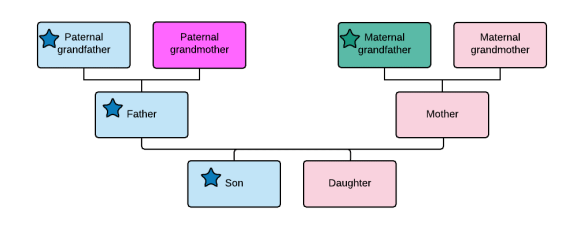
For example, the daughter in the tree below, a genealogist, can personally take an autosomal test along with a mitochondrial test for her matrilineal line, but she cannot test for Y DNA, nor can she obtain her paternal grandmother’s mitochondrial DNA directly by testing herself.

Hearts represent mitochondrial DNA, and stars, Y DNA.

Inheritance combined

However, our genealogist’s brother, father or grandfather can test for her father’s (blue star) Y DNA.

Her father or any of his siblings can test for her paternal grandmother’s (hot pink heart) mitochondrial DNA, which provides information not available from any other tester in this tree, except for the paternal grandmother herself.

Our genealogist’s paternal grandfather, and his siblings, can test for his mother’s (yellow heart) mitochondrial DNA.

Our genealogist’s maternal grandfather can test for his (green star) Y DNA and (red heart) mitochondrial DNA.

And of course, it goes without saying that every single generation upstream of the daughter, our genealogist, should all take autosomal DNA tests.

So, with several candidates, who can and should test for what?

Person Y DNA Mitochondrial Autosomal
Daughter No Y – can’t test Yes, her pink mother’s Yes – Test
Son Yes – blue Y Yes, his pink mother’s Yes – Test
Father Yes – blue Y Yes – his magenta mother’s Yes – Test
Paternal Grandfather Yes – blue Y – Best to Test Yes, his yellow mother’s – Test Yes – Test
Mother No Y – can’t test Yes, her pink mother’s Yes – Test
Maternal Grandmother No Y – can’t test Yes, her pink mother’s – Best to Test Yes – Test
Maternal Grandfather Yes – green Y – Test Yes, his red mother’s – Test Yes – Test

The best person/people to test for each of the various lines and types of DNA is shown bolded above…assuming that all people are living. Of course, if they aren’t, then test anyone else in the tree who carries that particular DNA – and don’t forget to consider aunts and uncles, or their children, as candidates.

If one person takes the Y and/or mitochondrial DNA test to represent a specific line, you don’t need another person to take the same test for that line. The only possible exception would be to confirm a specific Y DNA result matches a lineage as expected.

Looking at our three-generation example, you’ll be able to obtain a total of two Y DNA lines, three mitochondrial DNA lines, and 8 autosomal results, helping you to understand and piece together your family line.

You might ask, given that the parents and grandparents have all autosomally tested in this example, if our genealogist really needs to test her brother, and the answer is probably not – at least not today.

However, in cases like this, I do test the sibling, simply because I can learn and it may encourage their interest or preserve their DNA for their children who might someday be interested. We also don’t know what kind of advances the future holds.

If the parents aren’t both available, then you’ll want to test as many of your (and their) siblings as possible to attempt to recover as much of the parents’ DNA, (and matches) as possible.

Your family members’ DNA is just as valuable to your research as your own.

Increase Your Odds

Don’t let any of your inherited DNA go unused.

You can increase your odds of having autosomal matches by making sure you are in all 4 major vendor databases.

Both FamilyTreeDNA and MyHeritage accept transfers from 23andMe and Ancestry, who don’t accept transfers. Transferring and matching is free, and their unlock fees, $19 at FamilyTreeDNA, and $29 at MyHeritage, respectively, to unlock their advanced tools are both less expensive than retesting.

You’ll find easy-to-follow step-by-step transfer instructions to and from the vendors in the article DNA File Upload-Download and Transfer Instructions to and from DNA Testing Companies.

Order

You can order any of the tests mentioned above by clicking on these links:

Autosomal:

Transfers

_____________________________________________________________

Disclosure

I receive a small contribution when you click on some of the links to vendors in my articles. This does NOT increase the price you pay but helps me to keep the lights on and this informational blog free for everyone. Please click on the links in the articles or to the vendors below if you are purchasing products or DNA testing.

Thank you so much.

DNA Purchases and Free Transfers

Genealogy Products and Services

Genealogy Research

Genetic Affairs: AutoPedigree Combines AutoTree with WATO to Identify Your Potential Tree Locations

July 2020 Update: Please note that Ancestry issues a cease-and-desist order against Genetic Affairs, and this tool no longer works at Ancestry. The great news is that it still works at the other vendors, and you can ask Ancestry matches to transfer, which is free.

If you’re an adoptee or searching for an unknown parent or ancestor, AutoPedigree is just what you’ve been waiting for.

By now, we’re all familiar with Genetic Affairs who launched in 2018 with their signature autocluster tool. AutoCluster groups your matches into clusters by who your matches match with each other, in addition to you.

browser autocluster

A year later, in December 2019, Genetic Affairs introduced AutoTree, automated tree reconstruction based on your matches trees at Ancestry and Family Finder at Family Tree DNA, even if you don’t have a tree.

Now, Genetic Affairs has introduced AutoPedigree, a combination of the AutoTree reconstruction technology combined with WATO, What Are the Odds, as seen here at DNAPainter. WATO is a statistical probability technique developed by the DNAGeek that allows users to review possible positions in a tree for where they best fit.

Here’s the progressive functionality of how the three Genetic Affairs tools, combined, function:

  • AutoCluster groups people based on if they match you and each other
  • AutoTree finds common ancestors for trees from each cluster
  • Next, AutoTree finds the trees of all matches combined, including from trees of your DNA matches not in clusters
  • AutoPedigree checks to see if a common ancestor tree meets the minimum requirement which is (at least) 3 matches of greater to or equal to 30-40 cM. If yes, an AutoPedigree with hypotheses is created based on the common ancestor of the matching people.
  • Combined AutoPedigrees then reviews all AutoTrees and AutoPedigrees that have common ancestors and combine them into larger trees.

Let’s look at examples, beginning with DNAPainter who first implemented a form of WATO.

DNA Painter

Let’s say you’re trying to figure out how you’re related to a group of people who descend from a specific ancestral couple. This is particularly useful for someone seeking unknown parents or other unknown relationships.

DNA tools are always from the perspective of the tester, the person whose kit is being utilized.

At DNAPainter, you manually create the pedigree chart beginning with a common couple and creating branches to all of their descendants that you match.

This example at DNAPainter shows the matches with their cM amounts in yellow boxes.

xAutoPedigree DNAPainter WATO2

The tester doesn’t know where they fit in this pedigree chart, so they add other known lines and create hypothesis placeholder possibilities in light blue.

In other words, if you’re searching for your mother and you were born in 1970, you know that your mother was likely born between 1925 (if she was 45 when she gave birth to you) and 1955 (if she was 15 when she gave birth to you.) Therefore, in the family you create, you’d search for parents who could have given birth to children during those years and create hypothetical children in those tree locations.

The WATO tool then utilizes the combination of expected cMs at that position to create scores for each hypothesis position based on how closely or distantly you match other members of that extended family.

The Shared cM Project, created and recently updated by Blaine Bettinger is used as the foundation for the expected centimorgan (cM) ranges of each relationship. DNAPainter has automated the possible relationships for any given matching cM amount, here.

In the graphic above, you can see that the best hypothesis is #2 with a score of 1, followed by #4 and #5 with scores of 3 each. Hypothesis 1 has a score of 63.8979 and hypothesis 3 has a score of 383.

You’ll need to scroll to the bottom to determine which of the various hypothesis are the more likely.

Autopedigree DNAPainter calculated probability

Using DNAPainter’s WATO implementation requires you to create the pedigree tree to test the hypothesis. The benefit of this is that you can construct the actual pedigree as known based on genealogical research. The down-side, of course, is that you have to do the research to current in each line to be able to create the pedigree accurately, and that’s a long and sometimes difficult manual process.

Genetic Affairs and WATO

Genetic Affairs takes a different approach to WATO. Genetic Affairs removes the need for hand entry by scanning your matches at Ancestry and Family Tree DNA, automatically creating pedigrees based on your matches’ trees. In addition, Genetic Affairs automatically creates multiple hypotheses. You may need to utilize both approaches, meaning Genetic Affairs and DNAPainter, depending on who has tested, tree completeness at the vendors, and other factors.

The great news is that you can import the Genetic Affairs reconstructed trees into DNAPainter’s WATO tool instead of creating the pedigrees from scratch. Of course, Genetic Affairs can only use the trees someone has entered. You, on the other hand, can create a more complete tree at DNAPainter.

Combining the two tools leverages the unique and best features of both.

Genetic Affairs AutoPedigree Options

Recently, Genetic Affairs released AutoPedigree, their new tool that utilizes the reconstructed AutoTrees+WATO to place the tester in the most likely region or locations in the reconstructed tree.

Let’s take a look at an example. I’m using my own kit to see what kind of results and hypotheses exist for where I fit in the tree reconstructed from my matches and their trees.

If you actually do have a tree, the AutoTree portion will simply be counted as an equal tree to everyone else’s trees, but AutoPedigree will ignore your tree, creating hypotheses as if it doesn’t exist. That’s great for adoptees who may have hypothetical trees in progress, because that tree is disregarded.

First, sign on to your account at Genetic Affairs and select the AutoPedigree option for either Ancestry or Family Tree DNA which reconstructs trees and generates hypotheses automatically. For AutoPedigree construction, you cannot combine the results from Ancestry and FamilyTreeDNA like you can when reconstructing trees alone. You’ll need to do an AutoPedigree run for each vendor. The good news is that while Ancestry has more testers and matches, FamilyTreeDNA has many testers stretching back 20 years or so in the past who passed away before testing became available at Ancestry. Often, their testers reach back a generation or two further. You can easily transfer Ancestry (and other) results to Family Tree DNA for free to obtain more matches – step-by-step instructions here.

At Genetic Affairs, you should also consider including half-relations, especially if you are dealing with an unknown parent situation. Selecting half-relationships generates very large trees, so you might want to do the first run without, then a second run with half relationships selected.

AutoPedigree options

Results

I ran the program and opened the resulting email with the zip file. Saving that file automatically unzips for me, displaying the following 5 files and folders.

Autopedigree cluster

Clicking on the AutoCluster HTML link reveals the now-familiar clusters, shown below.

Autopedigree clusters

I have a total of 26 clusters, only partially shown above. My first peach cluster and my 9th blue cluster are huge.

Autopedigree 26 clusters

That’s great news because it means that I have a lot to work with.

autopedigree folder

Next, you’ll want to click to open your AutoPedigree folder.

For each cluster, you’ll have a corresponding AutoPedigree file if an AutoPedigree can be generated from the trees of the people in that cluster.

My first cluster is simply too large to show successfully in blog format, so I’m selecting a smaller cluster, #21, shown below with the red arrow, with only 6 members. Why so small, you ask? In part, because I want to illustrate the fact that you really don’t need a lot of matches for the AutoPedigree tool to be useful.

Autopedigree multiple clusters

Note also that this entire group of clusters (blue through brown) has members in more than one cluster, indicated by the grey cells that mean someone is a member of at least 2 clusters. That tells me that I need to include the information from those clusters too in my analysis. Fortunately, Genetic Affairs realizes that and provides a combined AutoPedigree tool for that as well, which we will cover later in the article. Just note for now that the blue through brown clusters seem to be related to cluster 21.

Let’s look at cluster 21.

autopedigree cluster 21

In the AutoPedigree folder, you’ll see cluster files when there are trees available to create pedigrees for individual clusters. If you’re lucky, you’ll find 2 files for some clusters.

autopedigree ancestors

At the top of each cluster AutoPedigree file, Genetic Affairs shows you the home couple of the descendant group shown in the matches and their corresponding trees.

Autopedigree WATO chart

Image 1 – click to enlarge

I don’t expect you to be able to read everything in the above pedigree chart, just note the matches and arrows.

You can see three of my cousins who match, labeled with “Ancestry.” You also see branches that generate a viable hypothesis. When generating AutoPedigrees, Genetic Affairs truncates any branches that cannot result in a viable hypothesis for placing the tester in a viable location on the tree, so you may not see all matches.

Autopedigree hyp 1

Image 2 – click to enlarge

On the top branch, you’ll see hyp-1-child1 which is the first hypothesis, with the first child. Their child is hyp-2- child2, and their child is hyp-3-child3. The tester (me, in this case) cannot be the persons shown with red flags, called badges, based on how I match other people and other tree information such as birth and death dates.

Think of a stoplight, red=no, green are your best bets and the rest are yellow, meaning maybe. AutoPedigree makes no decisions, only shows you options, and calculated mathematically how probable each location is to be correct.

Remember, these “children,” meaning hypothesis 1-child 1 may or may not have actually existed. These relationships are hypothetical showing you that IF these people existed, where the tester could appear on the tree.

We know that I don’t fit on the branch above hypothesis 1, because I only match the descendant of Adam Lentz at 44.2 cM which is statistically too low for me to also inhabit that branch.

I’ve included half relationships, so we see hyp-7-child1-half too, which is a half-sibling.

The rankings for hypotheses 1, 2, and 7 all have red badges, meaning not possible, so they have a score of 0. Hypothesis 3 and 8 are possible, with a ranking of 16, respectively.

autopedigree my location

Image 3 – click to enlarge

Looking now at the next segment of the tree, you see that based on how I match my Deatsman and Hartman cousins, I can potentially fit in any portion of the tree with green badges (in the red boxes) or yellow badges.

You can also see where I actually fit in the tree. HOWEVER, that placement is from AutoTree, the tree reconstruction portion, based on the fact that I have a tree (or someone has a tree with me in it). My own tree is ignored for hypothesis generation for the AutoPedigree hypothesis generation portion.

Had my first cousins once removed through my grandfather John Ferverda’s brother, Roscoe, tested AND HAD A TREE, there would have been no question where I fit based on how I match them.

autopedigree cousins

As it turns out they did test, but provided no tree meaning that Genetic Affairs had no tree to work with.

Remember that I mentioned that my first cluster was huge. Many more matches mean that Genetic Affairs has more to work with. From that cluster, here’s an example of a hypothesis being accurate.

autopedigree correct

Image 4 – click to enlarge

You can see the hypothetical line beneath my own line, with hypothesis 104, 105, 106, 107, 108. The AutoTree portion of my tree is shown above, with my father and grandparents and my name in the green block. The AutoPedigree portion ignores my own tree, therefore generating the hypothesis that’s where I could fit with a rank of 2. And yes, that’s exactly where I fit in the tree.

In this case, there were some hypotheses ranked at 1, but they were incorrect, so be sure to evaluate all good (green) options, then yellow, in that order.

Genetic Affairs cannot work with 23andMe results for AutoPedigree because 23andMe doesn’t provide or support trees on their site. AutoClusters are integrated at MyHeritage, but not the AutoTree or AutoPedigree functions, and they cannot be run separately.

That leaves Family Tree DNA and Ancestry.

Combined AutoPedigree

After evaluating each of the AutoPedigrees generated for each cluster for which an AutoPedigree can be generated, click on the various cluster combined autopedigrees.

autopedigree combined

You can see that for cluster 1, I have 7 separate AutoPedigrees based on common ancestors that were different. I have 3 AutoPedigrees also for cluster 9, and 2 AutoPedigrees for 15, 21, and 24.

I have no AutoPedigrees for clusters 2, 3, 5, 6, 7, 8, 14, 17, 18, and 22.

Moving to the combined clusters, the numbers of which are NOT correlated to the clusters themselves, Genetic Affairs has searched trees and combined ancestors in various clusters together when common ancestors were found.

Autopedigree multiple clusters

Remember that I asked you to note that the above blue through brown clusters seem to have commonality between the clusters based on grey cell matches who are found in multiple groups? In fact, these people do share common ancestors, with a large combined AutoPedigree being generated from those multiple clusters.

I know you can’t read the tree in the image that follows. I’m only including it so you’ll see the scale of that portion of my tree that can be reconstructed from my matches with hypotheses of where I fit.

autopedigree huge

Image 5 – click to enlarge

These larger combined pedigrees are very useful to tie the clusters together and understand how you match numerous people who descend from the same larger ancestral group, further back in time.

Integration with DNAPainter

autopedigree wato file

Each AutoPedigree file and combined cluster AutoPedigree file in the AutoPedigree folder is provided in WATO format, allowing you to import them into DNAPainter’s WATO tool.

autopedigree dnapainter import

You can manually flesh out the trees based on actual genealogy in WATO at DNAPainter, manually add matches from GEDmatch, 23andMe or MyHeritage or matches from vendors where your matches trees may not exist but you know how your match connects to you.

Your AutoTree Ancestors

But wait, there’s more.

autopedigree ancestors folder

If you click on the Ancestors folder, you’ll see 5 options for tree generations 3-7.

autopedigree ancestor generations

My three-generation auto-generated reconstructed tree looks like this:

autopedigree my tree

Selecting the 5th generation level displays Jacob Lentz and Frederica Ruhle, the couple shown in the AutoCluster 21 and AutoPedigree examples earlier. The color-coding indicates the source of the ancestors in that position.

Autopedigree expanded tree

click to enlarge

You will also note that Genetic Affairs indicates how many matches I have that share this common ancestor along with which clusters to view for matches relevant to specific ancestors. How cool is this?!!

Remember that you can also import the genetic match information for each AutoTree cluster found at Family Tree DNA into DNAPainter to paint those matches on your chromosomes using DNAPainter’s Cluster Auto Painter.

If you run AutoCluster for matches at 23andMe, MyHeritage, or FamilyTreeDNA, all vendors who provide segment information, you can also import that cluster segment information into DNAPainter for chromosome painting.

However, from that list of vendors, you can only generate AutoTrees and AutoPedigrees at Family Tree DNA. Given this, it’s in your best interest for your matches to test at or upload their DNA (plus tree) to Family Tree DNA who supports trees AND provides segment information, both, and where you can run AutoTree and AutoPedigree.

Have you painted your clusters or generated AutoTrees? If you’re an adoptee or looking for an unknown parent or grandparent, the new AutoPedigree function is exactly what you need.

Documentation

Genetic Affairs provides complete instructions for AutoPedigree in this newsletter, along with a user manual here, and the Facebook Genetic Affairs User Group can be found here.

I wrote the introductory article, AutoClustering by Genetic Affairs, here, and Genetic Affairs Reconstructs Trees from Genetic Clusters – Even Without Your Tree or Common Ancestors, here. You can read about DNAPainter, here.

Transfer your DNA file, for free, from Ancestry to Family Tree DNA or MyHeritage, by following the easy instructions, here.

Have fun! Your ancestors are waiting.

_____________________________________________________________

Disclosure

I receive a small contribution when you click on some of the links to vendors in my articles. This does NOT increase the price you pay but helps me to keep the lights on and this informational blog free for everyone. Please click on the links in the articles or to the vendors below if you are purchasing products or DNA testing.

Thank you so much.

DNA Purchases and Free Transfers

Genealogy Products and Services

Genealogy Research


MyHeritage: Brand New Theories of Family Relativity

MyHeritage has run their Theories of Family Relativity (abbreviated sometimes as TOFR) software again, refreshing their database, which means more Theories of Family Relativity for DNA testers.

According to the MyHeritage blog:

The number of DNA Matches that include a theory increased by 42.5% from 9,964,321 to 14,201,731.

Sometimes we arrive at a theory through multiple paths, indicating a strong theory and providing additional supporting evidence. After the previous update, there were a total of 115,106,944 paths. This update increased the number of paths by 40.5% to 161,762,761.

The number of MyHeritage users who now have at least one Theory of Family Relativity™ for their DNA Matches has increased by 33.6%.

I’m SOOO glad I added all of those branches to my tree, including all children and grandchildren of my ancestors. Every piece of information is utilized in developing Theories.

I sure hope I have new Theories. Let’s see.

My New Theories

Yay, under DNA Matches, I have the purple banner that indicates there are new Theories waiting for me.

Theories new.png

I can just click on View Theories to see all of the TOFR, including new ones.

Theories 65.png

You can see that clicking on the “View theories” button filters my matches to only those matches who have Theories. I have 65 matches, many of whom will have multiple Theories for me to evaluate. That’s an increase from 52 Theories previously, or a 20% increase.

New Theories result from people who have tested or transferred since TOFR was last run in July 2019. Some will be people who can now connect because someone’s tree or research documents now provide enough information to suggest a common ancestor – which of course is the foundation of Theories for DNA matches.

You can sort by new matches, but there isn’t a way to see only your new Theories of Family Relativity. That’s OK, because I make notes on each person with whom I have a Theory, plus I keep a separate spreadsheet.

Theories notes.png

Matches with notes show up with a purple note box. “No notes” have no color, so it’s easy to click through my TOFR matches pages, looking for TOFR matches with no color. Those are new TOFR matches.

Are the New Theories Accurate?

Theories with DNA matches are formed based on a combination of your tree, your matches tree, other people’s trees, community resource trees like FamilySearch, plus various documents like census records that tie people together.

The reason multiple Theories exist for the same match is because there are different possibilities in terms of how you and your match might be related or how different trees might tie you together. In some cases, Theories will be for different lines that you share with the same person.

Each Theory has a confidence calculation that weighs the reliability of each theory connecting segment based on internal parameters. As you can see below, this connection is given a 50% probability weight of being accurate. You can click on that percentage to review the match and comparative data.

Theories weight.png

click to enlarge

Path 1 of my first new Theory is accurate, even though birth and death dates of Ann McKee’s husband are different at FamilySearch.

Theoreis multiple trees.png

click to enlarge

Looking further down this tree, you can see that my match had only extended their tree through Roxie, but a FamilySearch tree spanned the generations between Roxie and our common couple, Charles Speak and Ann McKee.

My tree didn’t extend down far enough to include Roxie.

Of the other 4 paths/Theories, 3 simply connect at different levels in the same basic trees, meaning that I connect at Margaret Claxton instead of Ann McKee.

The 5th path, however, is ambiguous and I can’t tell if it’s accurate or not. It doesn’t matter though, because I have 4 different solid paths connecting me and my new match.

Theories can connect people with almost no tree. One man had a total of 7 people in his tree, yet through multiple connections, we were connected accurately as 5th cousins.

One accurate Theory combined a total of 6 trees to piece together the Theory.

Working the Theories

I stepped through each match, making notes about each Theory, confirming the genealogy, checking for additional surnames that might indicate a second (or third or fourth) line, as well as SmartMatches.

SmartMatches only occur if the same people are found in both trees. I had no SmartMatches this time, because each of these Theories was more complex and required multiple tree hops to make the connection.

One match was a duplicate upload. After eliminating that from the totals, I have the following results for my newly generated Theories of Family Relativity.

Scorecard

Match Total Theories/Paths Accuracy Comments
1 5 4 yes, 1 ambiguous
2 3 Not exactly, but close Close enough that I could easily discern the common ancestor
3 2 Yes
4 5 Yes
5 1 Not exactly, but close Within 1 generation
6 1 No Acadian, needs additional research
7 5 Yes, but 2 with issues 2 were accurate, 2 with ancestor’s first wife erroneously as mother, and one with private mother
8 2 Not exactly, but close Within 1 generation, also, 2 separate lines
9 2 Yes
10 4 Not exactly, but close Within 1 generation
11 5 Yes One wife shown as unknown
12 3 Not exactly, but close Within 1 generation, also 4 separate common lines in total
Total 38 23 yes, 1 ambiguous, 13 close, 1 no

All of the close matches were extremely easy to figure out, except one in a heavily endogamous population with many “same name” people. That one needs additional research.

I’m not at all unhappy with the Theories that weren’t spot on because Theories are meant to be research hints, and they got me to the end goal of identifying our common ancestor.

I wrote about how to use Theories, in detail, here.

Observations and Commentary

Theories of Family Relativity has been run by MyHeritage for the third time now. It doesn’t run all the time, so new testers and uploaders will need to wait until the next run to see their Theories.

You can expect some Theories to come and go, especially if someone has deleted a tree or changed a piece of data that a Theory utilized.

I did not go back and recheck my earlier Theories because I had already ascertained the common ancestor.

I have a total of 65 matches with whom I have TOFR, one of which is a duplicate.

I have a total of 99 paths, or Theories, for those 64 matches.

Of my 64 non-duplicate matches, only 5 don’t have at least one correct Theory. Of those 5, all incorrect Theories are a result of an incorrect tree or name confusion that I was able to easily resolve. Only one needs more research.

Reviewing the match for additional surnames often reveals multiple lines of descent beyond the Theories presented.

Previously, I only had 11 matches with multiple Theories, but of my 12 new matches, only 2 don’t have multiple paths. Multiple Theories are a function of more matches, more trees, and more resources. I’m grateful for all the hints I can get.

Remember, Theories are just that – theories that point you in a research direction. They require confirmation. Good thing we’re genealogists!

Next, DNAPainter

Of course, the good news is that I could paint my new matches at DNAPainter, having assigned them to our common ancestor, thanks to Theories. DNAPainter is a great sanity check. If you have the same reasonably sized segment attributed to multiple ancestors, something is wrong, someplace.

That something could be:

  • That the segment is identical by chance in some matches
  • Someone’s genealogy is inaccurate
  • Imputation added invalid data
  • You’re related in more ways, on more lines, that you know
  • There’s an unknown parentage event in a line someplace
  • That your ancestors were related

What About You?

Do you have new Theories of Family Relativity waiting for you?

Sign on and take a look.

If you haven’t tested at or transferred your DNA to MyHeritage, you can order a test, here. Tests are currently on sale for $39.

MyHeritage offers free transfers from the DNA testing companies whose step-by-step upload instruction articles are listed below.

Instructions for uploading TO MyHeritage are found here:

If you test at MyHeritage, all DNA features, functions, and tools are free.

If you transfer your DNA file to My Heritage, DNA matching is free, but Theories of Family Relativity requires either a site data subscription to access genealogical records, which you can try for free, here, or a one time $29 unlock fee for the advanced DNA tools which include:

  • Theories of Relativity
  • Chromosome browser
  • Triangulation
  • Ethnicity estimates

Have fun!

__________________________________________________________

Disclosure

I receive a small contribution when you click on some of the links to vendors in my articles. This does NOT increase the price you pay but helps me to keep the lights on, and this informational blog free for everyone. Please click on the links in the articles or to the vendors below if you are purchasing products or DNA testing.

Thank you so much.

DNA Purchases and Free Transfers

Genealogy Products and Services

Genealogy Research

Free MyHeritage Video – Top Tips for Triangulating your DNA Matches With Roberta Estes

Yesterday’s Facebook LIVE presentation for MyHeritage was lots of fun for everyone, and now it’s available for anyone who might have missed it, here.

I must say, I was stunned that so many people tuned in. We had just under 5000 watching live, with just under 500 comments. There were literally people from all over the world – with perhaps the exception of the locations where it was the dead of night. A day later, there are already more than 9000 views. I hope everyone is enjoying the session.

It felt good to be connected, even if it was electronically. It was still “live.”

I saw people I knew saying “hey,” DNA matches, known cousins, longtime friends, and at least one person with a fairly rare surname from a location that I suspect shares one of my ancestors.

How cool is that?!

For people who are curious about how this works, I was too, so here’s a short explanation.

The Back Story

One day last week, MyHeritage invited me to create this seminar. I thought it would be nice – given that our lives are all disrupted right now.

They suggested half an hour to an hour, including Q&A time, but being just a tad over-zealous, mine went a little long. The entire session, plus Q&A was an hour and a quarter. It’s impossible to do triangulation justice in a short time because the presenter must first explain how and why triangulation works, and why it’s important. You can’t just dive into the middle of that pool.

Also, just to be very clear, I created this video as a volunteer – I wasn’t paid, and I’m not compensated for this or any other article either. I don’t write articles for money or in exchange for anything. If I do receive something, like a book to review that I did not purchase, I say so. My opinions are my own and not for sale.

Working as a member of a worldwide team is interesting, in part because of the time factor. Israel is 7 hours different from my time in the US, so our practice session on Sunday was quite late for their team members, Esther who you met online and Talya, working behind the scenes.

The underlying platform is a product called BeLive which records the session, provides the chat capability and interfaces with Facebook. This means that the computers, cameras and audio (headsets) of all of the people involved must all be compatible with BeLive, given that Esther and Talya are moderating and handling things like which screen is showing and moderating the chat questions. The speaker really can’t do any more than focus on their topic.

I had planned to use my laptop to present against the backdrop of my fireplace in the living room. If you’re going to have a few thousand people “over,” you might as well hostess in the nicest part of your home, right?

BeLive was challenging on my end, to put it mildly. My husband and I both spent several hours, as did Talya and Esther, trying to make things work. The camera and audio on my laptop worked just fine using other platforms, like Skype and Google Hangouts – but absolutely refused to work with BeLive. Even BeLive technical support was baffled. Nothing worked – although my husband, not to be bested by a computer, installed the desktop version of BeLive (which wasn’t supposed to be necessary), then uninstalled the plugins and reinstalled them, toggled the camera, and it magically began to work. But by that time, I had already changed courses.

Compounding the challenge, my laptop, in the midst of those efforts, just died – as in spontaneously went entirely black. No, the battery wasn’t dead, and no, I didn’t have confidence after that. I was afraid that “sudden death” would happen in the middle of the presentation. I always have to be vigilant, because Murphy lives with me and is ever-present, always lurking about.

I made the decision to shift to my desktop. It’s a newer system, but so new that it’s not entirely configured yet, I hadn’t yet used it for webinars, and I’m not completely familiar with how things work in that new environment either.

Thankfully, BeLive worked well on the desktop system and we were able to complete our practice run. It was past time for Talya and Esther to hit the hay, but I needed to clean my office, at least the part behind and beside me, where viewers could see.

So, if you’re wondering if my desk is always entirely clear, the answer would be a resounding “no.” I wasn’t about to have a messy office with company coming over😊

Actually, one of the things I liked when I watched the other MyHeritage Facebook LIVE sessions with Daniel Horowitz and Ran Snir was the homey nature. You know the presenters are recording from someplace in their house and I felt grateful to them for making that extra effort.

DNA Kits Aren’t Quarantined

You might not be able to visit grandma or your relatives, but you can still order DNA tests and have them delivered through the mail. Mother’s Day is May 10th. Order those DNA tests, here. Your gift to them and their DNA gift to you will continue solving family mysteries forever.

The Video

Now that you’ve learned more about the video production aspect than you ever wanted to know, you can watch the presentation online by clicking on the video, below. This part is super easy!

Note that it has been reported that this embedded link is not viewable in Firefox, so please use Chrome. If you do not see the video displayed below and can’t click to view, just click here.

Enjoy!!!

_____________________________________________________________

Disclosure

I receive a small contribution when you click on some of the links to vendors in my articles. This does NOT increase the price you pay but helps me to keep the lights on and this informational blog free for everyone. Please click on the links in the articles or to the vendors below if you are purchasing products or DNA testing.

Thank you so much.

DNA Purchases and Free Transfers

Genealogy Products and Services

Genealogy Research

Top Tips for Triangulating Your DNA Matches with Roberta Estes – FREE – MyHeritage Facebook LIVE, April 27th

MyHeritage Facebook LIVE.png

Yes, I know this is last minute, but consider this seminar a surprise gift, jointly, from me and MyHeritage😊

Top Tips for Triangulating Your DNA Matches is free for everyone!

I’ll readily admit that presenting via Facebook LIVE is new to me, but we will make this work, I promise.

Tomorrow, Monday, April 27th, 2020 at 2 PM EST, on the MyHeritage Facebook page, I’ll be giving a free presentation, with Q&A, about triangulating your DNA matches at MyHeritage.

About Triangulation

Triangulation is both a tool and a process.

Have you wondered any of the following:

  • What is triangulation?
  • Why do I need to triangulate?
  • Why does triangulation work?
  • How do I triangulate?
  • How do I find matches to triangulate?
  • How does triangulation confirm ancestors?
  • How can I use triangulation in my genealogy?
  • Am I using all the tools to find triangulated matches?

If you’d like to learn more about any of those questions, or you’d like to join in for the fun and camaraderie, I’ll see you tomorrow at 2 PM EDT on the MyHeritage Facebook page.

Test or Transfer

If you haven’t yet tested your DNA with MyHeritage, or transferred your DNA to MyHeritage from elsewhere, now is the perfect time! You’ll find step-by-step transfer instructions, here.

Click here to purchase a DNA test, or here to upload a file from another vendor. You’ll have matches to triangulate before you know it!

See You Monday!!

Click here for the MyHeritage Facebook page where the Facebook LIVE event will take place Monday, April 27th, at 2 PM EST!

Followup

Here’s the link if you’d like to watch the recording.

_____________________________________________________________

Disclosure

I receive a small contribution when you click on some of the links to vendors in my articles. This does NOT increase the price you pay but helps me to keep the lights on and this informational blog free for everyone. Please click on the links in the articles or to the vendors below if you are purchasing products or DNA testing.

Thank you so much.

DNA Purchases and Free Transfers

Genealogy Products and Services

Genealogy Research