Stop Risking Your Information: Facebook Games, Public Posts, Friend Lists & Hackers

Are you unwittingly exposing yourself and risking your information on Facebook or other social media platforms?

Bad actors are becoming increasingly problematic on social media. There’s been a HUGE UPTICK recently, and we need to keep ourselves safe. Keeping yourself safe also helps keep your friends safe, and vice versa.

Please read this article and follow these steps. Share with your friends and family too.

Please don’t think you’re immune from this. You’re not. Everyone needs to do a checkup periodically.

Sometimes Facebook changes things, and hackers get more wily and cunning all the time. Bad actors are so deceptive now that you may not realize your choices and/or behavior have exposed your information.

Using lots of examples, here’s what this article will do for you:

  1. Identify and explain new threats and how they work.
  2. Show you how to modify your privacy settings to prevent unauthorized access.
  3. Determine if you’ve inadvertently let the bad guys in – and how to shut that door.
  4. Explain how to stop engaging in risky behavior that you don’t even realize is risky.

Risky behavior on social media is like the flu – people who don’t take proper precautions expose others.

You may think you’re already aware of what’s risky, and what isn’t. Hopefully, that’s true – but when the bad guys change their tactics, we all need to reevaluate accounts, settings, and behaviors.

How Does Exposure Happen

My friends, even friends who should know better, are exposing themselves on Facebook and other social media – and they don’t even realize it.

How?

Lax security settings, Facebook games, innocent-looking questions, and public posts combine to create a toxic slurry of exposure – and you have absolutely no idea that anything is going on beneath the water.

However, it’s absolutely infested with sharks!

Facebook games and questions ARE CRAFTED BY CYBERCRIMINALS.

FULL STOP!!!

You are the target, and your own emotions are the bait.

Yes, I mean you!

I’ve seen almost everyone fall victim to this in one form or another – so you’re not alone. We all learn – hopefully before we have or cause a bad experience.

Did you click on a link you shouldn’t have – before thinking? Have you ever answered any of these seemingly fun questions posted by someone you don’t personally know? Or, someone you DO know whose posting was public? Do you even know if the posting was public?

Here are some examples of bait questions?

  • How far away do you live from where you were born?
  • Name a song that takes you back to high school?
  • Where was your first job?
  • Your cowboy (rock star, stripper, animal, you get the idea) name is your middle name. (Then they show you a fun picture.)
  • Your first car.
  • Thirty random things about me.

If you enter any of that information, you’re doing multiple EXTREMELY RISKY and DANGEROUS THINGS!!!

  • Giving potential answers to security questions to cybercriminals who aggregate your data from many seemingly innocent questions.
  • Posting the results of those ” fun ” picture games gives cybercriminals access to your personal information, friends, and timeline.
  • Giving cybercriminals access to your friend list so they can be targeted too
  • Serving as bait for your friends who see your answers because Facebook shows you what your friends and family members answer.
  • Serving as bait for your friends who see your AI name or cowboy name or whatever “game” you’ve played. Facebook shows people that you’ve played this game, which serves as an endorsement, especially if people trust you.

Best case, you’re attracting attention to yourself as someone who is naïve and vulnerable. These bad actors are manipulating your emotions, which in turn leads to you oversharing.

You may be hacked, your account cloned, or even lost entirely, AND you’ll be responsible for your friends also engaging in risky behavior.

An even worse case scenario is identity theft.

Here’s the best article I know of that shows several examples. IF YOU DO NOTHING ELSE TODAY, READ THIS ARTICLE, PLEASE!!!

I can hear my mother saying to me, “If everyone else jumped off the bridge, would you too?”

This is the bridge, and I’ll show you why.

That Alluringly Dangerous Bridge

Let’s look at a couple of examples. Different scams work in different ways depending on the goal of the bad actor. We will look at a few so you’re aware.

First, they catch your attention and hope you click before you think.

DO NOT CLICK.

First, lots of professional criminals troll ANY PUBLIC ANSWER.

This post and all replies are public. That little globe means the world can see the post and any comments.

Second, if you click to take this seemingly fun test, you give them lots of information about you, and the results, which are always “wonderful”, post to your feed – which provides “positive feedback” to you and lures your friends. Let’s face it; they will never tell someone they are “below average” because who would play their data-gathering game?

How do they post results to your feed? You give them permission when you click to do the “test,” even though you don’t realize you did that.

Here’s another one.

This has nothing to do with AI. It’s all hooey! Don’t be a willing victim.

NameTests

One of the most popular “games” on Facebook is some derivative of Nametests.

Seriously, do you believe some application can tell you anything useful by selecting three colors? And, ask yourself why anyone would create these “games” and purchase Sponsored Facebook ads to do something “free” for everyone. There is no such thing as a free lunch.

If you’re thinking this is just harmless fun – it’s not.

Do yourself a favor.

Type this into Google: “What is nametests on Facebook?”

Read this article, courtesy of Comparitech, an identity theft prevention company to see what you just gave away. Literally, access to everything in your profile. And you did it willingly. They didn’t have to hack your account. They simply tricked you by luring you with something free that looked like fun.

Ok, now that you’ve done it, Nametests and other similar apps have access to your account, so you need to rescind that permission.

You Just Gave Them Access to Your Friends List

I’ll step you through how to remove anything like this at the end of this article. You’ll also want to change your password and possibly enable two-factor authentication (2FA). You’ve just given some scammer the keys to your kingdom – plus your friends’ too.

That’s not the end, either. In fact, it’s just the beginning.

There’s more.

Questions, Challenges, Feel-Good and Outrage Stories

Emotions are powerful. They cause you to want to comment – or click. You throw caution to the wind. Actually, you simply forget about caution altogether. That’s the goal.

What you need to do is put the brakes on and…

STOP!

Some fishing questions may make you want to reminisce and relive the good old days.

Some look like fun. But ask yourself – why does ANYONE care about that?

Some scare you and trick you into clicking before thinking. They create a sense of either tragedy or urgency.

“Look who died.” “I can’t believe he’s gone.” And before you think, you’ve reacted with “OMG” and clicked and literally given away the farm. Not just your Facebook farm, either. Here’s how this works, with a short video from the Indiana State Attorney General.

What does the Attorney General say? “I don’t click on anything.” Me either! If you see these frightening tagged links from a friend, it means that friend’s account has been hacked or cloned. Contact them but do not message or reply to the account that sent this because you’ll be talking directly to the hacker.

Nostalgic or Emotionally Motivational Postings

Some scams are wonderful stories that make you want to share something affirming.

Some make you nostalgic.

Some make you angry or sad.

Have you seen those found dog scams where the individual claims to have found an injured dog, taken it to the vet, are trying to find the owner and need assistance with the vet bills. There’s an entire Facebook group devoted to identifying fake “found dog” posts, here.

These posts are meant to evoke strong emotions that cause you to forget about safety and just react. It’s called motivation, and these criminals are pros.

Then, because you’re a good person, you share with your friends, or maybe they shared with you so that’s even more encouragement to engage.

Sometimes, the posts don’t even ask you anything directly.

This next post had been up for less than one day, and look how many shares and comments it had.

A couple of weeks later, it had more than 4000 likes, 884 comments, and 559 shares. Just think how many comments it actually has now, scattered around the internet on various people’s pages.

It looks so innocuous and safe, but it isn’t.

You’ve just given these people, whoever they are, an approximate age, and you’ve told them you’re vulnerable to this type of trickery. Hackers gather every tidbit they can about you so that you can be targeted on this and other platforms.

Everything on this account is public, which you can tell by the little globe, meaning everyone anywhere can see what you say and what everyone says.

The recent 23andMe data exposure is a good example of how information can be aggregated and used to breach other accounts. Furthermore, with your age and city location, which may well be available on your Facebook profile page, anyone can use standard internet search tools to find an address, a phone, family members’ names, and more. Much more!

Questions Lists

You may see these question lists posted by your friends and asked to be passed on “for fun.”

Just don’t!!! Remember, your friends and (sometimes) their friends can see responses too. You have NO IDEA who is consuming this information.

Many police organizations have warned against this. Here’s an article.

Anytime you see anything that sounds or smells like these types of posts, OR posts that are public, the first thing that should pop into your mind is STOP – in a bright red neon danger sign.

Yes, I’ve used this exact same image three times now, because you need to remember to STOP. Stop and think before doing anything.

I WANT YOU TO THINK ABOUT THIS IMAGE EVERY SINGLE TIME YOU SEE THINGS LIKE THIS ON FACEBOOK!

How does this toxic material spread like wildfire anyway?

Public Posts Paint a Target on You

The most common danger is fully public posts. Hackers take advantage of public posts when unwary people post or reply publicly.

Public posts, identified by the little globe, open the post up for the entire world to see.

It also opens you up to friend requests and comments from anyone, anyplace.

Scammers troll for anything public and scrape the contents into huge databases organized by name. They know that if you’re naive enough to fall for one scam, you might well be naive enough to fall for another. They’re hoping, anyway.

Not all public posts are scams, but replying to public posts makes you a target.

Here’s an example.

My friend, Sam, reposted this link on his page to be helpful and made it public, meaning everyone can see it from any place. Sam has his security set to “require one friend in common” before you can send them a friend request. Clearly, “Shirley” doesn’t have a friend in common with Sam, so “Shirley” can’t send Sam a friend request. So “Shirley” replied with something “nice,” hoping to entice Sam into sending “Shirley” a friend request so they can gain access to Sam’s account info and friend list.

“Shirley,” who is scantily clad, isn’t “Shirley” at all, but someone trying to gain access to as many people and profiles as possible to scam people.

Comments on Public Posts

I have adopted the policy that I DO NOT, EVER comment on or reply to public posts – even if they’re posted by my friends. Here’s why.

One of my friends has a wonderful history page where he makes several public postings daily. Unfailingly, every single person who replies to his post has one of two things happen:

  • If the people who reply or comment (Linda and Douglas here) accept friend requests without a common friend, or if they have a common friend, they get friend requests from scammers (Holman and Amanda here).

If you automatically think you’re safe to accept a friend request if the requester shares a friend with you – think again. Maybe your friend has fallen victim and doesn’t realize it. It can happen to anyone.

  • If the commenter does not accept friend requests unless the requester (scammer) and commenter (i.e., the target) have a common friend, then scammers replies to their posting with a compliment and invitation to friend them.

DO NOT REPLY or add them as a friend, and DO BLOCK these people immediately.

Here are some clues to spot fake accounts:

  • Extremely attractive or enticing photos
  • Single or divorced
  • Professional, military or wealthy-looking if male
  • Sexualized or seductive if female
  • No friends or scads of friends
  • Non-substantive public posts
  • New account
  • Pictures with puppies or animals
  • Things to instill confidence – like references to God

Hackers are so “Helpful”

My friend, Pam, had her Instagram Account “hacked” and announced that to the world in a public post on Facebook. She meant to warn her friends, of course.

Truth be told, Pam had not actually been hacked, as her password would (probably) have been changed if she were truly hacked. This recently happened to another friend and he lost his entire Facebook account, including all photos accumulated over more than a dozen years.

Pam’s password was not changed, because she could sign into her account. Her account was actually cloned, meaning a second account was set up using her profile information that looked exactly like her original profile. Then her friends were messaged from the cloned account with links to click that led to malware. Her friends also received friend requests from the cloned “fake Pam” cloned account.

Unfortunately, cloning is very easy to do. Facebook photos are, by default, public. So the bad actor takes your photo, sets up a second account that “looks like you” and then sends your friends friend requests and malicious links. Your friends accept your friend request, not realizing it’s a fraud.

I wonder how a scammer might have obtained access to Pam’s friends’ profile information to determine whom to target.

Any ideas, anyone?

Let’s see:

  • Maybe public posts.
  • Maybe games
  • Maybe answering “questions”
  • Maybe Pam’s friend doing one of those things and exposing Pam’s information, too
  • Maybe accepting a friend request she shouldn’t have
  • Maybe making “too much” public, including her friends list

Let’s see what happened when Pam publicly informed the world that her Instagram account had been hacked! Just in case you think this might be no big deal.

ALL 64 REPLIES WERE FROM HACKERS!

In fact, it’s possible that the original hacker is one of those who responded, offering to “help.”

Here’s the list of all 64 comments, with my commentary in red. Notice that all 64 arrived within two hours. Many of these profiles may, in fact, be the same bad actor.

She went to work and didn’t notice any of this. However, everyone else in the world had the opportunity to reply to one of these hackers, seeking “help,” and her friends might have been lured.

If you comment, you’re at risk too.

Then, someone with a name that includes the word Cyberspy messaged my friend directly.

Oh yeah, this instills confidence, alright.

Unknown people may directly message (DM) you.

Do not reply.

BLOCK THEM ALL!!!

If someone you know messages you with a link, DO NOT CLICK ON IT. Verify another way that they actually sent you something – meaning that their account has not been cloned or hacked. Regardless, I still don’t click on unsolicited links.

Reporting to Facebook

If you know that your friend’s account has been cloned, report to Facebook by clicking on the little three dots on the cloned profile, then “Find support or report.”

Unfortunately, there’s little to be done about the hacker/scammer replies and postings. Reporting any of these fraudulent accounts to Facebook (Meta) is worse than useless – and Facebook is the only one who can take care of it. I have yet to see them take any of these accounts down.

Block all scammers or shady postings or replies.

Your best bet is to NOT fall for any of this.

Bait

This is supposedly a food page, but if you look at the postings, they are all “bait” of one sort or another.

That bait is for you – you’re what they are hoping to snag.

First of all, this post has nothing to do with food. Several posts are of the “who remembers this” type of nostalgia bait, which is particularly attractive to older people who may be less tech-savvy.

Second, they try to make you feel guilty if you’re a grandparent and DON’T “let the world know.”

Third, they are clearly targeting older people, and if you share or post on this, you’ve given them information. Some people actually said how many grandchildren they have and where they live.

Sometimes, older people are more susceptible to scams because they are more trusting.

Stop and Think!

  • Why would anyone you don’t know be interested in this information about you?
  • Why would you willingly give something this information?

Anyone hear of grandparent call scams? “I’m in trouble. Send money.” Some even go so far as to say they’ve been kidnapped. Here’s what the FCC says about “grandparent scams.”

Scammers who gain access to consumers’ personal information – by mining social media or purchasing data from cyber thieves – can create storylines to prey on the fears of grandparents.

Often the imposter claims to have been in an accident or arrested. The scammer may ask the grandparent “please don’t let mom and dad know,” and may hand the phone over to someone posing as a lawyer seeking immediate payment.

Unfortunately, according to a recent Washington Post article, bad actors can now use artificial intelligence technology “to mimic voices, convincing people, often the elderly, that their loved ones are in distress”.

The article reports that scammers can replicate a voice from just a short audio sample and then use AI tools to hold a conversation in that voice, which “speaks” whatever the imposter types.

I know someone who was targeted this way. They said they could barely understand their granddaughter because she was both crying uncontrollably and hysterical. My friend could make out the word rape. It was terrifying and paralyzing at the same time. Fortunately, her granddaughter happened to walk into the front door as this call was taking place.

What Have You Done?

Are you wondering if you have inadvertently given access to your Facebook page to scammers without realizing it?

You need to check.

Here’s how, step-by-step!

Start by clicking your profile picture, then Settings and Privacy, then Settings, then Apps and Websites – as outlined above and detailed below.

On the left, you’ll see this menu. Scroll towards the bottom.

You can click any image to enlarge.

You’ll see this information at the top, with the following apps that you’ve given access to below.

Click on “remove” to remove unwanted apps. I clicked on “Remove” for Yelp, which displayed additional information. You can remove future access, but you can’t remove any information already shared with the other application.

When you look at an app and see the ability to log in through Facebook, this is actually what you’re doing – sharing a variety of information with that application.

Under “Preferences,” disable the ability to use Facebook to log into third-party apps.

What does signing in through Facebook or Google do? How does it work?

What actually happens when you sign in using Google or Facebook? It’s convenient, but you’re giving away data about yourself that you’re unaware of.

Here’s what LifeLock has to say.

Here’s a list of Facebook privacy settings that you should change now.

Whatever you did in the past can’t be undone, but you can remove the access and prevent anything in the future.

Stop the Thieves – Lock It Down

If you’ve done something risky, you’ll need to take additional precautions.

  • Change your password. Don’t reuse passwords.
  • If your account has been cloned, change your profile photo so your friends know which account is actually yours.
  • Restrict postings to friends only.
  • Check for and disable any applications, including games like Nametest.
  • Consider implementing 2FA. It’s under “How to keep your account secure” in the Privacy Checkup.

What are your settings?

Let’s check and see.

Privacy Checkup

Facebook makes it easy to do a Privacy Checkup.

Just click on your profile photo, then “Settings and Privacy” and “Privacy Checkup.”

I recommend stepping through every one of these topics and adjusting your permissions.

I recommend locking everything down on your profile.

Begin with “Who can see what you share”.

Scroll to the bottom, where you see “Friends and following.”

CRITICAL

To protect your friends list, and disable anyone else from seeing it, select ONLY ME.

Your next selection under “Who can see what you share” selects the default audience for your Facebook posts, Stories, and limits who can see past posts. This is a critical selection because it determines who can view your posts unless you change this setting on individual posts.

Step through each of the “Privacy Checkup” tabs and do the same for People, Pages and Lists you follow.

Next, check “Profile and Tagging” under the Settings and Privacy Menu on the left-hand side.

Step through each of these sections, especially Posts and Stories, and adjust your privacy.

It’s VERY important to prevent others from viewing your friends list which you’ll find under “Profile and Tagging.”

Some people don’t let anyone post on their profile. I currently do let my friends post, or tag me, but I’m also torn about this setting.

Next, select who can see what others post on your profile?

Make sure to check the rest of the information and if it’s displayed.

I don’t provide any information, such as where I live or went to college – nor do I display my phone number. I get enough spam calls the way it is!

See What They See

Check to be sure your account displays only as much as you want.

On the dropdown menu from your profile picture, go to the Privacy Center and Click on “Manage Your Accounts,” then select “How to clean up your profile.”

Click on “View as” to see your account as someone who is not your friend. Ensure everything is locked down, and you’re not providing information to unknown people.

Best Practices for Safety

Two types of actions are necessary to keep your Facebook account and your friends safe. Both are important – some are account settings, and others are behavioral.

Think of this like driving a car. You need safety equipment like brakes – but you must also know when, where, and how to apply them to keep from crashing.

One alone is insufficient. You need both. You also need to stop and think.

  • Lock your account down so that people you don’t know can’t see your information.
  • Lock it down so that others can’t see your friend list, so you’re not inadvertently making your friends targets.
  • Do not accept friend requests from people you don’t know.
  • View everything skeptically.
  • STOP every single time you even think about replying to something. Stop, then think. Is the post public? Who wants to know this information, and why would I give it to them?
  • If it’s public, DON’T REPLY.

Selecting Privacy for Your Posts

You select a default privacy setting for your own posts. You can also override the default and select a different privacy setting for each post if it differs from your default.

Default settings are found in the “Privacy Checkup,” under “Who can see what you share.”

You can change the privacy selection on each post as you create them. You can also change them later.

Facebook used to retain your selection for the next post, but I don’t think they do that anymore. For example, if I lost my mind for some reason and selected “public,” for this post, the default would have been “public” for subsequent posts too.

I tested this, and it appears that’s no longer the case today. That’s a good thing! You can change any individual post, but your selected default remains in effect.

It’s Time for Spring Cleaning

If your friends have their friend list exposed, they are exposing you to hackers who may want to target you. If your friend’s account is cloned, this is exactly how bad actors know to target you next.

It’s time for spring cleaning on your friend list. Let’s take stock and evaluate.

  • Are they your actual friend?
  • Why are they on your friend list?
  • If you’re undecided, check to see if their friend list is exposed. That’s the tie-breaker. If it is, they are exposing you.
  • If someone you know and care about is exposing their friend list, please send them a link to this article.

Let’s Practice

You notice a question on your friend’s feed about the name of your first-grade teacher.

You smile with warm remembrance.

What’s the first thing you’re going to do?

STOP!

THINK!

Public – Look to see if your friend’s posting is public.

If the answer is yes, STOP.

If you answer, you just gave someone information about you that can be combined and aggregated with other information from all of those types of questions you’ve inadvertently answered. Many are security questions and can lead to identity theft.

Games – Next, look to see if it’s one of those games.

If the answer is yes, STOP.

Groups – Next, check to see if the posting is from within a group that you’ve joined. If the the posting is within a restricted group or a non-public Facebook page or group, that may be a more controlled environment, depending on the join criteria and how closely the group is monitored by administrators. I do participate in several closed groups.

Non-public groups are designated by an icon of three people.

Friends Only – If the posting is “friends” only, the two-person icon, the threat is reduced, unless, of course, your friend has inadvertently given access to one of those scam games and, in doing so, has granted access to their entire profile. There’s no way to know. I evaluate the friend and the topic at hand when deciding to reply.

My “go to” response now, on social media, is simply “don’t reply,” unless someone has asked me a direct, non-public, question that makes sense and doesn’t relay any information that even might be useful.

So, if your friend who visited last week asks for a pudding recipe that you made for dessert, and the posting isn’t public, that’s probably just fine.

If your cousin can’t remember your daughter’s middle name and wants it for genealogy, I’m sure that’s fine to answer too, just not in any kind of a public forum. To some degree, Facebook is always public. It’s social media, after all. Message, email or call your cousin with the answer. Don’t post it.

Vigilance as a Way of Life

I know you’re going to hate me for a bit when you see that red STOP as you scroll through your Facebook feed. Right about now, you’re saying, “Roberta, please stop!”

That’s OK. Getting you to see and do that is my entire reason for writing this article. I want it to pop into your mind! I’d rather you be irritated with me than have your account compromised or lost entirely and expose your loved ones in the process. 😊

We must be ever more vigilant as scams and scammers become increasingly sophisticated. Your “scam antennae” should always be up and on high alert.

And yes, I know some of you will tell me that you don’t want to live like that. I understand. Neither do I, but if you want to stay safe – and for your friends and family to remain safe, too – you must be ever-vigilant, alert, and chronically suspicious.

If you see family members acting unsafely on social media, they probably aren’t aware, so please feel free to share this article.

_____________________________________________________________

Follow DNAexplain on Facebook, here.

Share the Love!

You’re always welcome to forward articles or links to friends and share on social media.

If you haven’t already subscribed (it’s free,) you can receive an email whenever I publish by clicking the “follow” button on the main blog page, here.

You Can Help Keep This Blog Free

I receive a small contribution when you click on some of the links to vendors in my articles. This does NOT increase your price but helps me keep the lights on and this informational blog free for everyone. Please click on the links in the articles or to the vendors below if you are purchasing products or DNA testing.

Thank you so much.

DNA Purchases and Free Uploads

Genealogy Products and Services

My Book

Genealogy Books

Genealogy Research

What’s Changed? –  Autosomal DNA Vendor Feature Changes Since the 23andMe Data Compromise

The 23andMe customer data compromise has reverberated throughout the technology industry, not limited to DNA testing.

The 23andMe compromise has provided the impetus for reflection and security and policy reviews at each DNA testing vendor.

That’s a good thing.

What has been and remains challenging is keeping track of which features have been disabled and are no longer available at each vendor as the vendors, including 23andMe, attempt to right themselves from this blow. Unfortunately, or maybe fortunately, we can’t just return to “business as usual.”

Some of these feature removals may only be paused, and a few have already returned. Some may never be resumed.

We don’t really know yet.

If you’re having trouble keeping track, welcome to the club.

The features that have been disabled are features that were exploited at 23andMe or could have been exploited by bad actors who signed on “as you,” exposing not only your data but that of your matches in one way or another.

To be very clear, there was no data leak or compromise at any other vendor, but some other vendors provide(d) similar features for their customers. Every vendor offering DNA testing to genealogists had to stop, pause, and reevaluate their security measures. That’s exactly what they should have done. Genetic genealogy is a team sport where compromising one person’s account exposes at least some information about thousands more individuals.

Every company has proceeded somewhat differently based on how their features work.

I’ve compiled a chart listing the four primary vendors alphabetically, with affected features.

The Scorecard

In this chart, “Not available” means the feature was available before the 23andMe incident but is not currently available.

Feature 23andMe Ancestry FamilyTreeDNA MyHeritage
Two-factor Authentication (2FA)[1] Required Required Will be required for project administrators and available for all users[2] Will be required soon.
Forced Password Reset Yes No May be required for project administrators. Yes
Match information download[3] Not available Never was available Not available until after 2FA implementation Not available
Matching segment download[4] Not available Never was available Not available until after 2FA implementation Not available
Shared matches[5] Not available Available[6] Available Available
Shared matches who match each other Not available Never was available Available thru Matrix, but not segments Partially available through triangulation
Shared matches match segments Not available Never was available Never was available Never was available
Shared matches relationship to each other Not available Never was available Never was available Predicted available
Triangulation Not available Never was available Available[7] Available
Chromosome Browser Not available Never was available Available Available
Daily matching or browse rate limited[8] No No No Yes
Shared ethnicity with matches[9] Not available Available Available by opt-in Not available
Filter matches by ethnicity Never was available Never was available Never was available Not available


Accepts 23andMe DNA file uploads Not applicable Never was available Paused Not restricted but not available because 23andMe does not currently allow the download of your raw data file

Other features remain unchanged, so they are not mentioned.

I think I accounted for everything that has changed, including some features already resumed at MyHeritage.

23andMe has not stated if or when they will return any of the functionality that has been removed.

FamilyTreeDNA plans to return their paused features after 2FA has been implemented in early 2024.

Please note that this information may change at any time.

_____________________________________________________________

Follow DNAexplain on Facebook, here.

Share the Love!

You’re always welcome to forward articles or links to friends and share on social media.

If you haven’t already subscribed (it’s free,) you can receive an email whenever I publish by clicking the “follow” button on the main blog page, here.

You Can Help Keep This Blog Free

I receive a small contribution when you click on some of the links to vendors in my articles. This does NOT increase your price but helps me keep the lights on and this informational blog free for everyone. Please click on the links in the articles or to the vendors below if you are purchasing products or DNA testing.

Thank you so much.

DNA Purchases and Free Uploads

Genealogy Products and Services

My Book

Genealogy Books

Genealogy Research

[1] There has been a great deal of gnashing of teeth surrounding 2FA and how it’s implemented at each vendor. If you experience issues, please contact the vendor in question.

[2] At FamilyTreeDNA, testers utilize a kit number as their username, not their name or email. No place is the kit number publicly associated with the user’s name. In the 23andMe breach, the user’s email and passwords had been exposed in earlier breaches, so the hacker simply tried the same username and password at 23andMe, with great success. That scenario cannot occur at FamilyTreeDNA because the username is not their email address, which is why 2FA is not required for users. Administrators can select their username, so they will be required to utilize 2FA soon.

[3] This means information about your DNA matches other than your matching segments, such as email address, maternal or paternal matches, notes, surnames, and other relevant information.

[4] Matching segment information for each match. Used for triangulation, ancestor identification, and at DNAPainter.

[5] Shared matches between you and another match.

[6] Ancestry has recently announced that they will require a membership to view several features available with a DNA test, including Common Ancestors (ThruLines), Notes, Trees, Groups, and filtering matches by unviewed status. These features will not be available to DNA testers without an Ancestry subscription.

[7] Available if maternal/paternal matching is enabled. When matching, each individual who matches the tester and other testers and is bucketed on the same maternal/paternal side will triangulate on at least one segment.

[8] This is to prevent data scraping if a bad actor gains access to your account.

[9] The 23andMe data was reported to have focused on both Jewish and Chinese customers

FamilyTreeDNA 2023 Update – Past, Present and Future

At the FamilyTreeDNA International Conference on Genetic Genealogy, held November 3-5 in Houston for group project administrators, product and feature updates were scattered across both days in various presentations.

I’ve combined the updates from FamilyTreeDNA into one article.

I’ve already written two articles that pertain to the conference.

FamilyTreeDNA has already begun rolling the new Y DNA haplogroups from Family Finder autosomal tests, which I wrote about here:

I still have at least two more articles to publish from this conference that was chocked full of wonderful information from a wide range of talented speakers.

Past, Present, and Future with Katy Rowe-Schurwanz

Katy Rowe-Schurwanz, FamilyTreeDNA’s Product Manager, provided an update on what has been accomplished in the four and a half years since the last conference, what’s underway now, and her wish list for 2024.

Please note the word “wish list.” Wish list items are NOT commitments.

Recent Milestones

A lot has been happening at FamilyTreeDNA since the last conference.

Acquisition and Wellness Bundles

As everyone is aware, at the end of 2020, myDNA acquired Gene by Gene, the parent company of FamilyTreeDNA, which included the lab. As a result, the FamilyTreeDNA product menu has expanded, and wellness bundles are now available for FamilyTreeDNA customers.

If you’re interested, you can order the Wellness product in a bundle with a Family Finder test, here.

You can add the Wellness product for $39 if you’ve already tested.

New TIP (Time Prediction) STR Report

Did you notice that the old TIP report for Y DNA STR markers was replaced with an updated version several months ago?

To view the new report, sign on and select your Y DNA matches. At the far right of each match you’ll see these three icons representing a pedigree chart, notes, and the TIP (Time Predictor) report.

The updated TIP report includes wonderful new graphs and age estimates for each match category, which you can read about, here. Each category, such as 67-marker matches, has time estimates in which a common ancestor might have lived at each possible genetic distance.

Math is our friend, and thankfully, someone else has done it for us!

Please note that the Big Y SNP dates are MUCH more accurate for a variety of reasons, not limited to the instability and rapid mutation rate of STR mutations.

MyOrigins3

MyOrigins3, FamilyTreeDNA’s ethnicity offering, added over 60 new reference populations for a total of 90, plus chromosome painting. You can read about MyOrigins features here, and the white paper, here.

This is one of my favorite improvements because it allows me to identify the segment location of my population ancestries, which in turn allows me to identify people who share my minority segments such as Native American and African.

Due to a lack of records, these relationships are often exceedingly difficult to identify, and MyOrigins3 helps immensely.

Additional Releases

Additional products and features released since the last conference include:

Discover

Released in July 2022, Discover is the amazing new free product that details your ancestor’s Y DNA “story” and his walk through time and across the globe.

In the past 18 months, all of the Discover features are new, so I’m only making a brief list here. The great thing is that everyone can use Discover if you know or can discover (pardon the pun) the haplogroup of your ancestral lines. Surname projects are often beneficial for finding your lineages.

  • Haplogroup Story includes haplogroup location, ages derived from the earliest known ancestor (EKA) of your matches, and ancient DNA samples. Please be sure you’ve entered or updated your EKA, and that the information is current. You can find instructions for how to update or add your EKA here.
  • A recent addition to the haplogroup story includes Haplogroup Badges.
  • Country Frequency showing where this haplogroup is found with either a table view or an interactive map
  • Famous and infamous Notable Connections, including Mayflower passengers, Patriots from the American Revolution, US presidents, royal houses, artists, musicians, authors, pirates, sports figures, scientists, and more.

If you know of a proven connection to a notable figure, contact customer support and let them know! Notable connections are added every week.

One famous Discover connection is Ludwig von Beethoven which resulted from a joint academic study between FamilyTreeDNA and academic researchers. It’s quite a story and includes both a mystery and misattributed parentage. You can see if you match on Discover and read about the study, here.

  • Updated Migration Map, including locations of select ancient DNA sites
  • The Time Tree, probably the most popular Discover report, shows the most current version of the Y DNA phylotree, updated weekly, plus scientifically calculated ages for each branch. Tree node locations are determined by your matches and their EKA countries of origin. I wrote about the Time Tree, here.
  • Anticipated in early 2024, the EKA and block tree matches will also be shown on the Time Tree in Discover for individual Big Y testers, meaning they will need to sign in through their kits.
  • The Group Time Tree, visible through group projects, takes the Time Tree a step further by including the names of the EKA of each person on the Time Tree within a specific project. Information is only displayed for project members who have given permission to include their data. You can select specific project groupings to view, or the entire project. I wrote about the Group Time Tree here and here.
  • Globetrekker is an exclusive Big Y mapping feature discussed here, here, here, and here.
  • Ancient Connections includes more than 6,100 ancient Y DNA results from across the globe, which have been individually analyzed and added for matching in Discover. Ancient Connections serve to anchor haplogroups and provide important clues about matches, migration paths and culture. New connections are added weekly or as academic papers with adequate Y DNA coverage are released.
  • Your Ancestral Path, which lists the haplogroups through every step from the tester back to Y Adam and beyond. Additional information for each haplogroup in your path includes “Time Passed” between haplogroups, and “Immediate Descendants,” meaning haplogroups that descend from each subclade. New columns recently added include “Tested Modern Descendants” and “Ancient Connections.”
  • Suggested Projects include surname, haplogroup, and geographic projects. Katy said that people joining projects are more likely to collaborate and upgrade their tests. You can also see which projects other men with this haplogroup have joined, which may well be projects you want to join too.
  • Scientific Details provides additional information, such as each branch’s confidence intervals and equivalent variables (SNPs). You can read more here.
  • Compare Haplogroups is the most recent new feature, added just last month, which allows you to enter any two haplogroups and compare them to determine their most recent common ancestral haplogroup. You can read about Compare Haplogroups, here.

Please note that the Studies feature is coming soon, providing information about studies whose data has been included in Discover.

You can read about Discover here, here, here, and here.

If you’re interested, FamilyTreeDNA has released a one-minute introduction to Y DNA and Discover that would interest new testers, here.

Earliest Known Ancestor (EKA) Improvement

Another improvement is that the earliest known ancestor is MUCH easier to enter now, and the process has been simplified. The EKAs are critical for Discover, so PLEASE be sure you’ve entered and updated your EKA.

Under the dropdown beside your name in the upper right-hand corner of your personal page, select Account Settings, then Genealogy and Earliest Known Ancestors. Complete the information, then click on “Update Location” to find or enter the location on a map to record the coordinates.

It’s easy. Just type or drop a pin and “Save.”

Saving will take you back to the original EKA page. Save that page, too.

Recommended Projects on Haplogroups & SNPs Page

You’re probably aware that Discover suggests projects for Y DNA testers to join, but recommended haplogroup projects are available on each tester’s pages, under the Y DNA Haplotree & SNPs page, in the Y DNA STR results section.

If there isn’t a project for your immediate haplogroup, just scroll up to find the closest upstream project. You can also view this page by Variants, Surnames and Countries.

This is a super easy tool to use to view which surnames are clustered with and upstream of your haplogroup. With Family Finder haplogroups being assigned now, I check my upstream haplogroups almost daily to see what has been added.

For example, my Big Y Estes results are ten branches below R-DF49, but several men, including Estes testers, have been assigned at this level, thanks to Y DNA haplogroups from Family Finder testing. I can now look for these haplogroups in the STR and Family Finder matches lists and see if those men are receptive to Big Y testing.

Abandoned Projects

Sometimes group project administrators can no longer function in that capacity, resulting in the project becoming abandoned. FamilyTreeDNA has implemented a feature to help remedy that situation.

If you discover an abandoned project, you can adopt the project, spruce things up, and select the new project settings. Furthermore, administrators can choose to display this message to recruit co-administrators. I need to do this for several projects where I have no co-admin.

If you are looking for help with your project, you can choose to display the button
through the Project Profile page in GAP. For non-project administrators, if you’d like to help, please email the current project administrators.

New Kit Manager Feature

FamilyTreeDNA has added a “Kit Manager” feature so that an individual can designate another person as the manager of their kit.

This new setting provides an avenue for you to designate someone else as the manager of your DNA test. This alerts FamilyTreeDNA that they can share information with both of you – essentially treating your designated kit manager the same as you.

If you’re the kit manager for someone else, you NEED to be sure this is completed. If that person is unavailable for some reason, and support needs to verify that you have legitimate access to this kit, this form and the Beneficiary form are the ONLY ways they can do that.

If your family member has simply given you their kit number and password, and for some reason, a password reset is required, and their email address is the primary contact – you may be shut out of this kit if you don’t complete this form.

Beneficiary Page

Additionally, everyone needs to be sure to complete the Beneficiary page so that in the event of your demise, FamilyTreeDNA knows who you’ve designated to access and manage your DNA account in perpetuity. If you’ve inherited a kit, you need to add a beneficiary to take over in the event of your death as well.

What is FamilyTreeDNA working on now?

Currently in the Works

Katy moved on to what’s currently underway.

Privacy and Security

Clearly, the unauthorized customer data exposure breach at 23andMe has reverberated through the entire online community, not just genetic genealogy. You can read about the incident here, here, here, and here.

FamilyTreeDNA has already taken several steps, and others are in development and will be released shortly.

Clearly, in this fast-moving situation, everything is subject to change.

Here’s what has happened and is currently planned as of today:

  • Group Project Administrators will be required to reset their password soon.

Why is this necessary?

Unauthorized access was gained to 23andMe accounts by people using the same password for multiple accounts, combined with their email as their user ID. Many people use the same password for every account so that they can remember it. That means that all a hacker needs to do is breach one account, and they can use that same information to “legitimately” sign in to other accounts. There is no way for the vendor to recognize this as unauthorized since they have both your user ID and password.

That’s exactly what happened at 23andMe. In other breaches, this information was exposed, and hackers simply tried the same username and password combination at 23andMe, exposing the entire account of the person whose account they signed in “as.” This includes all of their matches, genetic tree, shared matches, matches of matches, ethnicity, and segments. They could also have downloaded both the match list and the raw DNA file of the compromised account.

At FamilyTreeDNA, project administrators can select their own username, which could be their email, so they will be required to reset their password.

Additional precautions have been put in place on an interim basis:

  • A pause in the ability to download match and segment information.
  • A pause in accepting 23andMe uploads.

Administrators will also be required to use two-factor authentication (2FA.) To date, two of the four major vendors are requiring 2FA. I would not be surprised to see it more broadly. Facebook recently required me to implement 2FA there, too, due to the “reach” of my postings, but 2FA is not required of everyone on Facebook.

Please note that if you received an email or message that is supposedly from any vendor requiring 2FA, GO DIRECTLY TO THAT VENDOR SITE AND SIGN IN.  Never click on a link in an email you weren’t expecting. Bad actors exploit everything.

Customers who are not signing in as administrators are not required to implement 2FA, nor will they be required to reset their password.

Personally, I will implement 2FA as soon as it’s available.

While 2FA is an extra step, it’s easy to get used to, and it has already literally saved one of my friends from an authorized hack on their primary and backup email accounts this week. Another friend just lost their entire account on Facebook because someone signed in as them. Their account was gone within 15 minutes.

2FA is one of those things you don’t appreciate (at all) until it saves you, and then, suddenly, you’re incredibly grateful.

At this point in time, FamilyTreeDNA users will NOT be required to do a password reset or implement 2FA. This is because customers use a kit number for sign-in and not a username or email address. I would strongly recommend changing your password to something “not easy.” Never reuse passwords between accounts.

I really, really want you to visit this link at TechRepublic and scroll down to Figure A, which shows how long it takes a hacker to crack your password. I guarantee you, it’s MUCH quicker than you’d ever expect.

Kim Komando wrote about this topic two years ago, so compare the two charts to see how much easier this has become in just two years.

Again, if you receive an email about resetting your password, don’t click on a link. Sign in independently to the vendor’s system, but DO reset your password.

FamilyTreeDNA also engages in additional security efforts, such as ongoing penetration testing.

New Permissions

Additionally, at FamilyTreeDNA, changes were already in the works to separate out at least two permissions that testers can opt-in to without granting project administrators Advanced rights.

  • Download data
  • Purchase tests

The ability to purchase tests can be very important because it allows administrators to order and pay for tests or upgrades on behalf of this tester anytime in the future.

Family Finder Haplogroups

FamilyTreeDNA has already begun releasing mid-level Y DNA haplogroups for autosomal testers in a staggered rollout of several thousand a day.

I wrote about this in the article, FamilyTreeDNA Provides Y DNA Haplogroups from Family Finder Autosomal Tests, so I’m not repeating all of that information here – just highlights.

  • The Family Finder haplogroup rollout is being staggered and began with customers on the most recent version of the testing chip, which was implemented in March of 2019.
  • Last will be transfers/uploads from third parties.
  • Haplogroups resulting from tests performed in the FTDNA labs will be visible to matches and within projects. They will also be used in both Discover and the haplotree statistics. This includes Family Finder plus MyHeritage and Vitagene uploads.
  • Both MyHeritage and Vitagene are uploaded or “transferred” via an intracompany secure link, meaning FamilyTreeDNA knows that their information is credible and has not been manipulated.
  • Haplogroups derived from tests performed elsewhere will only be visible to the user or a group administrator viewing a kit within a project. They will not be visible to matches or used in trees or for statistics.
  • Any man who has taken a Y DNA STR test will receive a SNP-confirmed, updated haplogroup from their Family Finder test that replaces their predicted haplogroup from the STR test.

Please read this article for more information.

New Discover Tools and Updates

Discover content continues to be updated, and new features are added regularly, creating an increasingly robust user experience.

Soon, group administrators will be able to view all Discover features (like Globetrekker) when viewing kits of project members who have granted an appropriate level of access.

Ancient and Notable connects are added weekly, and a new feature, Study Connections, will be added shortly.

Study Connections is a feature requested by customers that will show you which study your academic matches came from. Today, those results are used in the Y DNA tree, but the source is not detailed.

Anticipated in early 2024, the EKA and block tree matches will also be shown on the Time Tree in Discover for individual Big Y testers (not publicly).

Big Y FaceBook Group

FamilyTreeDNA has ramped up its social media presence. They launched the Big Y Facebook group in July 2023, here, which currently has just under 9000 members. Several project administrators have volunteered their time to help manage the group.

FamilyTreeDNA Blog

In addition, FamilyTreeDNA is publishing at least one blog article each week, and sometimes more. You can view or subscribe here. Some articles are written by FamilyTreeDNA staff, but project administrators and customers author other content.

Multi-Language Support

Translation of the main FamilyTreeDNA website and results pages to Spanish has begun, with more languages planned soon.

Paypal, Payments, and Gift Cards

Paypal has been added as a payment selection, along with a PayPal option that provides the ability to make payments.

Additionally, a gift card can be purchased from the main page.

Million Mito Project & Mitotree

Work on the Million Mito Project is ongoing.

The Million Mito Project was launched in 2020 as a collaborative effort between FamilyTreeDNA’s Research & Development Team and the scientific portion of the Genographic Project. I’m a team member and wrote about the Million Mito Project, here.

We’re picking up from where the Phylotree left off in 2016, analyzing 20 times more mtDNA full sequences and reimagining the mtDNA Haplotree. By examining more mtDNA data and applying the processes that allowed FamilyTreeDNA to build the world’s largest Y DNA Haplotree, we can also create the world’s largest Mitotree.

In 2022, the first update was released, authored by the Million Mito team, with the discovery of haplogroup L7. You can read about this amazing discovery rooted deep in the tree here, here, and here. (Full disclosure: I’m a co-author.)

Not only that, but “Nature Scientific Reports” selected this article as one of five named Editor’s Choice in the Mitogenomics category, here. In the science world, that’s a HUGE deal – like the genetic Emmy.

Here’s one example of the type of improvements that can be expected. Currently, the formation of haplogroup U5a2b2a reaches back to about 5000 years ago, but after reanalysis, current branches originated between 500 and 2,500 years ago, and testers are clustered more closely together.

This is SOOO exciting!!!

Just as Discover for Y DNA results was built one feature at a time, the same will be true for MitoDiscover. That’s my name, not theirs.

As the new Mitotree is rolled out, the user interface will also be updated, and matching will function somewhat differently. Specifically, it’s expected that many more haplogroups will be named, so today’s matching that requires an exact haplogroup match to be a full sequence match will no longer work. That and other matching adjustments will need to be made.

I can hardly wait. I have so many results I need to be able to view in a tree format and to place in a timeframe.

You can be included in this exciting project, learn more about your matrilineal (mother’s) line, and hopefully break down some of those brick walls by taking the full sequence mitochondrial DNA test, here.

After the new Mitotree is rolled out and the Y DNA Family Finder haplogroups are completed, Family Finder customers, where possible, will also receive at least a basic-level mitochondrial haplogroup. Not all upload files from other vendors include mtDNA SNPs in their autosomal files. The mitochondrial Family Finder haplogroup feature isn’t expected until sometime in 2025, after the new tree and MitoDiscover are complete.

The Future

What’s coming later in 2024, or is ongoing?

Privacy Laws

Most people aren’t aware of the new privacy laws in various states, each of which has to be evaluated and complied with.

The effects of these changes will be felt in various areas as they are implemented.

New Kits Opted Out of IGG

Since late August, all new FTDNA kits are automatically opted OUT of Investigative Genetic Genealogy (IGG) by default.

Regular matching consent and IGG matching consent have been separated during onboarding.

Biobanking Separate Consent

Another consent change is to have your sample biobanked. FamilyTreeDNA has always maintained your sample for “roughly 25 years.” You could always ask to have your sample destroyed, but going forward, you will be asked initially if you want your sample to be retained (biobanked.) It’s still free.

Remember, if someone declines the biobanking option, their DNA will be disposed of after testing. They can’t order upgrades without submitting a new sample. Neither can their family after they’re gone. I ordered my mother’s Family Finder test many years after she had gone on to meet our ancestors – and I’m incredibly grateful every single day.

MyHeritage Tree Integration

An exciting change coming next year is tree integration with MyHeritage.

And no, before any rumors get started, FAMILYTREEDNA IS NOT MERGING WITH MYHERITAGE. It’s a beneficial marriage of convenience for both parties.

In essence, one of the primary focuses of MyHeritage is trees, and they do that very well. FamilyTreeDNA is focused on DNA testing and their existing trees have had issues for years. MyHeritage trees are excellent, support pedigree collapse, provide search capabilities that are NOT case sensitive, SmartMatching, and much more.

If you don’t have a MyHeritage account, creating one is free, and you will be able to either port your existing FamilyTreeDNA tree, or begin one there. If you’re already a MyHeritage member, FamilyTreeDNA and MyHeritage are planning together for a smooth integration for you. More detailed information will be forthcoming as the integration progressed and is released to customers.

You’ll be able to connect multiple kits to your tree at MyHeritage, just like you can at FamilyTreeDNA today, which enables family matching, aka bucketing.

You can also have an unlimited number of different trees at MyHeritage on the same account. You’re not limited to one.

After you link your initial FamilyTreeDNA kit to the proper person in your MyHeritage tree, you’ll be able to relink any currently linked kits.

MyHeritage will NOT receive any DNA information or match information from FamilyTreeDNA, and yes, you’ll be able to use the same tree independently at MyHeritage for their DNA matching.

You’ll still be able to view your matches’ trees, except it will actually be the MyHeritage tree that will be opened at FamilyTreeDNA in a new tab.

To the best of my knowledge, this is a win-win-win, and customers of both companies aren’t losing anything.

One concern is that some FamilyTreeDNA testers have passed away and cannot transition their tree, so a view-only copy of their tree will remain at FamilyTreeDNA so that their matches can still see their tree.

Big Y Infrastructure

Katy mentioned that internal discussions are taking place to see what changes could be made to improve things like matching and test processing times.

No changes are planned for SNP or STR coverage, but discussions are taking place about a potential update to the Telomere to Telomere (T2T) reference. No promises about if or when this might occur. The last part of the human genome to be fully sequenced, the T2T reference model includes the notoriously messy and unreliable region of the Y chromosome with many repeats, duplications, gaps, and deletions. Some data from this region is probably salvageable but has previously been omitted due to the inherent problems.

I’m not sure this shouldn’t be in the next section, the Wishlist.

Wishlist

There are lots of good things on the Wishlist – all of which I’d love.

I’d have difficulty prioritizing, but I’d really appreciate some Family Finder features in addition to the items already discussed. I’d also like to see some GAP (administrator) tool updates.

Which items do you want to see most?

Katy said that FamilyTreeDNA is NOT planning to offer a Whole Genome Sequencing (WGS) test anytime soon. So, if you’re holding your breath, please don’t. Based on what Katy did say, WGS is very clearly not a consideration in 2024 and I don’t expect to see it in 2025 either unless something changes drastically in terms of technology AND pricing.

While WGS prices have come down, those consumer tests are NOT scanned at the depth and quality required for advanced tests like the Big Y or even Family Finder. Normally consumer-grade WGS tests are scanned between 2 and 10 times, where the FamilyTreeDNA lab scans up to 30 times in order to obtain a quality read. 30X scans are in the same category as medical or clinical grade whole genome scans. Significantly higher quality scans mean significantly higher prices, too, so WGS isn’t ready for genealogy prime time yet.

Additionally, commercially available WGS tests are returned to the customer “as is,” and you’re left to extract the relevant SNPs and arrange them into files, or find someone else to do that. Not to mention, in order to preserve the integrity of their database, FamilyTreeDNA does not accept Y or mitochondrial DNA uploads.

Recently, I saw two WGS files with a 20-25% no-call rate for the autosomal SNPs required for the Family Finder test. Needless to say, that’s completely unacceptable. Some tools attempt to “fix” that mess by filling in the blanks in the format of either a 23andMe or Ancestry file so you can upload to vendors, but that means you’re receiving VERY unreliable matches.

The reason none of the major four vendors offer WGS testing for genealogists is because it’s not financially feasible nor technologically beneficial. The raw data file alone won’t fit on most home computers. WGS is just not soup yet, and it won’t be for the general consuming public, including relevant tools, for at least a few years.

I’ve had my whole genome sequenced, and trust me, I wish it were feasible now, but it just isn’t.

Suggestions Welcomed

Katy said that if you have suggestions for items NOT on the wishlist today to contact her through support.

I would add that if you wish to emphasize any specific feature or need above others, please send that feedback, politely, to support as well.

Katy ended by thanking the various teams and individuals whose joint efforts together produce the products we use and enjoy today.

Lab Update

Normally, DNA testing companies don’t provide lab updates, but this conference is focused on group project administrators, who are often the most dedicated to DNA testing.

A lab update has become a tradition over the years.

Linda Jones, Lab Manager, provided a lab update.

You may or may not know that the FamilyTreeDNA lab shifted gears and stepped up to handle Covid testing.

Supply-chain shortages interfered, but the lab ran 24×7 between 2020 and 2022.

Today, the lab continues to make improvements to processes with the goal of delivering the highest quality results in a timely manner.

On Monday, after the conference, attendees could sign up for a lab tour. You might say we are a rather geeky bunch and really enjoy the science behind the scenes.

Q&A and Thank You

At the end of the conference, the FamilyTreeDNA management team answered questions from attendees.

Left to right, Daniel Au, CTO; Linda Jones, Lab Manager; Katy Rowe-Schurwanz, Product Manager; Clayton Conder, VP Marketing; Goran Runfeldt, Head of R&D; and Andrew Gefre, Development Manager. Not pictured, Jeremy Balkin, Support Manager; Kelly Jenkins, VP of Operations; and Janine Cloud, Group Projects Manager. Janine is also responsible for conferences and events, without whom there would have been no 2023 FamilyTreeDNA conference. Janine, I can’t thank you enough!

A huge thanks to all of these people and many others, including the presenters, CSRs,  IT, and other FamilyTreeDNA team members for their support during the conference, enabling us to enjoy the conference and replenish the well of knowledge.

_____________________________________________________________

Follow DNAexplain on Facebook, here.

Share the Love!

You’re always welcome to forward articles or links to friends and share on social media.

If you haven’t already subscribed (it’s free,) you can receive an email whenever I publish by clicking the “follow” button on the main blog page, here.

You Can Help Keep This Blog Free

I receive a small contribution when you click on some of the links to vendors in my articles. This does NOT increase your price but helps me keep the lights on and this informational blog free for everyone. Please click on the links in the articles or to the vendors below if you are purchasing products or DNA testing.

Thank you so much.

DNA Purchases and Free Uploads

Genealogy Products and Services

My Book

Genealogy Books

Genealogy Research

23andMe Concludes Their Investigation – 6.9 Million Customers’ Data Exposed

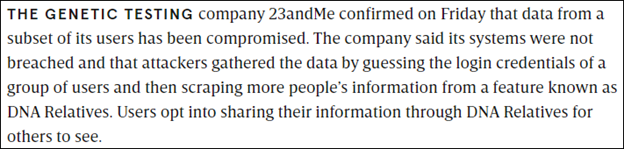
On October 10th, 23andMe filed a document with the SEC stating that a “threat actor” (hacker) had accessed about 0.1% of their user accounts. That amounts to about 14,000 compromised users, according to their May 2023 earnings report where they state that they have about 14 million users. In addition, the hacker accessed their matches, and potentially matches of matches, through DNA Relatives.

I wrote about the initial compromise in three articles as information unfolded.

  1. 23andMe User Accounts Exposed – Change Your Password Now
  2. The 23andMe Data Exposure – New Info, Considerations and A Pause Strategy
  3. 23andMe: DNA Relatives, Connections, Event History Report and Other Security Tools

I expected that 23andMe would provide additional information directly to their customers as their investigation proceeded and concluded.

They have not published a new blog article nor notified customers directly.

They updated their original October 6th blog article on both December 1st and 5th, stating that their investigation has concluded and the results.

23andMe stated that:

  • They have concluded their investigation and will be notifying affected customers as required by law.

This is a bit confusing because they already HAD notified many people of the original compromise event, that their data had been affected, and forced a password reset. I’m unclear whether this means an additional notification will be sent, or that the earlier notification is what they were referencing.

I’m also curious about the “as required by law” comment, as laws vary widely between countries and even states sometimes. Are they only notifying people to the extent required by law where the customer lives? This would seem both impractical and confusing when some people receive breach notices, and others do not when both are equally affected. Or is 23andMe trying to say they are complying with applicable laws?

  • They verified that the compromise was via credential stuffing, where names (email addresses, in this case) and passwords exposed in previously compromised websites were used to sign into 23andMe accounts.
  • In addition to the entire account information of those 14,000 compromised individuals, all of their DNA Relatives (matches) and information about those relatives were exposed and scraped. In other words, all of your matches and everything you could see about them.

This is also confusing because, in additional details, 23andMe states that the hacker (threat actor) “used the compromised credential stuffed accounts to access the information included in approximately 5.5 million DNA Relatives profiles and 1.4 million Family Tree features profiled, each of which were connected to the compromised accounts.”

The math doesn’t add up. Every test (account) has one AI-generated family tree. If 1.4 million family trees were exposed, and each fully compromised account has one family tree, doesn’t that mean that (minimally) 1.4 million accounts were exposed, not 14,000? That’s 100 times more than 14,000 accounts. Is the decimal in the wrong place?

Is 23andMe perhaps counting the number of people in those trees? I find it difficult to believe that everyone’s trees have 100 people. Mine only has 15 people, and all of them are my highest matches on my DNA Relatives match list, so they are already included in that breach number of 5.5 million. Assuredly, 23andMe is not double counting exposed individuals, so they would not be counted in both places.

Adding together 1.4 million family trees and 5.5 million exposed DNA Relatives, a total of 6.9 million customers have had data exposed in this breach. Apparently,1.4 million people were directly exposed, or their trees could not have been exposed because no one can see your 23andMe-provided tree other than you, and 5.5 million exposures via DNA Relatives matching. Exposed information would have also included your matches matching each other, even if their accounts were not directly compromised.

6.9 million is approximately half of the 23andMe 14 million total customers.

What 23anMe doesn’t say is how many customers, of the 14 million total, actually participate in DNA Relatives. Many of their customers only test for health and traits information, and do not opt-in to DNA matching. Those customers would NOT have trees generated, so would NOT be included in that 1.4 million trees generated, nor the 5.5 million exposed DNA Relatives. Those customers would be in addition to those numbers.

To be clear, you can’t assume that you’re in the clear just because you’re not using the genealogy aspect of 23andMe. Of course, it’s very unlikely that any customers not involved with genealogy will ever see this article.

Protections

23andMe has implemented additional industry-standard security protections for customers to prevent a recurrence.

  • Forced password reset.
  • Added two-factor authentication (2FA) that they are calling both 2SV, two-step verification, and MSV, multiple-step verification, which you can read about in their blog post, here.
  • Provided a Privacy and Security Help Center, here.

Why This Matters

I realize that many people are very unhappy about 2FA, MFA, or 2SV, which are different names for the same thing. However, given the magnitude of this exposure, it’s the responsible step for 23andMe to take.

Those techniques are based on something you know plus something you have or have access to. The something you know is your sign-in and password, and the something you have access to is your phone or email to retrieve a code. A bad actor, unless they stole your phone or have also compromised your email account, won’t be able to obtain the six-digit 2FA number mailed or texted to you.

I know this is somewhat inconvenient, but I’d like to explain why this level of security matters.

Let me give you a brief example. Let’s say that I’m a Jewish person, and the threat actor is interested in harming Jewish people. Based on my ethnicity, I can be clearly identified as Jewish. Therefore, my children and closest relatives can also be identified as Jewish. The tree generated by 23andMe tells the hacker how people fit together, and my closest relatives are clearly identified.

Their names are exposed along with, potentially, their locations, photo, birth year, and other clearly personally identifying information.

Don’t want to think about this in terms of Jewish people? Think about it in terms of any “us versus them” discriminatory situation or even in terms of a domestic violence perpetrator or a stalker gaining access to your children’s information.

Now think about identity theft, which seems benign in comparison to your safety and being targeted, but identity theft is still a very real threat and can wreck your life.

The bad actor (and anyone who buys the compromised data – your information) has enough information to do serious harm, one way or another, depending on their motives, to every person whose information they obtain.

That information may be for sale on the dark web or in some data dump somewhere. We don’t know and will never know who has it and their motivation for obtaining it.

Even if you don’t personally care what is exposed about you – due to trees and matches and information that is typically NOT exposed publicly – you’re connected via matching to OTHER PEOPLE whose data has been exposed because they match you – and your data was breached. Like it or not, we’re all in this together.

Genetic genealogy is a team sport. That’s why we love it. That’s why the hacker loves it, too. So do the hacker’s “customers.”

Most websites have moved or will be moving to 2FA shortly. All “social sites” where people interact with each other one way or another are major targets and are moving in the 2FA direction, too. Just this past week, a dear friend’s entire Facebook account was hacked and subsequently permanently disabled, meaning it’s gone, forever, all within 15 minutes. He lost 11 or 12 years of his life, journaled, along with MANY family and other photos that are no longer on his phone or anyplace else.

All of this pales in comparison to what would happen to your bank account, retirement account, or other financial vehicles. If someone reuses passwords in multiple locations, they are likely to continue the behavior across several accounts because they want to be able to remember the password. This increases the chances DRAMATICALLY of becoming a victim.

2FA is a new way of life that protects us all, and yes, it’s inconvenient, but then again, so are seat belts, and everyone wears those.

Don’t blame the companies who are trying to keep us safe, often in spite of ourselves. Companies certainly don’t relish the idea of angering or inconveniencing their customers, which is probably why they didn’t do it sooner. Blame the bad actors who necessitate this step.

Terms of Service Change

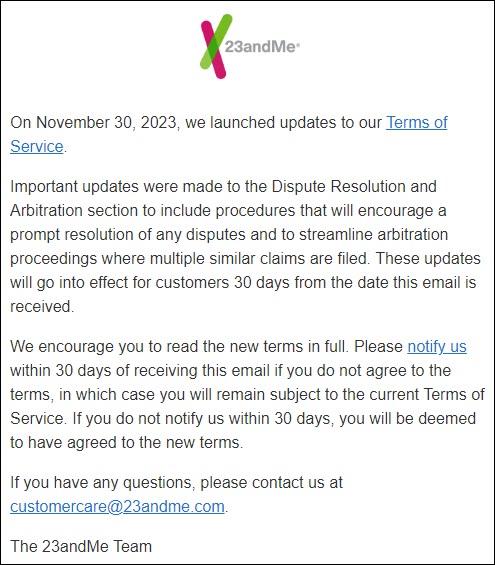
While 23andMe didn’t directly notify customers about the results of their investigation, that it is over, or the people whose accounts were directly compromised – they have sent emails about a change in their terms of service (TOS).

23andMe has upgraded their TOS (terms of service), here, to include mandatory arbitration of disputes, which precludes jury trials or class action lawsuits. In all caps, no less.

And yes, if you’re wondering, class action lawsuits have now been filed in both the US and Canada.

I’m not a lawyer, but based on the language, the new TOS appear to affect all 23andMe customers going forward UNLESS YOU NOTIFY 23andME OTHERWISE.

I received this email on December 5th for one of the tests I manage, and it states that the updated TOS go into effect in 30 days UNLESS YOU NOTIFY 23andME, in which case you will be held to the earlier terms.

Here’s the applicable section, as provided by 23andMe in the Dispute Resolution portion of their TOS, here.

If you do NOT agree, click the “notify us” link in the email, which opens a new email to legal@23andme.com to notify 23andMe.

Remaining Unanswered Questions

23andMe stated that they learned about this breach in early October, but as reported in my earlier articles, some of their customers’ data was reportedly available for sale as early as August 2023. 23andMe does not mention this, so we don’t know if that is a different breach, or if those numbers are included in the 6.9 million 23andMe customers whose accounts have been compromised.

I’d like to know if my account was actually compromised, meaning signed in to, or was my account compromised solely through DNA Relatives matching? It makes a difference in terms of how much of my and my family’s information is exposed.

I assumed that 23andMe would provide people with additional information, but to the best of my knowledge, they have not. Has anyone received an email telling you that your account was personally compromised, meaning signed in to? My notification from 23andMe and the others I’ve seen all say the same as mine, sent in late October, below.

After further review, we have identified your DNA Relatives profile as one that was impacted in this incident. Specifically, there was unauthorized access to one or more 23andMe accounts that were connected to you through DNA Relatives. As a result, the DNA Relatives profile information you provided in this feature was exposed to the threat actor.

Based on our investigation so far, we believe only your DNA Relatives profile attributes were exposed.

Did anyone receive an email that says their account was one of those directly compromised, meaning NOT through DNA Relatives?

Return of Features

Many people have been asking about the return of features that were “temporarily” disabled.

  • Relatives in Common – shared matching, meaning three-way matching
  • Your matches matching with each other, or not
  • Triangulation through Relatives in Common – meaning shared common segments
  • Matches Download File, both including and excluding segments
  • Chromosome browser

Sadly, 23andMe has provided no update on this topic.

Unfortunately, these features include nearly all of the tools that genealogists use, except for individual matching, the 23andMe-created genetic tree, and haplogroups.

We’ve lost the ability to determine how our matches match us through shared matching or triangulation. We now have no way to determine which side, maternal or paternal, a match is on because we can’t tell who else they match or “how” we match them.

I know that genealogy hasn’t been a priority for 23andMe for some time. Medical research is their focus. On October 30th, 2023, 23andMe signed another $20 million one-year deal, plus potential future drug royalties, with GSK for access to the 23andMe database of customers who have consented to medical research.

Genealogists have been an important source of testers in the past because many opted-in for medical and drug research. However, unless 23andMe returns the genealogy functionality, they’ve removed nearly all incentives for genealogists to test there.

If genealogists can’t do genealogy, why would genealogists purchase or recommend their test?

I’m glad I did not repurchase the updated DNA test that would allow me to subscribe to a premium membership to receive 5000 matches instead of 1500 matches. Initially, that membership required purchasing a new test, plus $29 per year, but the membership has now been raised to $69 per year. In August 2023, when their original agreement with GSK expired, 23andMe raised their test prices and laid employees off. I wrote about the August changes here.

Of course, that was about the same time as the original August data exposure, which was followed by the October data exposure, assuming those are two discrete events. 23andMe was clearly experiencing significant financial difficulties, and the 1-2 million spent on the data exposure investigation would have added to those woes.

Regardless, without tools, matches simply aren’t useful. There has been no mention of refunds to people who have subscribed and cannot effectively use the higher level of matches they are receiving. Those of us who haven’t subscribed can’t use ours either.

At this point, 23andMe would be my last testing choice of the four major vendors. I probably wouldn’t recommend them unless someone is searching for an immediate family match, such as an unknown parent or close relatives, and has been unsuccessful elsewhere. Without genealogy tools, unless 23andMe can place a match in the genetic tree they provide, or the match is either very close or previously known, there’s no way to determine how you are related.

Clearly, the investigation and security measures had to be their #1 priority, and patience was in order. But now that the investigation is complete, I hope 23andMe gets this straightened out, returns functionality, and provides additional information to their customers soon

______________________________________________________________

Sign Up Now – It’s Free!

If you appreciate this article, subscribe to DNAeXplain for free, to automatically receive new articles by email each week.

Here’s the link. Just look for the black “follow” button on the right-hand side on your computer screen below the black title bar, enter your e-mail address, and you’re good to go!

In case you were wondering, I never have nor ever will share or use your e-mail outside of the intended purpose.

_____________________________________________________________

Follow DNAexplain on Facebook, here.

Share the Love!

You’re always welcome to forward articles or links to friends and share on social media.

If you haven’t already subscribed (it’s free,) you can receive an email whenever I publish by clicking the “follow” button on the main blog page, here.

You Can Help Keep This Blog Free

I receive a small contribution when you click on some of the links to vendors in my articles. This does NOT increase the price you pay but helps me to keep the lights on and this informational blog free for everyone. Please click on the links in the articles or to the vendors below if you are purchasing products or DNA testing.

Thank you so much.

DNA Purchases and Free Uploads

Genealogy Products and Services

My Book

Genealogy Books

Genealogy Research

23andMe: DNA Relatives, Connections, Event History Report and Other Security Tools

A few days ago, I suggested a pause strategy while you ponder whether or not you wanted to delete your DNA file in light of the recent data exposure at 23andMe. I need to revise this with additional information today.

First and foremost, disabling DNA Relatives does NOT remove all matching. You need to remove Connections separately.

Secondarily, there’s a report at 23andMe for you to order to determine whether your account may have been individually compromised. I’ve described how to find it and use the information in the report.

This article includes several sections with important information about how these intertwined features at 23andMe work and instructions to protect yourself.

  • An update on the breach situation with informational links
  • Customer notifications
  • Confusion regarding types of sharing – DNA Relatives vs Connections
  • Explaining the difference between DNA Relatives and Connections
  • Step-by-step instructions for removing Connections – disabling DNA Relatives doesn’t accomplish this or stop matching/linkage to Connections
  • Who sees what, when?
  • DNA Relatives and Connections comparison chart
  • Account Event History – how to determine when your account was signed into, from where, what they (or you) did, and when
  • Deletion instructions and caveats
  • Summary

Update on Breach Information

I’m not going to post anything from the hacker(s) – but please, in an abundance of caution, presume your data is now available publicly or will be when the hacker sells the balance of the accounts they have and act accordingly.

The hacker has posted millions of accounts already, and I know people who have found themselves in the “sample” download provided by the hacker to convince people that the breach and resulting data is for real. If you really want to see this for yourself, the hacker, Golem, is very active at BreachForums, under Leaks, 23andMe – but I DO NOT recommend hanging out there. I reached out to colleagues who work with security and breach monitoring services. I am not poking around myself.

This 23andMe customer information first appeared in August, not October, when a hacker by a different name on Hydra posted images of the accounts of both Sergey Brin and Anne Wojcicki, CEO of 23andMe and her former husband, CEO of Google. The hacker said that the information was obtained through an API provided by 23andMe to pharmaceutical companies. Additionally, the hacker said they had already sold all of that initial data to “an individual in Iran.” You can read about this here.

Furthermore, if what the hacker or hackers say is accurate, this situation is far more serious than a password recycling issue. I don’t want to speculate because I can’t verify, although many people have written to me to say two things:

  • They were seeing leaked customer information weeks earlier
  • They did use a unique password at 23andMe

Here are four additional articles that I suggest reading to understand the scope of the situation and why there’s so much uncertainty:

One of my blog readers asked why anyone would want to do this. Of course, there can be many or even multiple motivations, but based on some of the commentary, it appears that Jewish people were targeted and compiled identifying data sold to Iran who backs Hamas. If you’re a Jewish person, anyplace in the world, you have to be extremely concerned especially since this test identifies your closest relatives and (if provided) the location where you live.

Both 23andMe and Ancestry display your current location if provided and selected. I NEVER recommend doing that under any circumstances. Of course, if the hacker gained access to individual accounts as reported and you entered that information, even if you didn’t choose to share it, they have it anyway.

Customer Notification

Please note that so far, the only notifications received by 23andMe customers say that their information was revealed through DNA relatives, meaning that at least one of their matches’ accounts was compromised. No one, to my knowledge, has received a notification that their own account has been directly compromised. Perhaps 23andMe doesn’t know whose accounts were compromised yet.

Near the end of this article, I’ll show you how to obtain a list of all the activity that has taken place on your 23andMe account so you can see if there are logins from locations not your own or other suspicious activity.

According to the original announcements from 23andMe and others, the data exposure was a result of two things:

  • Direct access to accounts due to reused passwords allowing the hacker to aggregate data and sign in as the user. You can see if your email address has been found in a data breach at the site, haveibeen pwned.com. I know this list is incomplete, though, because I’ve been notified by letter by other companies not listed here.
  • DNA Relatives information shows DNA matches, segments, and your matches’ potential relationships to each other along with their shared data, permitting triangulation.

The more I read about this from credible sources, combined with how 23andMe has handled this situation, the more “uncomfortable” I become.

Before 23andMe even straightened this mess out, this week, they introduced a new “Total Health” subscription for the low price of $99 PER MONTH. Seriously. Billed as one payment of $1,188 per year. To me, this smacks of a company desperate for money.

How do we even begin to place any confidence in this service, given what has already been exposed and the unanswered questions? Especially given that for weeks, 23andMe dismissively replied to customers who informed them of the issue that their systems had not been accessed in an unauthorized manner. Not to mention, this announcement is entirely tone-deaf as we struggle to deal with what has already been exposed one way or another.

In response to this, if you still want to maintain your existing account at 23andMe, I have help for you. If you want to delete it, I’ve provided instructions for that too.

Questions and Challenges

I discovered that DNA Relatives and Connections don’t work in exactly the way I believed they did, and it’s very confusing. Nothing, not one thing that 23andme has provided has addressed exactly what information has been exposed or what customers can do other than change their password and add 2FA.

  • Was the breach only DNA Relatives, or was it Connections, too?
  • Connections is essentially a subset of DNA Relatives plus potentially some unrelated people.
  • Not everyone has DNA Relatives enabled, but if not, Connections still exposes/exposed you if your account was individually breached.
  • 23andMe only mentioned DNA Relatives, so you may think you’re in the clear if you don’t have DNA Relatives enabled. That’s inaccurate if you have any Connections and your account was individually breached.
  • If the hacker did sign on to your account, Connections are equally vulnerable.
  • The hacker could enable DNA Relatives without your knowledge to create a more lucrative fishing environment. I’ve provided instructions for how to determine if this might have happened.

Disabling DNA Relatives is not enough.

23andMe Sharing Options Are Confusing

I first reported the breach here and said in my article, here, that a pause strategy would be to stop sharing in DNA Relatives, which would effectively provide you with time to make a decision.

I knew that DNA Relatives did not unilaterally disable Connections, but I did NOT realize how much information your Connections can see.

Over the years, 23andMe has revised how their sharing works. I remember when DNA Relatives opt-in and opt-out was added in 2014. It was extremely confusing then and still is.

DNA Relatives and Connections are confusing individually and together. I could not find any feature comparison or side-by-side table for each tool, either individually,  compared to each other, or with both enabled.

Because of this confusion, what we need right now is a one-button invisibility cloak that we can click to JUST STOP being visible to everyone until we reverse the invisibility cloak by opting in again – without losing anything or being penalized.

That’s what most people think happens when you stop sharing through DNA Relatives, but it’s not.

There is no invisibility cloak at 23andMe like there is at other vendors.

No Invisibility Cloak

I spent a considerable amount of time over the past few days trying to figure out the differences between DNA Relatives and Connections.

Believe it or not, that information was almost impossible to find, as it was scattered piecemeal across several places.

Let me step you through where to find it, and then compile an easy reference.

If you sign on to your account, you can see on the left-hand side that you have several selections under DNA Relatives.

Under Connections, you have the statuses of Connected, Pending, and Not Connected.

If you mouse over Connections, you see a general description.

I have two separate tests at 23andMe, and I have DNA Relatives enabled on one of the tests and disabled on the other, so I can see the differences when compared to the same people.

I have 1803 DNA Relatives, meaning matches, but the connections option told me that 348 were also Connections.

Why Do I Have 348 Connections?

Remember that 23andMe limits your matches to 1500, and the lowest matches roll off your match list without a subscription, which was only introduced in the last year or so. The subscription only allows 5,000 matches before the matches roll off your match list.

The only way to prevent matches from rolling off your list was/is to “Connect” with them, either through DNA relatives or initiating messaging. So, for years, genealogists sent a connection request to every match they had, beginning with the smallest first, in order to preserve matches that would otherwise be gone. That’s why I have 1803 matches and not just 1500 like I do on the second account where I have not established “Connections.”

Given my number of matches at the other DNA testing companies, I would likely have well over 20,000 matches, so preserving as much as possible was important to genealogists.

Understanding Connections

I switched to a different account that I manage that opted out of DNA matching a decade ago, but has more Connections than I do with many of the same people that I match.

You can view your DNA Connections by clicking on Family & Friends and then on Your Connections.

As you can see on the left, you can either share “Ancestry” with these Connections, which means typical genealogy info, or “Health + Ancestry.” Relevant to the breach, your Ancestry Composition (ethnicity) results as compared to your Connections (and DNA Relatives) are shown.

You can invite anyone to connect with you, including people on your match list or anyone else you know who has tested. In other words, your spouse or a cousin whom you DON’T MATCH.

Here’s an example of a cousin by marriage who I’ve known for years. We connected even though we don’t match and are only related by marriage.

Some Connection invitations that you receive or send are for Ancestry only, and other invitations are for BOTH Ancestry and Health.

Melissa sent me a combined request for both Ancestry and Health.

Remember that the focus of 23andMe has always been medicine, big pharma and health. Unfortunately, 23andMe PRECHECKS to accept the Health sharing option when you’ve been invited to share Health. It’s easy to miss, so UNCHECK Health if you don’t want to share YOUR HEALTH INFORMATION. The only people I’ve ever shared Health with are my immediate family members.

What’s Different?

I wanted to know what information was different about someone you’re NOT connected with and someone you’re connected with.

One of my DNA matches, Gwen, requested a Connection. Here’s the information I can see with Gwen before her Connection request.

I verified that this information is accurate by comparing Connections requests with a family member who is opted into DNA Relatives, one who is not, and also with my research-buddy cousin who is a Connection but not a match.

Any one person can potentially be:

  • A DNA Relative and not a Connection
  • A Connection and not a DNA Relative
  • A Connection but not participating in DNA Relatives even though they are a match

Today, the information a Connection and a DNA Relative can see since 23andMe disabled some DNA Relatives features seems identical.

Gwen’s profile card shows her name, location where she lives, and year of birth, if provided and selected for display. She obviously did not allow her birth year to be displayed, but she did allow the city/state where she lives.

23andMe estimates how I may be related to Gwen and how much DNA we share..

Gwen’s family background, which I’ve blurred. I have removed my information as I ponder whether to delete my account or not.

Ancestry Composition (ethnicity) of both people. Note that even if DNA Relatives is not enabled, either person’s account can view the shared ethnicity of both accounts.

Amounts of Neanderthal Ancestry.

How Sharing Works

23andMe discussed sharing, but differentiating between DNA Relatives and Connections is unclear.

Based on my comparison and their descriptions, I think I’ve figured out the differences. Let’s begin with their description of how sharing works.

Here, they describe part of what Connections shows.

At this point, the features of DNA Relatives that were available IN ADDITION to what could be viewed in Connections have been disabled due to the breach.

The next image is part of the Connections section, followed by DNA Relatives,

I was surprised that Shared DNA was displayed using Connections alone, before 23andMe (possibly temporarily) disabled this functionality in response to the breach. I would have presumed that if you disabled DNA Relatives, your DNA would NOT have been shown to your DNA relatives.

DNA Relatives was necessary for advanced features, including viewing relationships between your matches, meaning you and two other people, and also between your matches and each other. That means you could compare them to each other.

That feature selection is now gone as well. For the record, this graphic was out of date anyway, but now it doesn’t matter.

Connections DOES have access to the tree calculated by 23andMe but (apparently) only for people you are connected with unless you have DNA Relatives enabled. Please note that all accounts managed by one person appear to be connected to each other, although that might not be universal. I manage four kits, and all of them are shown as connections to each other.

Considerations provided by 23andMe

Here’s what they don’t say.

Disabling Your DNA Relatives Option does NOT Change Connections

This is very important considering how much information Connections can view:

  • Disabling DNA Relatives does NOT disable sharing. You can disable DNA Relatives across the board with one setting, but you CANNOT do that with Connections.
  • Each Connection must be deleted individually.

After you disable DNA Relatives, as I described in this article, under the heading, “Opting Out of DNA Relatives” you need to additionally remove each Connection if you genuinely don’t want to be seen by other people as a match. If you DO want to be seen as a match, then don’t disable DNA Relatives.

DNA Relatives will eliminate new matches from automatically occurring but won’t remove anyone you’ve previously added as a Connection.

To view and edit your connections, select “Your Connections” under “Family and Friends.”

For each Connection, click on the gear, then select which type of sharing to remove.

Please note that you may have to refresh the page to reload Connections, as there is no “load more” button, until you see the message, “You aren’t connected with anyone yet.”

Connections Versus DNA Relatives Chart

If you’ve had a hard time keeping this straight, me too. I created a chart that lists each feature and if it’s present in DNA Relatives, Connections, or both.

Feature Connections Only DNA Relatives Comment
Profile Yes Yes
Current Location, Year of Birth, Genetic Sex Yes Yes If provided and selected for display
Additional info about yourself Yes Yes If provided
Prevents Rolling Off Match List at Threshold Yes No Only Connections or people you’ve initiated contact with are retained
Matches Yes, only Connections Yes
Non-Relatives Can send an invitation to people you’re not biologically related to meaning not on your match list No, only DNA matches
Ancestry Yes Yes, plus shared matches and additional information If selected
Health If selected If selected
Genetic Relationship Yes Yes Estimated
Shared DNA Percent Yes Yes
Genetic Constructed Family Tree Connections only Yes all To about 4th generation shared ancestors
Family Background – birth places of grandparents Yes Yes
Other ancestors’ birthplace Yes Yes
External Family Tree Link Yes Yes If provided
Ancestry Composition (ethnicity) Yes Yes
Shared ethnicity Yes Yes
Maternal, Paternal Haplogroups Yes Yes Base to mid-level
Neanderthal Ancestry Yes Yes
Matching segments Shown in 23andMe documentation, currently disabled Yes, currently disabled Disabled due to breach
Chromosome browser Not shown in 23andMe documentation Yes, currently disabled Disabled due to breach
Shared matches No Yes, currently disabled Disabled due to breach
Triangulation No Was changed recently to be more difficult, now disabled Disabled due to breach
Shared Matches compared to each other’s tests No Yes, currently disabled Disabled due to breach
Shared Matches relationships to each other No Yes, currently disabled Disabled due to breach
Download Matches I don’t think so, but I can’t positively confirm Yes, currently disabled Disabled due to breach
Download Segment information No Yes, currently disabled Disabled due to breach
Download Raw data file (Your own) Yes Yes

Now that you know what can be seen and done and by whom, let’s take a look at how your account has been accessed.

Account Event History – Who Signed In To Your Account?

There’s a little-known feature at 23andMe that you can utilize to view the locations of sign-ins to your account and what was done, including changes and file download requests.

Navigate to settings.

Scroll down to “23andMe Data,” then click on View.

Scroll to profile data, click on “Account Event History,” then “Request Download.” 23andMe says it may take several days, but mine was ready the following day. You’ll receive a link to sign in and download a spreadsheet. Click on the blue “Account Event History” to download the report.

At the top, you’ll see column names. Please note that I added the Location column to record the results of the “Client IP Addr” lookup.

The “Client IP Addr” field is a record of where the login was initiated from. It’s your electronic address, or more specifically, the address of your internet provider, and it may not be the exact town where you live, but someplace close. I’ve blurred mine, but not where failed logins originated.

I use this site or this site to identify IP address sources.

As you can see, on May 1, 7, and 10, someone tried to sign in with my email address. It wasn’t me or the region where I live, and I was not traveling.

I was able to track these IP addresses to cities but not to individuals, of course. One tracked to a specific Internet Service Provider in that city, but nothing more.

However, that tells me that someone tried three times to use what was probably a compromised password. Thank goodness I don’t reuse passwords.

I also need to mention that you can find legitimate differences in location. For example, if you are traveling or use tools like Genetic Affairs that sign on on your behalf from their location, the IP address will reflect connection services from those locations.

You will also see interesting IP addresses, like that 127 address. That means the host computer made the change. In essence, that means that another 23andMe user removed sharing with me. That’s clearly legitimate.

I did not see any successful sign-ins from unauthorized locations. If you see a successful sign-in from an unknown location that’s not close to your home sometime in 2022 or 2023, and you weren’t traveling, nor using a location masking tool like TOR, then please notify 23andMe immediately.

The notification email I received from 23andMe was that my information had been exposed through DNA Relatives. Based on their notification in addition to the information in my report, my personal account does not appear to be individually breached.

23andMe clearly has access to this IP address information for all users, so I’m really surprised that they have not notified anyone, at least not that I know of, that their accounts have been DIRECTLY compromised – meaning NOT through DNA Relatives. Even if someone signed on using the correct password, there could/should be some pattern of sign-ons through not-normal locations for a group of customers during this time.

Of course, if the hacker was telling the truth and the breach was NOT through password reuse (stuffing,) and was through an API, neither users nor 23andMe may see unauthorized account accesses. I hope 23andMe and the professionals they have retained are able to sniff out the difference and will update their customers soon.

Regardless, I recommend requesting and reviewing this report and implementing 2FA everyplace that you can.

Deleting Your Profile

Based on your comfort level, you may decide to delete your test at 23andMe. It’s a personal decision that everyone has to make for themselves. There is no universally right or wrong decision, and I’m not recommending either way.

Before I show how to delete your data, be aware that IF YOU MANAGE MULTIPLE PROFILES, YOU NEED TO CONTACT CUSTOMER CARE UNLESS YOU WANT TO DELETE ALL THE PROFILES.

  • If you want to delete only your profile, you can transfer other profiles under your care to someone else.
  • If you manage multiple profiles and click delete, all of the profiles you manage will be deleted.

To find the delete function, click on the down arrow by your initials at top right, then on Settings.

Scroll to the very bottom.

Click on “View,” then scroll to the bottom to the Delete Data section.

23andMe provides links in this section to review, so please do. This includes information about how to transfer profiles and things to consider.

If you want to download your raw DNA file to use as an upload to other vendors, be sure to do it before you delete, because it won’t be available after. You can find instructions, here.

Remember, delete is permanent, and you’ll need to pay to retest if you change your mind.

In Summary

I hope this information has helped organize and explain things in a logical manner.

To recap, to become totally invisible, meaning no other tester can see you:

  • Disable DNA Relatives
  • Delete Connections individually and selectively

If you delete connections and those matches are lower than your 1,500th match, they will roll off your match list unless you have a subscription, and then it’s 5,000.

Additional Tasks

  • Request your Account Event History and review for anomalies.
  • For security purposes, change your password to one you have not used elsewhere, if you have not already, and enable 2FA.

I hope that 23andMe has or will take care of whatever issues they have, post haste, and will be transparent about what actually happened. I also hope they will find a way to re-enable the tools that have been disabled. That functionality is critically important to genealogists, and without those tools and the lack of trees, there’s little reason for genealogists to test at 23andMe.

We can’t change what has already happened. Each one of us has to decide whether we want our test to remain at 23andMe and, if so, what steps we want to take to move forward successfully.

I hope this information helps you decide how to handle the situation and perhaps relieve some anxiety. Now you know how to check your activity report, understand who sees what in DNA Relatives and Connections, associated options, what needs to be done, and how to take appropriate action.

Other Vendors

You probably have observed and will continue to see other vendors implementing additional security measures, such as required 2FA, precautions against account scraping, and not accepting uploads from 23andMe in case the hacker downloaded DNA files.

These revisions may be temporary or permanent, or some of each. I’m grateful for each vendor taking steps to protect our information from unauthorized access. I’ll write more after things settle down and we better understand the new landscape.

_____________________________________________________________

Follow DNAexplain on Facebook, here.

Share the Love!

You’re always welcome to forward articles or links to friends and share on social media.

If you haven’t already subscribed (it’s free,) you can receive an email whenever I publish by clicking the “follow” button on the main blog page, here.

You Can Help Keep This Blog Free

I receive a small contribution when you click on some of the links to vendors in my articles. This does NOT increase the price you pay but helps me to keep the lights on and this informational blog free for everyone. Please click on the links in the articles or to the vendors below if you are purchasing products or DNA testing.

Thank you so much.

DNA Purchases and Free Uploads

Genealogy Products and Services

My Book

Genealogy Books

  • com – Lots of wonderful genealogy research books
  • American Ancestors – Wonderful selection of genealogy books

Genealogy Research

The 23andMe Data Exposure – New Info, Considerations and A Pause Strategy

As most of you know, 23andMe has been suffering the effects of what appears to be a significant data compromise, meaning many of their customers’ information has been compromised or exposed.

Here’s the latest news indicating that information from millions more accounts has been offered on the dark web, along with 23andMe’s latest update, here.

I’ve been trying to keep up with the changes, and I must tell you, the hacker’s quotes in that Cybernews article chill me to the bone.

Furthermore, the depth of this issue is still unfolding, with a report of an earlier August breach.

What Has Happened

Essentially, due to users who have reused and recycled passwords, a bad actor was able to sign on to many customer’s accounts, directly, acting “as” the customer, which allowed them to:

  • View (or change) personal information
  • View matches’ information
  • View matches in common
  • View triangulation information
  • View how your matches also match each other
  • View health information if you and your match have agreed to share at that level
  • View ethnicity, shared ethnicity, and ethnicity chromosome painting
  • View the family tree provided by 23andMe that provides an estimated reconstruction of your matches to you and each other to ancestors several generations into the past
  • View your profile information
  • Download your matches
  • Download your raw data file

Anything you can do or see, they could do or see because they were signed on as “you.”

That’s a lot, and I’m sure that 23andMe is struggling with how to keep their customers safe, especially since this data compromise was reportedly not due to a breach or “break-in” of their system or site, but due to social engineering failures. It’s also difficult to sort the truth from the rest.

Right now, things are moving so fast on this front that every time I have an article ready to publish, something else changes. I’m going to share what I do know, and what you can do.

Some Users Have Been Notified

I know of at least two people who have been notified by 23andMe that their data was exposed in the compromise, receiving the same email. The communication was nonspecific, partially extracted as follows.

After further review, we have identified your DNA Relatives profile as one that was impacted in this incident. Specifically, there was unauthorized access to one or more 23andMe accounts that were connected to you through DNA Relatives. As a result, the DNA Relatives profile information you provided in this feature was exposed to the threat actor.

Based on our investigation so far, we believe only your DNA Relatives profile attributes were exposed.

They did not say, nor do I know how 23andMe identified those customers.

This only applies to people whose information was partially exposed as a match to a compromised account. I don’t know if they have identified the compromised accounts and are notifying those people, too.

Given the reported magnitude of this exposure, I wonder why only two people have mentioned being informed. None of my accounts have been informed, nor those of family members.

Using Email as a User ID

Using an email address as half of your user ID essentially gives that piece of the puzzle away.

It makes users particularly vulnerable because bad actors only have to obtain the second half – a password. That’s a lot easier than you’d think.

If nothing else, this 23andMe incident illustrates just how many people engage in unsafe security practices.

Not all vendors utilize email as part of your user id, and those that do often utilize other safety practices, including but not limited to two-factor authentication (2FA.)

Forced Password Reset

Several days ago, 23andMe forced their customers to reset their passwords before signing in. Of course, by that time, millions of cows had already left the proverbial barn. Still, that was certainly the responsible thing for 23andMe to do, preventing additional damage, assuming their customers didn’t reuse yet another password.

I finally managed to reset my password, although that was anything but easy. In order to do a password reset, the standard procedure and the one 23andMe follows, is to send a reset link or key to your email address on file. However, if you changed your email, or it has been “blacklisted” because your carrier was down at some point when 23andMe tried to communicate with you, or the reset email wasn’t received for some other reason, you have to contact support to obtain assistance. Needless to say, 23andMe support is overwhelmed at this point.

23andMe has provided a Privacy and Security page, with suggestions, here.

Two-Factor Authentication

23andMe has NOT required their customers to implement two-factor authentication, known as 2FA.

They DO provide an option to enable 2FA, and I recommend that you do so. Generally, this means that every time you sign in, as part of that process, after entering your password, 23andMe will text a code to your phone or email one to you, or you can utilize a third-party authenticator application. Essentially, this adds a a third step that communicates with you through some methodology that you control, in addition to your username and password. Yes, 2FA can be a pain, but it works. You’ll find information, here.

The Relatives in Common Change Before the Compromise

I was writing about this change when all Hades broke loose with this data compromise.

A week or two prior to the compromise, 23andMe made what may have appeared to them to be “cosmetic” changes, but to genealogists, 23andMe made genealogy and triangulation much more tedious and difficult. Certainly not impossible, just requiring several steps instead of one.

Previously, Relatives in Common under DNA Overlap said “yes” or “no.” Yes meant that me, a match (Tim), and a third person (Tony) triangulated. No meant we all matched each other but no triangulation.

The 23andMe change replaced yes and no with “Compare.” That meant that customers were required to complete the following steps to get to “yes” or “no.”

  • You compared to person A (Tim)
  • You compared to person B (Tony)
  • Person A compared to person B (Tim to Tony)

It went from easy to painful, and now, since the compromise, it’s gone altogether.

Before I move on to what else has changed, I want to comment on the original change. I don’t think it’s connected to the current exposure situation, but I have no insider knowledge.

Given my background in technology, creating a permanent yes/no link means storing the relationships of each DNA segment to your matches, which quickly become a HUGE three-dimensional matrix. Storage requirements would be substantial. If you only compare three people when requested, those storage requirements disappear. Storage = $$$, and 23andMe has been struggling financially for some time.

23andMe stock is down 62% year to date, 72% since this time last year, and 92% over five years.

Based on this data, my assumption was that 23andMe was trying to save money, shaving anything anywhere it could. Genealogists were hoping to convince 23andMe to reverse their decision, but now it’s a moot point because DNA Relatives is gone altogether, at least for now, and 23andMe has much, much larger fish to fry.

23andMe Update

23andMe provided an update on their blog about changes they’ve made related to DNA Relatives, here.

However, DNA Relatives is ONLY HALF THE PROBLEM. 23andMe did not address the rest.

  1. A Direct Compromise – Your data was very clearly compromised IF YOUR ACCOUNT WAS DIRECTLY COMPROMISED. This means the situation where the bad actor was able to sign on to your account as you because your email and password were found in other data breaches. If you’ve ever reused a password, you have no way of knowing if your account was compromised and you must assume it was.
  2. Compromise Through DNA Relatives Matching – Your DNA Relatives information, as described in this 23andMe link may have been compromised, meaning revealed if ANY OF YOUR MATCHES’ ACCOUNTS WERE COMPROMISED. In other words, your information shown to a match was exposed if any of your 1500 (non-subscriber) or 4500 (subscriber only) matches had their account directly compromised – meaning signed into because they reused a password. Less of your data was compromised than in a direct exposure, but some of it very clearly would have been exposed in this scenario.

The link 23andMe provided only addresses what can be viewed through DNA Relatives. They did not mention health information if you and any specific match have authorized that level of sharing. I have not.

That’s not all, either.

If Your Account Was Directly Compromised, Your RAW DNA File Could Have Been Downloaded

If YOUR account has been signed into, the bad actor is functioning as you, and they can download your raw DNA file, which means they could upload it elsewhere. The hacker mentioned that specifically.

You do have to request a download at 23andMe. A notification is sent to your email when the download is ready, BUT, you don’t actually need that email to retrieve your download. If you simply sign out and back in again, and return to the download function, a notification awaits you that your download is now ready. Just click to download.

If your email address used at 23andMe is functioning correctly, you would have received a notification that you had requested a DNA file download. If you received a notification like this in the past few days/weeks/months, and you did NOT request a download, please inform 23andMe immediately. This could be one way that 23andMe might be able to determine whose accounts were directly compromised, and therefore whose accounts were indirectly compromised using DNA Relatives.

In my case, I was not receiving email notifications from 23andMe because my account had been blacklisted due to carrier issues, so I would never have received that email.

If your account was one that was compromised, your file may have already been downloaded. Check your inbox and spam folder to see if you have any notifications from 23andMe that escaped your notice.

It Could Still Be Happening

23andMe can only do so much.

They can force users to select a new password, but they can’t prevent people from reusing a different password, which means that the bad actor could still be trying to sign on to accounts – and getting into some.

Genealogy, including DNA is a team sport. We have to depend on our matches.

23andMe could force everyone to use 2FA, but so far they have not opted to do that, probably because it would be very unpopular.

Additional Changes

The following DNA Relatives features have either been temporarily or permanently disabled or removed:

  • Download matches (which included matching segments) is no longer available
  • Relatives in common (three-way matching) is disabled entirely, so there are no shared matches or shared segments
  • Viewing how your matches match each other is gone
  • The chromosome browser is gone

However, other tools such as the family tree which shows relationships and health sharing are still available.

At 23andMe, What Can You Do?

Truthfully, I’ve been a hair’s breadth from deleting all of my tests at 23andMe for days. I manage two tests of my own and other relatives’ too.

23andMe has never been committed to genealogy and was always the least useful site for me. Having said that, I have had some close and very useful matches there that aren’t elsewhere.

I’m certainly never testing there again, but I really don’t want to give up on 23andMe altogether, at least not yet. I’ve already paid for several tests, and I would lose valuable information today, and the potential of the same in the future.

We can’t undo any damage that has already been done. That ship has sailed. However, we can take steps to protect ourselves, both today and tomorrow. In other words, we have options other than deleting our tests.

I’ve decided to pause, at least for now.

The Pause Strategy

Only you can protect yourself by selecting a unique, strong password. Not just at 23andMe, but every site you use on the internet for any purpose.

Until and unless 23andMe requires 2FA, you need to decide on a strategy to protect yourself from other people’s negligence.

You don’t have to permanently delete your tests. Instead, you can disable DNA Relatives, which means matching.

I’ve opted-out of DNA Relatives while waiting to see what happens as 23andMe works through this quagmire. That means that I’m not participating directly in matching anymore. I’ve also opted all of the tests I manage out as well. I can always opt back in when this problem is resolved, if that ever happens.

Opting-Out of DNA Relatives

Here’s how to opt-out.

Under the Ancestry tab, select DNA Relatives.

Click on Edit profile.

Scroll all the way to the very bottom.

At the bottom, click on “I would like to stop participating in DNA Relatives.

I clicked on “Finish,” then verified that this profile is not shown as a match.

My profile prior to disabling DNA Relatives looked like this:

These same fields after disabling DNA Relatives.

Unfortunately, it does not appear that you can disable Connections broadly.

Apparently, you need to disable Connections one by one. I know that Connections can still see you, but they can’t see everything. You can find instructions here.

What I’d really like is an “invisibility” function that simply stops all sharing by making me invisible until I want to be visible again, without deleting my accounts. I’m more than a little irritated that connections remained, other than within the accounts I actually manage.

I still have not decided if I will eventually retain or delete my accounts, but disabling DNA Relatives helps somewhat and buys me some pause time while I make a final decision about 23andMe.

Your decision may not be as difficult. In addition to my genealogy research, I depend on my accounts at the various vendors for instructional articles for my blog.

Minimum Two Steps

No matter what else you do, implement the following NOW:

  1. Use a unique, difficult-to-guess, strong password at every vendor. Here and here are some ideas and guidelines for strong passwords.
  2. Turn on 2-factor authentication.
  3. If you did not previously use a unique password at 23andMe, presume your data was compromised.
  4. If you have to assume your data was compromised, be hyper-vigilant of anything unusual or strange.
  5. Check to see if your email address associated with 23andme received a DNA file download request that you did not initiate, and if so, notify 23andMe immediately at customercare@23andme.com or 1-800-239-5230.

Other Companies

Other DNA testing companies are taking precautions and reviewing safeguards. Some have or may disable some features as they move through the process. Don’t be angry if a feature you depend on is gone for now.

The situation is changing very rapidly. I don’t know if the changes at the vendors, including 23andMe, will be permanent, and the companies probably don’t yet either.

Right now, overall, patience is the word as this mess sorts itself out – but while being patient, be sure to review your own safeguards and follow safe online practices.

_____________________________________________________________

Follow DNAexplain on Facebook, here.

Share the Love!

You’re always welcome to forward articles or links to friends and share on social media.

If you haven’t already subscribed (it’s free,) you can receive an email whenever I publish by clicking the “follow” button on the main blog page, here.

You Can Help Keep This Blog Free

I receive a small contribution when you click on some of the links to vendors in my articles. This does NOT increase the price you pay but helps me to keep the lights on and this informational blog free for everyone. Please click on the links in the articles or to the vendors below if you are purchasing products or DNA testing.

Thank you so much.

DNA Purchases and Free Uploads

Genealogy Products and Services

My Book

Genealogy Books

Genealogy Research

23andMe User Accounts Exposed – Change Your Password Now

Call it what you may – a hacking attack, a breach, loophole, compromise, it doesn’t matter – there’s an issue at 23andMe, allegedly compromising the data of 7 million+ accounts – and you need to take action now.

I’m telling you what you need to do and why, then providing additional information. I’m presenting this weekend and very deadlined on other work as well, so this article is short and not-so-sweet.

  1. Change your password at 23andMe TO A COMPLEX PASSWORD NOT USED ANYPLACE ELSE.
  2. Consider enabling 2-factor authentication at 23andMe.

This issue has been reported to 23andMe by several people. This issue seems to have existed for several weeks, but those details don’t really matter right now.

While on October 3rd, 23andMe initially said that they “conducted an investigation” and “had not identified any unauthorized access” to their system, their press statement today was different, as reported at Wired.

What changed in the past couple of days is that this compromise became more widely known on various sites and servers, making its way into the media.

This detailed user information is for sale on the dark web. Jewish people may have been targeted, but a lot is unknown.

I have not seen these amalgamated breached files myself, but I worked with a security person who has to verify this information. That was today, and when we finished, this had blown up publicly today.

Briefly – What Has Happened?

Hackers have compiled information from multiple data breaches over time from companies across the web. That’s been going on for a long time.

Hackers have been using that information to sign into accounts at 23andMe.

Here’s how that works.

23andMe uses your email as the first step of signing on, then a password. If you use the same password at lots of places, and hackers compile breach information, they will know that the password “Fluffy” is associated with your email address, and they found it six different times in various data breaches.

So, they went to 23andMe and attempted to sign in with your email. Next, they tried “Fluffy” as your password, and voila, they were in – as you. Now the hacker has access to your profile information, not through any negligence at 23andMe, but because of data breaches elsewhere combined with an insecure and non-unique password.

Hackers then have access to DNA Relatives, shared matches, ethnicity, traits, and medical information. Furthermore, they can view the information of your matches who have opted to share their health information with you. Remember, the hacker is now operating as “you.”

Passwords

Many people reuse passwords at different sites because they are easy to remember.

DON’T REUSE PASSWORDS. Ever. Make them unique, hard or impossible to guess, and certainly not Fluffy or any other word that can be associated with you via social media. Also, never, ever answer those social media “fun” questions because you are unnecessarily giving information away publicly. Bad actors aggregate that information too.

You need to take remediation action immediately to secure your account.

Go to Settings under your initials in the upper right-hand corner of your account page.

Then select Password and follow the steps.

Accounts You Manage

This also means that if you manage other people’s DNA kits within your own account, their accounts have been compromised through yours (if your account has been compromised), including any medical information.

Articles

Here are articles published within the past 24 hours for your review. Unfortunately, PC Magazine published a thread from X (formerly Twitter) where someone used a screenshot from my blog (without permission) which is part of how I got dragged into this and why I got notified.

This thread was posted on Twitter two days ago. This data “leak” had been reported before that to 23andMe and may have existed since August.

The dark box is the hacker saying that if 23andMe does not announce a data breach within 24 hours, they will start sharing the user data. I’m not posting the threat here, but you can view it on X (former Twitter.)

23andMe gave their standard canned reply.

Then I inadvertently got dragged into this mess because, next, someone grabbed a screenshot from one of my blog articles from 2019, which exposed my name – then PC magazine published a screenshot of their posting.

In that article, I was writing about a 2019 relationship between 23andMe and FamilySearch, hence the arrow. I believe that the Twitter poster grabbed the image as an example of the 23andMe DNA Relatives user interface, but it was an unfortunate choice. They should have used their own, not scalped mine.

We really have no idea what may be discovered as this situation evolves, but at this point, 23andMe has stated that they are investigating.

The Second Issue

It appears there’s a second issue, too. The person who notified me of the original issue also told me that signing on to your own account, then replacing your profile ID with someone else’s profile ID displays their name and at least some of their information.

I’ve blurred my profile ID in the above string.

They had personally reported this to 23andMe, including emailing the CEO personally, and received the same boilerplate message as reported by others. Here’s a quote:

“Hi [xxx- name redacted] – Following a claim that someone had gained access to and is selling certain 23andMe customer data, we conducted an investigation. We have not identified any unauthorized access to our systems. We will continue to monitor the situation.”

I tried this with my matches’ IDs and could see their information, but of course I should be able to access my matches’ profiles, so I didn’t find this disturbing. I tried this with people I had invited to connect with that I don’t match, and I could see those as well. That too is expected. Although, I must admit that I was rather startled to be able to access it that way.

I tried randomly replacing digits and characters in my own profile ID and that didn’t work. But then again, there’s no way to know if the number I created was actually a valid profile ID.

Then, I signed on to an account of someone whose account I manage completely separately from my account and copied the profile ID of a second account I manage separately from my account. Those two people don’t know each other and are not related.

I could see the identity of the person whose profile ID I copied into the string, replacing the profile ID of the account I was signed into.

I saw the information below.

I’ve blurred the person’s name, initials in the purple circle, and their “about” information. However, notice that their current location is also exposed, along with their full name.

The good news is that I can’t see anything else. However, I shouldn’t be able to see this much.

I don’t think I could have done this:

  • Without first being signed into a valid account AND
  • Without knowing the profile identification, which I don’t think I could have found unless the person gave it to me, or unless it’s in the hacked information, which I understand that it is. However, if the hacked information includes the profile ID, that means the hackers are already into that account, so they don’t need to do this.

To be on the safe side, I’m removing “about” information other than ancestral surnames in my account and the accounts I manage.

I have never been comfortable with my current location being shown to anyone, including matches.

If you want to remove your location information, navigate to the map function under DNA Relatives and make your modification there.

Conclusion

Right now, I’m far more concerned about keeping you safe than 23andMe’s investigation. That’s analogous to figuring out who opened the barn door after half the herd is gone. Yes, it needs to be done and the issue addressed, but their investigation won’t help you right now.

The exposure may NOT be half of their database. It may NOT include you. Please assume it does and protect yourself.

Please change your password and consider implementing two-factor authentication. I recommend removing your location information.

Also, don’t reuse passwords. Here’s a great article about password safety.

I surely hope 23andMe is partnering with legal and security resources and has engaged an expert firm for compromise assessment.

In essence, the hacker was using our DNA information as a lever to attempt to force 23andMe to announce a breach. It’s unclear what their motivation is, but based on reports from multiple people who have seen these files, the threat is credible, as confirmed by 23andMe today. I’m not sure if the hackers really want to sell our data to bad actors on the dark web or already have, or if they want to extort money, essentially ransom, out of 23andMe, or what.

23andMe is a victim here, too, because the leaked information seems to be due to compromised user passwords that did NOT occur on their system. This has generated a lot of speculation about the motivation of the hacker.

Regardless, that doesn’t change the fact that the hacker has a huge amount of data, and it’s out of our control. I don’t know how to or if you will ever know if your data is included. I don’t know how 23andMe would be able to ascertain whose accounts are involved since the accounts were all signed into legitimately using the correct email and password.

While I realize that this situation is at least partly due to customers reusing passwords, that does not justify or rationalize the delay by 23andMe in taking the issue seriously, wasting valuable time, and allowing the hacker to gather more information. Nor does it excuse the second security issue, although that seems to be less serious.

I feel bad for any company targeted like this, while I’m also furious with 23andMe about their arrogance and cavalier attitude, resulting in unnecessary delay. Right now, as a customer, I’m not interested in playing the blame game or debating semantics about which type of compromise this is. It’s bad, regardless.

The hacker has attacked 23andMe AND their customers, you and me, but this could have been any company. The ONLY way to preclude this as a customer in a digital world is to maintain password security and use unique, complex passwords – on every account.

Hopefully, we will know more soon. In the meantime, change your password and lock down your account so that no one else has access.

Please share this article with genealogy organizations or anyone you know who has tested with 23andMe so they can protect themselves.

______________________________________________________________

Sign Up Now – It’s Free!

If you appreciate this article, subscribe to DNAeXplain for free to automatically receive new articles by email weekly.

Here’s the link. Look for the black “follow” button on the right-hand side of your computer screen below the black title bar, enter your e-mail address, click “Follow,” and you’re good to go!

STOP, THINK & RUN – Stop Innocently Giving Your Information to Cybercrooks on Social Media

Yes – you. All of us. This article is written for and applies to everyone.

We are all targets for social engineering which is the act of manipulating, influencing or deceiving people into performing actions or divulging confidential information – generally by engaging you or manipulating your emotions.

The most skilled cybercriminals accomplish their goal without you even being aware of what’s going on. You’re relaxed and just enjoying yourself, checking your social media news feed. No Nigerian princes needed anymore. They’ve moved on, taken on new personas, but are still targeting you.

Literally, everyone is a target.

The Bad Guys Kicked It Up a Notch

The bad guys have improved their skills. Attackers find loopholes and opportunities where you least expect them. They gain your trust or take advantage of your defenses being down – and they are very skilled at what they do.

I see people who I would think should know better engaging in risky behavior every single day, probably because they aren’t aware that the nature of the threats has evolved and changed. The bad guys stay one step ahead of us.

Please read this article even if you know what you’re doing. Someone you care about may not and you can help them.

Social Media

We all want to use social media and public platforms for genealogy and communicating with family and friends. We need to realize that because of the open nature of those platforms, they are full of bad actors trying to take advantage of us in seemingly innocent ways.

Not to mention that the platform is free for users, so access to you IS the commodity. Not just through ads, which you can clearly recognize as such, but by manipulating your behavior.

How, by luring you with “free,” “fun” or “missing out.”

Seriously, you do NOT need a new “free” improved profile picture.

Furthermore, some unnamed person or site you don’t know doesn’t really care about the TV show you watched when you got home from school as a kid.

Well, actually they DO care, but it’s not innocent. Scammers and bad actors gather, aggregate, and distill data about us hoping to breach our electronic security – and/or that of our social media friends.

Even if the person or account asking isn’t malicious, if the post is public, cybercriminals can and do gather and compile information about YOU that they find on public postings and pages.

Why?

In an attempt to defraud you, AND your friends who will also fall for these schemes. If your friends see you do something, they are more likely to engage in the behavior themselves. Just the act of answering these seemingly innocent questions conveys information about you.

  • First, you’re vulnerable and don’t understand that “public posts” and resulting answers make you a target. In other words, you’re advertising that you’re a good target.
  • Second, if you don’t have your Facebook (or other social media) account locked down so that only friends of friends can send you friend requests, it’s not unusual to receive a whole raft of friend requests after doing something public.
  • Third, even if your account is locked down tight, your comment or answer to that seemingly innocent public posting may net you a reply something like this:

Note the bad grammar and lack of punctuation. Probably that Nigerian prince again, with a bogus profile picture.

If people can see your “About” information, the message or reply may be more specifically tailored – targeting you with some common interest. Single middle-aged female? You’ll receive a message from a “widowed” male about that same age, maybe wearing a uniform or otherwise looking like a model, holding a puppy. Yea, right.

Now, holding the 1890 census – that might be an effective scheme to target genealogists😊

Let’s talk about how to stay safe and still be able to benefit from and enjoy social media.

We will begin with a big red flag.

NewProfilePic

The current rage is an artificial intelligence oil painting profile picture that’s “free.”

Right off the bat, you need to always be suspicious of anything “free” because it often means “they,” whoever they are, want your information and are willing to give you something to get it – under the guise of free. Speaking of them, just who are “they” anyway? That’s the first question you need to ask and answer before engaging.

Free almost always never benefits you.

Why would anyone want to give you a cool new profile picture for free? It may only take a few computer cycles, but it’s not free for them to produce, just the same, especially not when multiplied by the tens of thousands. What are they getting out of all those free photos they are producing?

I’ll tell you what. To gain access to your data – including the data on your phone.

Hmmm, I want you to think about something for a minute.

Do you have your phone set or apps set to scan your face and automatically open? Is that your security? For your bank account maybe too?

And you just sent a photo of your FACE to some unknown person or group in some unknown place?

Really?

You can change a lot of things, but you cannot change your face and facial recognition software is powerful.

Snopes says the NewProfilePic app really isn’t any worse than many other apps – which isn’t saying much.

Aside from the fact that NewProfilePic was initially registered in Moscow, which should be a HUGE red flag by itself, especially right now, what can the app do on your phone?

Here’s the list.

In essence, you just gave someone the keys to the candy store.

In perpetuity.

Is your blood running cold? It should be.

Still think this fun new app is “free?” You’re paying for it dearly, and may yet pay for it even more dearly.

Here’s a warning from a state Attorney General and here’s an article from MLive that interviewed a cybersecurity expert who notes that this app scrapes your Facebook data.

However, so do other people and apps.

Public is Public

When you see anything on Facebook with the little globe, that means that anyone anyplace can see this posting AND all replies, including your answers. Everything is fully public.

In this case, more than 80,000 people answered this question from an entirely unknown person or website.

Just a couple of days later, this same posting had 54K likes, more than half a million comments, and more than 6,100 shares. That’s how effective this type of seemingly innocent question can be.

Several of my friends answered.

What does this question tell anyone looking? Your approximate age, for beginners.

Maybe an answer to a security question. Just google “top security questions for gaining access to forgotten passwords.”

Engaging with a web page also means the Facebook algorithm will send you more postings from that website in your feed. So maybe if this post doesn’t yield anything useful about you, the next one might.

Cumulatively, many answers to many postings will reveal a lot.

Never answer these.

But There’s More

Because this posting is public, I can click on the name of ANY person who has answered that public question and see every other public thing they’ve shared on their timeline.

As an example, I randomly selected Charlotte, someone that I don’t know and am not friends with who replied to that question. (You can do this same experiment.)

I clicked on her name and scanned down Charlotte’s postings. I can immediately see that she’s a good target and has fallen for several other things like this.

Here’s one from her page.

That scammer, James, latched onto her immediately. Again. Note the grammar.

Here’s another seemingly innocent game that Charlotte played to get a new Facebook profile picture and “secret” info about herself. That “4 Truths” app told Charlotte that she was very mysterious and promised to “show what’s hidden in you.” Of course, she had to provide her photo, give permission for this app to post on her timeline, publicly, and access her Facebook account. Charlotte probably didn’t even realize that was happening, or what it meant was happening behind the scenes to her data.

But now Charlotte has the new NewProfilePic oil portrait, so this one isn’t in use anymore. Maybe Charlotte’s friends wanted some nice things said about them too so they might have clicked on this same link. Just for fun, right? That’s how these scams work.

These unfortunate choices on Charlotte’s timeline were accompanied by many more that were similar in nature. Those were interspersed with notices on her Facebook page that she has been hacked and not to accept any new friend requests or messages from her. The effects are evident.

It’s worth noting that some people do have their profiles cloned and haven’t engaged in any risky behavior like this, However, you dramatically increase your odds of being compromised when you engage in risky online behaviors. Every time someone clones your profile and sends messages to all of your friends with malware links, it increases the cyberthief’s harvest of you and your friends. Cha-ching!

Eventually, the bad actors will find people who they can scam, either by:

  • Talking your friend, their target, into doing something bad for them, maybe thinking they are helping you or responding to you
  • By sending malware links that people click on thinking the message with the link is actually from you.
  • Gathering enough information to breach you or your friends’ security questions and clean out bank accounts.

No, I’m not fearmongering or being overly dramatic.

I utilize KnowBe4, a security and vulnerability consulting and training company to keep abreast of threats. You can follow their blog articles, here.

How Do Cybercrooks Access Your Friends?

Looking at Charlotte’s Facebook page, all of her friends are exposed too because they are publicly visible. Everyone can view the entire list of Charlotte’s friends.

Now, all of those scammers have access to Charlotte’s friends. Hence, the scammers can clone Charlotte’s account by stealing her photo, setting up a new account, and sending messages to Charlotte’s friends who think the message is from Charlotte. Something like “Try this new photo app, I did,” or, “Can you pick up an Apple gift card and send it to my friend for me?” You get the drift.

If Charlotte’s friends have their security set to only accept friend requests from someone that also shares a friend, and Charlotte accepts a bogus friend request – then the scammer can send her friends a friend request too and they think it’s Charlotte’s friend.

In other words, seeing a common friend causes Charlotte’s friends to let their guard down. I look at it this way – only one of my friends has to accept a bogus friend request to make me vulnerable too.

Charlotte also told people in a public posting that she was visiting someone on a specific day in another city. How do I know it’s another city? Because Charlotte has posted where she is from, where she lives, works, and the high school she attended in her “About” information.

Hmmm, those are security questions too.

That same website where I found Charlotte answering that question has also posted questions about your pet names.

What is one of the security questions if you lose your password?

Yep, pet names.

Nope, those seemingly cute sites aren’t. They are data-mining and gathering information.

Predatory Sites

First, I need to say that there are three security threats involved with these postings and websites:

  1. Any link you click which may take you to who-knows-where.
  2. That the site itself is data mining. However, this is not always the case. Some very legitimate companies ask questions to get you to engage in their subject topic. However, if the post is public, that’s an open door to the next threat.
  3. “People” or bots who harvest information about people who answer those public posts and then data-mine their accounts.

Let’s look at a few examples.

No person you don’t know cares at all about what you drank last. However, that might be valuable data for other reasons.

Facebook makes these things even more attractive to you by showing you answers from people on your friends list. I’m not going to embarrass my friends and family by showing their identity, even though it is completely public, but please, FOR THE LOVE OF ALL THAT’S HOLY, stop doing this.

Just look at that – 14 million comments and 193 thousand shares. For a data miner, this has been extremely successful.

To make matters worse, if you engage with a site on Facebook, they show you more from that site in your feed in the future. Since I clicked on these to write this article, my feed is going to be flooded with smarmy questions from these sites for days or weeks.

Let’s take a look at a few more examples.

Look at this one. 200,000 people and almost 3000 shares in two months. That means that this question appears on 3000 people’s timelines. It’s like a huge data-gathering pyramid scheme.

You’re likely to be wearing your favorite color and eat your favorite food.

How could this be used against you?

Yep, security, password, or account recovery questions again.

When I went to the page that made this posting, the next posting was a question – “In 1980, you were…” and the first person to answer said, “2 years old.” That person just told the world they were born in 1978.

Did you really want to do that?

Private Groups

You are safer in a private group, meaning only group members can see your posts.

You can tell if a Facebook group is private based on the lock and the words, “Private Group.” You can also see a list of your friends who are members of that group as well. Remember that the criterion for joining a private group differs widely and there are still lots of people you don’t know. Some private groups that I’m a member of have more than a quarter-million subscribers.

Most private groups are focused on a specific topic. Some private groups require answering application questions to join, and others don’t.

You’re safest in a group that does require questions to be answered which allows administrators who are familiar with the topic to craft questions that (hopefully) weed out most of the trolls, bots, and shady characters. That’s the choice I’ve made for the groups I co-administer, but it does require more attention from the administrators, which is why large groups often don’t implement membership questions.

Determining Privacy Settings

When you’re looking at the privacy settings on groups, posts on your friends’ timelines, or your own, you can mouse over the privacy icon. Facebook will tell you exactly who can see this post.

You’re never entirely safe. In addition to behaving safely as noted above, there are steps you can take to educate yourself and configure your social media accounts securely.

How to Stay Safe

Every social media platform is different, but I’m using Facebook as an example. Every platform will have a similar privacy function. Learn how it works.

Go to the Facebook help center, here and do a security checkup, here.

However, neither of those really address privacy, which I feel is actually the biggest security threat – the trapdoor or slippery slope.

Here’s how to access and review your privacy settings.

Click on the down arrow beside your name.

Click on Settings and Privacy, then both the Privacy Checkup and the Privacy Center.

Next, you’ll see several short articles. Be sure to step through each one

Take a few minutes to lock your account down.

The ONLY thing that is automatically public is your profile photo and any photo you use for your cover photo. Anything else can and should be restricted.

Facebook owns Instagram so you can set your Instagram security here too.

You’re not quite finished yet!

Monitoring and Controlling Apps

Next, we’re going to see what apps are installed and interacting with Facebook. Have you authorized apps you weren’t aware of?

In the dropdown arrow to the right of your name in the upper right-hand corner, click on the down arrow again.

You’ll see the Settings gear under “Settings and Privacy.” Click there to see all of the setting categories in the panel on the left side of your screen.

Review everything, of course, but pay special attention to “Apps and Websites” and “Games.”

Predatory operators will fool you into doing something fun, like a profile photo app, or a little game that provides you with your Fantasy Name or something else cute and enticing. That “free” game or app installs software. If you find software during your review, especially from something like we’ve been discussing, I recommend deleting it immediately.

Be sure you only have things you’ve intentionally installed or authorized.

THINK – Stop, Think and Run

When you see “someone” asking a question on Facebook, STOP!

You’ve heard of stop, drop and roll if your clothes are on fire?

Someone trying to breach your privacy is a digital fire, so this is stop, think and run.

Think about who is actually asking and why. “Who” is asking is NOT that cousin who shared the question from that public site. The “who” that is asking is that original site.  They are simply taking advantage of and using your cousin. I hate to put it this way, but always assume the worst and remember that even if the site itself is innocent, all of the people who can harvest your data and try to compromise your security assuredly are not.

Those “fun” sites asking those questions are either actively recruiting you or best case, leaving the door wide open for cyberthieves.

Don’t answer. No matter how much you’re tempted to share some nostalgic information or the name of your deceased pet you’re still grieving. No matter if you notice that your cousin or friend has replied already. Just don’t.

Stop, think, run. It’s that simple.

And speaking of your cousins or friends – if they have shared something that could compromise their security and privacy, not to mention their friends (including you), feel free to share this article or others, such as KrebsonSecurity. Take a look at Krebs’ examples of baiting you with childhood and puppy photos with corresponding questions. Do they evoke an emotional response from you? They are meant to. I mean, how bad can it actually be to enter the name of your beloved childhood pet?

By now, you should be screaming the answer to “how bad”!

Here’s an article from Tulane University. Yes, they are advertising their degree in cybersecurity management, but they do so by summarizing the things that social media users need to be concerned about.

I also follow a company called Facecrooks which monitors and writes about Facebook privacy, fraudsters, other scams, and such. They have a Facebook page here and a Scam Watch page here.

The Baker’s Dozen Messages

The messages I want to leave you with, aside from stop, think and run, are this:

  1. Nothing is free
  2. Think before you engage or answer
  3. Remind yourself that a stranger really doesn’t care about your first-grade teacher’s name, but a crook does
  4. Just because someone you know answered or engaged doesn’t mean it’s safe
  5. Consider potential consequences
  6. Can something you are about to share be used to compromise either you, your family, friends’, or employer’s privacy or safety?
  7. Don’t overshare – only say what’s necessary
  8. Notice what is public and what is not – look for that globe and behave accordingly
  9. Don’t download or play free games, or send anything to a “free” website
  10. Don’t click on links to unknown places
  11. Don’t accept friend requests from people you really don’t know.
  12. Learn the warning signs of a fake profile and report them by clicking on the three dots to the right of the profile
  13. Don’t click on links in private messages and beware of suddenly receiving an “odd” message from someone you haven’t heard from in a while

I’ve written other articles about online privacy, security, and safety too.

Remember…

Stop. Think. Run.

_____________________________________________________________

Follow DNAexplain on Facebook, here or follow me on Twitter, here.

Share the Love!

You’re always welcome to forward articles or links to friends and share on social media.

If you haven’t already subscribed (it’s free,) you can receive an email whenever I publish by clicking the “follow” button on the main blog page, here.

You Can Help Keep This Blog Free

I receive a small contribution when you click on some of the links to vendors in my articles. This does NOT increase the price you pay but helps me to keep the lights on and this informational blog free for everyone. Please click on the links in the articles or to the vendors below if you are purchasing products or DNA testing.

Thank you so much.

DNA Purchases and Free Uploads

Genealogy Products and Services

My Book

Genealogy Books

Genealogy Research

Stay Safe: Phishing Moves to the Next Level – Meeting Invitations and File Transfer Links

A very unusual and alarming thing happened yesterday.

Remember, my original career was in technology. I’m very sensitive about online privacy, cybersecurity, and compromised data. We are so heavily dependent on online everything today that with one misstep, your bank account could be drained in the blink of an eye. And no, I’m not being hyperbolic. Please take this seriously.

Let’s take a look at what happened.

Bogus File Transfer Notification

Today, I received a new type of scam email – a WeTransfer from my email at DNAexplain to my email at DNAexplain. Yes, from me to me.

This file transfer is clearly NOT FROM ME and you may receive the same thing – from me or someone else.

If you do, ABSOLUTELY DO NOT DOWNLOAD THESE FILES TO YOUR SYSTEM!!!

Also, do not right-click to download photos or images in the email itself if you use Outlook or an email client on your desktop.

Delete the email immediately, then delete it from your trash folder. You want it to be removed entirely.

Whether you receive something like this from me or someone else, always CHECK  FIRST and be sure the sender actually did send you the files it says were sent. Don’t let your excitement overrule your sense of caution.

Clues

Your first clue, in this case, should be that the email was actually NOT SENT from WeTransfer.

Here’s what the email header looks like. Notice that the email didn’t actually originate with WeTransfer. Someone created an email that looks like the WeTransfer emails, but the actual sender isn’t WeTransfer. You can easily mouse over the sender to see who sent the email if it’s not displayed. However, remember, addresses can also be spoofed – so don’t let that alone reassure you.

Legitimate WeTransfer emails show noreply@wetransfer.com as the sender. Here’s an old one I happen to have.

Note that the name isn’t capitalized and the grammar isn’t correct. This is probably not a native English speaker, but with social media, we have become somewhat numb to grammar and misspellings. A legitimate business email is unlikely to contain these errors. I have many colleagues and friends who do not speak English as a native language and they don’t make these errors.

These emails try to excite people into clicking before thinking. One of the file names towards the bottom (not shown above) says “Payment Certificate,” which for a business is an enticement. I’ve seen other phishing scams that say things like “payment authorization,” “birthday party photos” and even “grandma’s photo.” As a genealogist, that could suck you right into their trap.

Malware

Malware, designed specifically to compromise your safety, is delivered through a variety of mediums including:

  • E-mails with either attachments or links. Don’t open and don’t click, NO MATTER WHAT unless you are actually expecting something from someone. And even then, verifying through a different communications avenue is smart. DO NOT reply to the questionable email asking if the sender sent it. For example, my friend sent me a phone text with a link. I asked him through Facebook messenger if he sent the link and what it is. I may or may not ever click on it, especially if he forwarded something he found elsewhere to me.
  • Text and messenger links including Facebook, Skype, Slack, and other tools. If someone says things like, “I bet this hero dog won’t get 10 shares,” absolutely DO NOT click, forward, copy or share. Someone is attempting to manipulate you using your own emotions and desire to do good things.
  • Facebook games. DO NOT PLAY!!! It doesn’t matter what your name means. It does matter that you’ve allowed that app access to your information where they can then harvest personal information that you share. For example, you may play other fun games with your friends, like the states you’ve visited or those 20 questions. Bad actors use that information for social engineering. Also, don’t accept friend requests from people you don’t know, and don’t make public posts that are literally visible to the entire world. Facecrooks writes about all kinds of Facebook scams on their Facebook page and on their website as well, including how to lock your account down.
  • Transfer programs or cloud links. Someone sends you a link to files or photos through a cloud-based link or transfer program, like WeTransfer or shared Google documents. If you were not expecting something like that from that particular person – don’t click. I’m verifying everything now since I received that dodgy transfer from myself. If you receive something unsolicited from me or anyone else, DO NOT CLICK ON THE LINK unless you have verified in some other way that the real sender actually sent that specific item.
  • Calendar invitations, like Zoom for example. I received a fake invitation today. Yes, scammers have also invaded those as well.

Meeting Invites

Given the uptick in Zoom and other electronic meetings, it’s not surprising that cyber-crooks have infiltrated that space with phishing too.

I never really thought about that until today. Yes, a second “new style” phishing attempt arrived today too. What is this – worldwide phishing day?

These attempts are becoming quite pervasive, which is why I’m warning you.

I received this meeting invitation. It looked “odd” to me. However, my first glance saw the title, Payment Discussion Meeting. That would get anyone’s attention – especially if they are owed money or contract with any business.

However, I also realized this looked “odd.” So instead of clicking, I evaluated the invitation.

Here is the list of alerting issues that the invitation is fraudulent.

  1. “Payment Discussion” is designed to immediately grab your attention and overpower any caution you might have.
  2. Calendar invites or requests are from a person, not a “calendar event.”
  3. Calendar invites show all of the people invited. This shows one person, me. But at the bottom, it says that 4 people have accepted. But 4 people weren’t invited. This is designed to encourage you to accept to see who else has already accepted.
  4. Note that this email is labeled as “external” meaning that it originated outside of the organization. This will vary by invite and group and may say that people are not in your contact list. The take-away is that it’s not “normal” for invitations that I receive.
  5. This is not the normal meeting icon for these types of meeting invitations. I compared it to a known legitimate meeting invitation.
  6. There is no meeting link. There is always a meeting link in that location.
  7. I have no idea who Otis is. This is another enticement and why some people might click.
  8. This is an invitation, but no meeting time is specified. That never happens. You get invited to a meeting at a particular time, not just in general.
  9. The two dates don’t match. One says the 12th and one says the 15th.
  10. There is no list of names of who else is invited and who declined or accepted. That’s always present in the meetings I’ve been invited to.

There’s one more item that raises suspicion too – can you spot it?

What’s Safe?

It’s very difficult to know what’s safe. Always start out assuming everything isn’t. Yes, I know that’s not how people are wired – but it’s time to shift your perspective.

I highly recommend KnowBe4 – at this link. Many corporations use KnowBe4 for training and they offer free tools.

They also have an educational blog and offer free webinars.

Another good resource is Krebsonsecurity.com.

Please note that these are NOT affiliate links – just products and companies that I know are safe and work. Be careful when googling about security and stay with known current sites like PC Magazine’s security suite evaluation, for example. If you click on the wrong “security advice” link, that could be bogus too.

Your Safety Depends on Your Behavior

The bottom line is that your safety depends on your own vigilance and suspicion. Start out suspicious of everything and move from suspicious to reassured – not the other way around. Create an evaluation routine or checklist for yourself so you don’t stray from the safe path.

  • When possible, especially for all money-related accounts, enable two-factor authentication where the vendor texts or emails you a code to enter in addition to your password. Yes, it’s a pain, but the results of not using two-factor authentication are more painful.
  • If it sounds too good to be true, it probably is. Full stop!
  • If the topic or email arouses excitement, curiosity, sympathy, or anxiety, that’s probably by design and may signal that the sender is trying to manipulate your behavior through your emotions.
  • Always, ALWAYS mouse over links before clicking.
  • Verify. Verify. Verify. It’s easy to verify in advance but you cannot put the money back in your bank account once it’s gone. These fake websites look for all the world exactly like the real ones and you’re entering your user ID and password – giving them directly to criminals.
  • Use Antivirus software and VPNs like Norton, McAfee, BitDefender, or similar mainstream, well-known products to improve your online safety. Remember that they can’t always save you if you engage in risky behaviors and click on things that you shouldn’t.

Various products intercept some viruses and malware, but criminals are always cooking up something new.

Convincing you to do something unsafe through social engineering, like provide your account and password information is not something that security software can protect you from. I receive multiple emails daily informing me that I need to update my email password and account. Yea, right – and I’ve won the lottery too, a Nigerian prince is leaving me money and the IRS is going to arrest me unless I buy them Apple gift cards immediately. (Huge eye roll!)

Even the best software tools cannot protect you from yourself if you reveal information you shouldn’t through social media or social engineering manipulation. This is exactly what happened and continues to happen with the recent ransomware attacks. All it takes is one person that lets their guard down and the bad guys are in the door.

Novel phishing attempts are becoming much more prevalent. These crooks are very intelligent.

Don’t let this happen to you. Educate yourself. Protect yourself. You are your first and last line of defense.

You’re welcome!

_____________________________________________________________

Disclosure

I receive a small contribution when you click on some of the links to vendors in my articles. This does NOT increase the price you pay but helps me to keep the lights on and this informational blog free for everyone. Please click on the links in the articles or to the vendors below if you are purchasing products or DNA testing.

Thank you so much.

DNA Purchases and Free Transfers

Genealogy Products and Services

Books

Genealogy Research

GEDmatch Security Breach

7-21-2020 Update: Please note that information retrieved from the GEDmatch breach may be being used to send phishing emails intending to lure users into signing into a fake website set up to look like MyHeritage, but is not. If you receive an email that seems suspicious or has the title “Ethnicity Estimate v2,” do not click. Do delete that email. Please read the MyHeritage article, here. To be very clear, MyHeritage has NOT been breached, but bad actors have harvested emails and are using them to try to lure targeted MyHeritage users.

Original article:

I always hate to have to report security breaches within the genealogy community, but GEDmatch not only experienced a breach over the weekend, they are still down while the situation is under investigation.

In a nutshell, for about 3 hours on Sunday, July 19th, all of the accounts, including law enforcement kits, were available in match lists for everyone. Also, kits that had been opted out of law enforcement matching were apparently, based on screen shots of their security settings taken by users who signed on during that time, also available to law enforcement in match lists.

Here are the three announcements on their Facebook page in order of posting.

The first one was posted on July 19 at 6:09 PM.

Gedmatch breach 4

The update was posted on Monday, July 20th. GEDmatch was up for part of the day, but is now down again and will be for some time.

Gedmatch breach 3.png

GEDmatch is now down again.

GEdmatch breach 2

GEDmatch needs to stay down until an independent security firm verifies that the site is secure.

Thoughts

First, I’m concerned about the breach itself and if anything was compromised internally. GEDmatch (Verogen) has been transparent about this, and I have every reason to think they will continue as information becomes available.

Second, I hope Verogen, who now owns GEDmatch, is working with a professional security firm to conduct a security audit. I provided technology consulting for many years in the municipal government sector and I always encouraged my customers to engage with security professionals that challenge websites by having good hackers attempt to break in. This provides the website owner with the opportunity of discovering weaknesses and vulnerabilities before they are exploited by either opportunists or bad guys.

Third, any company that deals with our DNA, our private information and/or or credit card and financial information has an imperative to protect our data by protecting their website at the highest levels possible. And yes, this is a specialty area in technology and expensive. (Take note everyone who wonders why things can’t just be free.)

Fourth, working with law enforcement and handling law enforcement kits means that my third thought should be multiplied several times. GEDmatch’s responsibility is increased and customers, both individual and law enforcement agencies, must be able to have confidence that the company handling their data is both responsible and technically savvy enough to protect their website, and by implication, their customers’ data.

Fifth, while GEDmatch is not the first company, nor the first genealogy company to suffer a breach, this is more serious because data was actually exposed to people who were not supposed to see it, not just hacked from behind. Most hackers try to cover their tracks so companies don’t know they were hacked, if at all, until much later. The fact that this was so public suggests that the perpetrator or perpetrators were trying to harm GEDmatch, probably because of their work with law enforcement, although we won’t know until the investigation is complete. Of course, some people do things like this simply “because they can.” The goal of this hack initially does not appear to be theft of data, but of public exposure.

The Future

I’m not making any decision about the future until after I see what happens. As a consumer, all I can say right now is “we’ll see.” I would like to see an independent security firm audit and would feel much more comfortable if I know that has happened and any issues have been satisfactorily remediated.

I’ll also add that I feel incredibly badly for any company that has to deal with hacked sites and situations like this, especially when the goal seems to be to inflict harm, and the tactic will surely succeed at some level.

_____________________________________________________________

Disclosure

I receive a small contribution when you click on some of the links to vendors in my articles. This does NOT increase the price you pay but helps me to keep the lights on and this informational blog free for everyone. Please click on the links in the articles or to the vendors below if you are purchasing products or DNA testing.

Thank you so much.

DNA Purchases and Free Transfers

Genealogy Products and Services

Genealogy Research

Fun DNA Stuff

  • Celebrate DNA – customized DNA themed t-shirts, bags and other items