

This is the fifth article in the Mitochondrial DNA series. The first four are:
- Mitochondrial DNA: Part 1 – Overview
- Mitochondrial DNA: Part 2 – What Do Those Numbers Mean
- Mitochondrial DNA: Part 3 – Haplogroups Unraveled
- Mitochondrial DNA: Part 4 – Techniques for Doubling Your Useful Matches
One of the best things about Family Tree DNA is their projects. Just this week, one of my brick walls is falling, thanks to a project administrator’s keen eye!
There are lots of projects to choose from for just about every interest. Let’s take a look at what’s available and why you should join.
What Are Projects?
Family Tree DNA offers customers the ability to join roughly 10,000 free projects that are administered by volunteer project administrators who have a particular interest in the subject of the project.
The most well-known projects are surname projects, but of course, the challenge with mitochondrial DNA, inherited through generations of female to female genetic transmission, is that the surname changes with each generation. Surname projects generally are founded based on paternal surnames.
For example, I started and administer the Estes surname project, even though I’m not a male and have no Y chromosome. To represent my line, I tested my Estes male family members.
Some Y DNA projects welcome all people who descend from an ancestor with that surname, and others do not. I do, because within projects members can use advanced matching tools to see who they match within the project. Of course, a match within a project does NOT guarantee that you match the person BECAUSE of that specific ancestor. It’s a good clue and a place to start, however, and I encourage everyone to consider joining all projects that pertain to their genealogy.
Testers can join an unlimited number of projects and they are all free, although some may have specific criteria required to join.
Why Join a Project?
You might be wondering why one would want to join a project. There are several reasons.
- Expertise
Project administrators generally offer some level of expertise in the subject at hand. They have to have a reason to spend the time creating and maintaining the project and corresponding with members. Relative to haplogroup projects, project administrators are literally the most knowledgeable people on earth about their haplogroups of interest.
- Common Interests
Whether you’re trying to figure out where your haplogroup came from, your ancestor of a specific surname or you’re interested in a particular ancestral group, like Acadian ancestors, other project members clearly have the same interest. Project members know that others in the project share that interest and if the project administrators have enabled the social media feature of projects, you can post and discuss topics and make requests there.
- Camaraderie
Who wants to exist on a genealogical island? Working together with others often reaps huge benefits. For example, in the Crumley project, a few years ago I was able to reconstruct the partial genome of the common ancestor of 57 group members who descend from James Crumley. Without collaboration, we could never make this type of genetic progress – not to mention simply sharing traditional research.
- Access to project feed or project results
Some project administrators make the viewing the project as well as the social media feed available only to project members who are signed in. Whether you can view the project page or social media feed or not as a non-project member, the only way to actually participate is by joining the project. The more joiners, the better for everyone.
- Map
Every project has the ability to display a map based on the entire project, as well as by project groupings. By clicking on Manage myProjects, then on DNA Results, you’ll see options for both the results and a map, if the administrator has enabled both features.


Maps show the distribution of the earliest known ancestors of project members if they have provided that information and agreed to project sharing.


My first map selection in the haplogroup J project, shown above, was for “All” meaning the entire project. There’s not much of a story here except that there’s lots of haplogroup J in Europe.


My second selection was for the group the administrator created for my own complete haplogroup, J1c2f. This map distribution, found primarily in Scandinavia is suggestive of a much more granular story.
Project maps are an important under-utilized resource.
- Advanced matching and searching within projects
Mitochodrial DNA matching on your regular match page allows you to view your matches in the entire database or to filter by projects that you have joined.


When selecting a project view, I’m only shown matches who are members of projects that I have joined, shown above.
However, there’s another, more powerful matching tool.
The Advanced Matching Tool


Utilizing the Advanced Matching tool, I have more options and can select to filter and match from a variety of tests, match types and features.


For example, I can select the level of mitochondrial DNA match I want to see, pair it with a Family Finder match, see only people who match me on both tests and who are in a specific project.
These are powerful combined tools.
How do you know if anyone else with your surname or interests have tested and if a project exists?
Does A Project Exist?
Without signing into your account, click here to go to the primary Family Tree DNA home page.
Scroll down. Keep scrolling….
You will eventually see this surname search box.
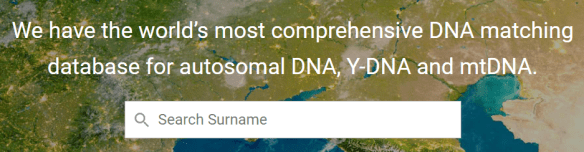

Type the surname of interest into the box and press enter. I’ll use Estes for this example.
You will see three types of results:
- The number of people with that exact surname that you typed, “Estes” in this case, that have tested – both male and female. In the first red box below, you can see that 320 people who currently have the surname of Estes have tested.
- The surname projects that include that surname spelling in the project description. Looking at the second red box, you can see that the Estes project has 370 members and the Estis Jewish Ukraine project has 62. The Estis Jewish project administrator has included the spelling Estes in the project description which is why this project is listed under Estes surname Projects.
- Other projects, in the green box, where the administrators have listed the surname Estes because their project might be of interest to some Estes descendants. This doesn’t mean that this project pertains to your Estes family – but it does mean you might want to click on the project and read the description.


For example, here’s the North Carolina Early 1700s project description.

Click to enlarge
For all projects, you can see the administrators’ names at the bottom left, below the project links. You can click on their names to contact them with questions.
You can click on this page to join. If you click “Join” and have not purchased a kit, you will be prompted to do so. If you have already purchased a kit, you will be prompted to sign in at this point so that your kit can be joined to the project.
Project results are available for viewing through the links at the left.
The Early North Carolina project includes both Y DNA and mitochondrial DNA participants.
Project Grouping
Project administrators group participants in various ways, depending on the goals of the project. In this case, mitochondrial DNA results are grouped by haplogroup.

Click to enlarge
Note that the first 2 people didn’t enter their earliest known ancestor, but the last 3 did. Results are so much more useful with ancestor information.
HVR1, HVR2 and Full Sequence
Project administrators have a lot of leeway about the purpose and goals of the project, the criteria to join, grouping (or not) and even whether the project has a public-facing results page, like the one shown above.
However, two things project administrators have NO CONTROL OVER at all are:
- Whether your full name displays. It does NOT! A surname only may be displayed if the administrator selects that option.
- Whether or not the coding region results are shown. That’s not an option and never has been at Family Tree DNA. Only HVR1 and HVR2 are shown, as shown above.
If, as project members, you grant administrators coding region view access so that they can properly group your results, there is no option for administrators to show coding region results on any web page.
Joining Projects from Your Personal Page
After signing on to your personal page at Family Tree DNA, to join or manage projects, click on myProjects at the top of your personal page.


You will then see the following option.


Click on “Join a Project.”
At this point, you will see a list of projects. People interpret this to mean that Family Tree DNA is recommending these projects, but that’s not the case. The project administrators have listed your surname as a surname that is relevant to the project they are running. That’s why the project is displayed on the project list you see initially.
Here’s the list that I see.


Of these projects, 2 are of interest, Estes and Cumberland Gap Y DNA, except that I don’t carry the Y chromosome. My mitochondrial DNA is not relevant, so unless the Cumberland Gap Y DNA project accepts people who don’t descend via the Y chromosome, only the Estes project is relevant to me.
The project with the purple star is new since the last time I looked. It may be relevant to me. I’ll need to read the project description to see.
Searching
Let’s say I’m interested in joining the Lore project, my mother’s mother’s surname. I want to search for projects that include Lore. I won’t see any initially, because my surname is not Lore.
Scrolling down below the initial project names shown above, I see a search box.


Typing Lore in the search box and clicking on “search” displays the following projects.


Both of these projects are relevant to me. My Lore great-grandfather is indeed Acadian.
Clicking on the link displays more information about the project. Clicking on the Join button joins you to the project, or, for projects that require a join request, takes you to the join request page.


If the project requires a join request, be sure to read the project goals and state why the project is a good fit for you.
For example, if the project is the Mitochondrial Haplogroup B Project, and you’re a haplogroup H, the project is not a good fit for you.
Many projects include key words that make searching more effective. For example, to find the AcadianAmerindian project, simply type Acadian into the search box. Project administrators try their best to make the projects findable for people interested in that specific topic.
To find haplogroup projects and projects that don’t include a specific surname or key word, you’ll need to browse. Fortunately, projects are logically grouped.
Browsing Projects
By scrolling down below the search box, you’ll see the various project categories with projects listed alphabetically. The number beside the letter indicates the number of projects in that category.

Click to enlarge
- Surname Projects are just what they say and you’ll find those using the search feature.
- Y and Mitochondrial Geographical Projects are projects that aren’t surnames and aren’t haplogroups. In other words, they could be a geography like the Cumberland Gap or France, or they could be a group like Native American or Tuscarora.
- Dual Geographical Projects include both Y DNA and mitochondrial DNA from a geography, BUT, these types of projects are extremely difficult to administer because someone may join because their Y DNA is from France, for example, but their mitochondrial DNA is from Africa. What happens is that unless the administrator actively suppressed the “wrong” DNA (from the project perspective) from showing, it looks for all the world like African mitochondrial DNA is appearing in France because both the Y and mitochondrial DNA of the tester shows in the results by default. If you’re thinking to yourself that suppressing “one little thing” should be easy, it’s not necessarily, especially not with thousands of participants in some projects. Not only that, it would require each person joining a project to communicate with the administrator and tell them which line is relevant to the project, Y, mitochondrial, or neither.
- MtDNA and Y DNA Lineage Projects are similar to surname projects, but they track descendants of a specific ancestor. For example, I could start a project for my great-great-grandmother’s descendants and encourage them to join that project so we could communicate and research together.
- Mitochondrial and Y DNA Haplogroup Projects are focused on a single haplogroup or subgroup. Some haplogroups have only one project, like Haplogroup J. Other haplogroups have a primary project plus several subgroup projects. Haplogroup H, which is very prevalent in Europe, has several subgroups.

Click to enlarge
Haplogroup administrators as scientists and citizen scientists often study specific haplogroups to learn more about their history and through that, the history of the human species and our migrations.
Unjoin
If you joined a project by accident, changed your mind or discovered a project is no longer relevant, it’s easy to unjoin.


Click on “Manage myProjects.”


You’ll see each project that you have joined, along with two actions. A pencil to modify your membership and a trash can. To unjoin the project, just click the trash can.
Editing and Granting Administrator Access
Click on the pencil to edit.
You control the amount and level of access that administrators have to your results.
If you grant administrators Minimum Access, they can’t even see your matches to group you properly. I don’t recommend that level.
Here’s a summary of Group Administrator Access at the various levels.


Please read the details on the Group Administrator Access Level and Permissions page in the Learning Center.

I generally allow all future administrators the same level of access. After all, I won’t be here one day to reauthorize and I want my DNA to work for both my ancestors and descendants forever.
Make your selections and then click on “Accept Project Preferences.” The system will then provide you with a summary of your selections.
Group Profile and Coding Region Sharing
You’ll need to decide if you’re going to share the Coding Region with the administrators, and if you’re going to share your results on the public webpage.
Both of those options can be found under your Account Settings, found under the little drop down beside your name in the far right hand corner of your personal page..


Under Account Settings, click on Project Preferences.

Click to enlarge
Next, you’ll see a list of the projects you have joined. Scroll beneath that to the Project Sharing section.

Click to enlarge
You’ll want to be sure that these selections reflect your wishes. If you DON’T allow sharing, your results won’t be included on the public web page. People often view projects to see if their ancestors are represented, so results in projects act as cousin bait.
The administrators need to be able to view your coding region mutations to group you accurately.
Housekeeping
While you’re on the Account Settings page, take a look at the other tabs and make sure they reflect your desired options.
In particular, make sure on the Genealogy page to complete your surnames and your Earliest Known Ancestors and on the Account Information Page, your Beneficiary Information.
Your relatives and descendants will thank you!!!
______________________________________________________________
Disclosure
I receive a small contribution when you click on some of the links to vendors in my articles. This does NOT increase the price you pay but helps me to keep the lights on and this informational blog free for everyone. Please click on the links in the articles or to the vendors below if you are purchasing products or DNA testing.
Thank you so much.
DNA Purchases and Free Transfers
- Family Tree DNA
- MyHeritage DNA only
- MyHeritage DNA plus Health
- MyHeritage FREE DNA file upload
- AncestryDNA
- 23andMe Ancestry
- 23andMe Ancestry Plus Health
- LivingDNA
Genealogy Services
Genealogy Research
- Legacy Tree Genealogists for genealogy research
