

Oops! Did you accidentally join a project at Family Tree DNA in error, or just need to do some housekeeping?
Some folks think that only project administrators can remove people from projects, but people can unjoin themselves – and don’t have to wait on the administrator.
Removing yourself from a Family Tree DNA project is easy. Just click on the Projects tab, at the top right of your personal page, then on “Manage my projects.”
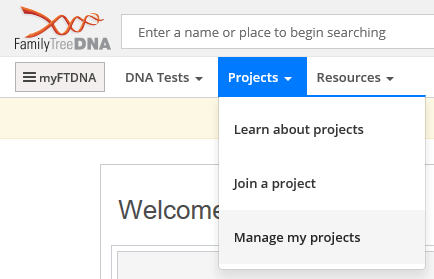
You will then see a list of the projects you have joined where you are currently a member. Click to enlarge the graphic below.

At the far right, you can click on “Leave Project” to unjoin yourself from the project.
The next screen you will see asks you to provide a reason for leaving.
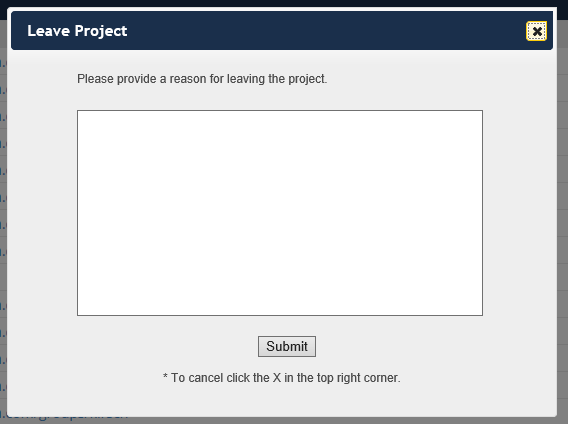
Type something in the box, but please be nice – administrators are all volunteers – then click submit.
Understand that your reason is sent to the administrator, but they have no avenue to reply to you after you have left the project. So don’t expect to hear from them, because they can’t. If you have a question for the admins or a discussion item, prior to leaving, just send them an e-mail.
Easy peasy!!
If you’re looking for how to select and join a project, you might enjoy How to Join a DNA Project.
______________________________________________________________
Disclosure
I receive a small contribution when you click on some of the links to vendors in my articles. This does NOT increase the price you pay but helps me to keep the lights on and this informational blog free for everyone. Please click on the links in the articles or to the vendors below if you are purchasing products or DNA testing.
Thank you so much.
DNA Purchases and Free Transfers
- Family Tree DNA
- MyHeritage DNA only
- MyHeritage DNA plus Health
- MyHeritage FREE DNA file upload
- AncestryDNA
- 23andMe Ancestry
- 23andMe Ancestry Plus Health
- LivingDNA
Genealogy Services
Genealogy Research
- Legacy Tree Genealogists for genealogy research
