

Well, there’s nothing like embarrassing yourself, and publicly at that. This past weekend, I sent a bulk message as a Family Tree DNA group project administrator (GAP) and it was a mess when it arrived. Let’s look at what happened and how you can avoid having this happen to you. Or conversely, if you receive one that looks like this – you’ll know it’s not that your volunteer administrator is an idiot, and you can send them this link.
I use MS Word – every day – and I’m pretty proficient with it.
I don’t use the GAP bulk message tool very often to communicate with my projects. Some projects are just too big (think Cumberland Gap) and I’ve told all of them to subscribe to my blog to get up-to-date general information. Therefore, when I send a GAP bulk message to project members, it’s about the project specifically, generally a surname project. I do this about once a year kind of as a round-up for everyone.
But this year, my message came out as an embarrassing mess.
I typed it in Word with minimal formatting – nothing special. Then I just copy/pasted it into the bulk mail tool. It looked good, and I was done. I pressed send and it was on its way to project members. However, how it looked when it arrived was not what it looked like when I pressed send, and was embarrassing, to say the least.
Here’s just the first couple sentences. I can’t bear to look at any more. The red I’ve added so you don’t have to suffer through reading it.
Hello EstesProject Members and Happy New Year,
Once a year Itake an overall look at our project, do any cleanup I need to do, group orregroup people if they had taken additional tests, and do general maintenance.
You can seethe updated grouping at this link, and if you see anything that you think isincorrect, or amiss, please let me know.
Note the words that are all run together. As administrators, we give advice and ask people to do things like upgrade their tests. We need to be credible, and in this case, the tool we have makes us look anything but. We don’t have to shoot ourselves in the foot – it’s already taken care of for us.
However, I discovered that, hidden away, is a fix. The problem is that you have to KNOW to utilize it and how many people would know that? I clearly didn’t.
Here’s what the body of the bulk e-mail tool looks like. Your message goes below the toolbar.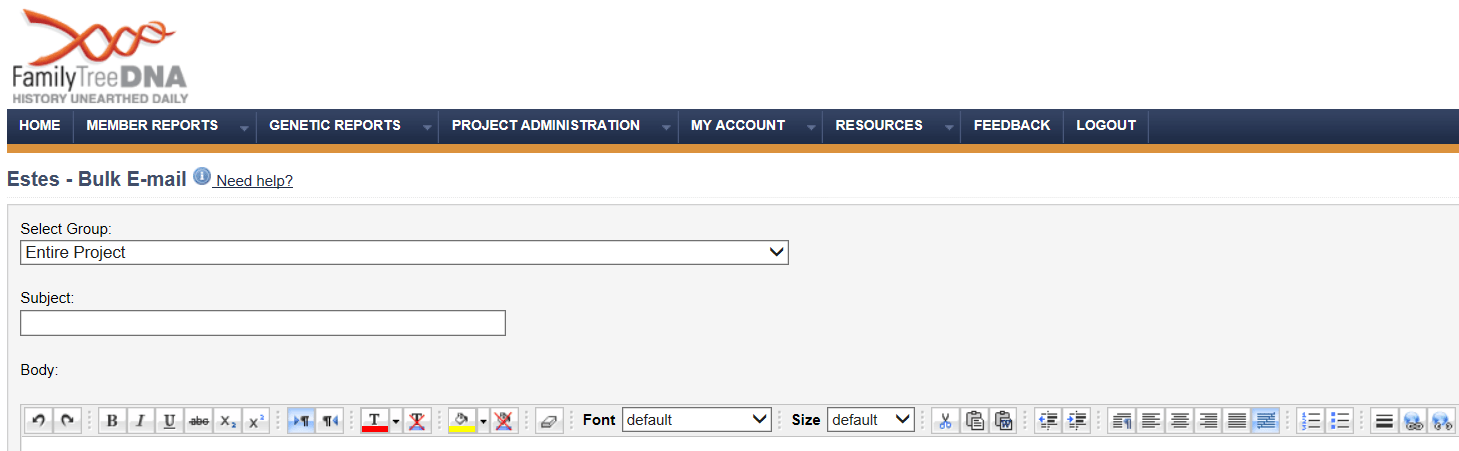
On the toolbar, there is a little W button. Turns out it’s the magic “Word Behave” button.
Here it is even closer.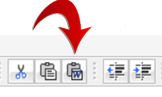
When you’re ready to paste from a Word document, instead of doing “paste,” click on this little W button and follow the instructions to then press Ctl+V. That tells the GAP tools that this is a Word document and apparently, not to “fix anything.”
And just so you know, this isn’t the only place this little gotcha is lurking. This same editor tool is utilized in the Public Website page and in the Welcome E-mail as well, so if you’re going to copy/paste from Word, utilize the magic “Word Behave” button instead of using copy/paste. Can’t remember what you did? Maybe it’s time to go and check to see what your page looks like and what your automated welcome message looks like when it arrives.
______________________________________________________________
Disclosure
I receive a small contribution when you click on some of the links to vendors in my articles. This does NOT increase the price you pay but helps me to keep the lights on and this informational blog free for everyone. Please click on the links in the articles or to the vendors below if you are purchasing products or DNA testing.
Thank you so much.
DNA Purchases and Free Transfers
- Family Tree DNA
- MyHeritage DNA only
- MyHeritage DNA plus Health
- MyHeritage FREE DNA file upload
- AncestryDNA
- 23andMe Ancestry
- 23andMe Ancestry Plus Health
- LivingDNA
Genealogy Services
Genealogy Research
- Legacy Tree Genealogists for genealogy research
